

 HOME
HOME PRODUCT CENTER
 ABOUT US
 DOWNLOAD CENTER
 SUPPORT CENTER
 SUBSCRIBE
 BLOG
BLOGDTF Printer Setup Guide for High-Quality Textile Printing
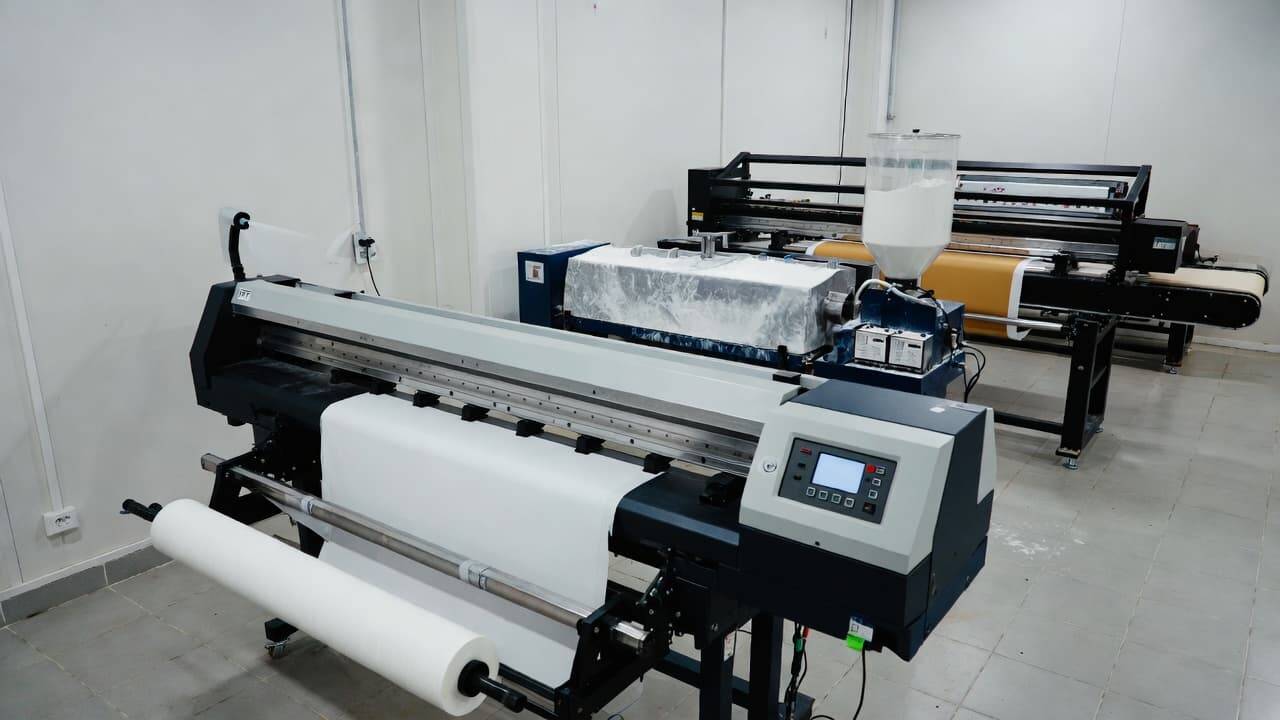
The textile printing industry has evolved rapidly in recent years, and one of the most transformative innovations is the DTF printer setup. Direct-to-Film (DTF) printing has opened new possibilities for apparel businesses, print-on-demand startups, and custom merchandise creators. With the right combination of a DTF printer, powder shaker, and dryer, you can produce vibrant, durable, and professional-grade prints on a wide range of fabrics.
This comprehensive guide explains everything you need to know about a complete DTF printer setup. From understanding how the process works to selecting the right equipment and optimizing your workflow, this article is designed to help you build a reliable and scalable DTF printing operation.
What Is DTF Printing?
Direct-to-Film (DTF) printing is a digital printing method that transfers designs onto fabric using a specialized PET film, adhesive powder, and heat curing process. Unlike traditional screen printing or even some other digital methods, DTF printing does not require complex pre-treatment of garments and works efficiently on both light and dark fabrics.
How the DTF Process Works
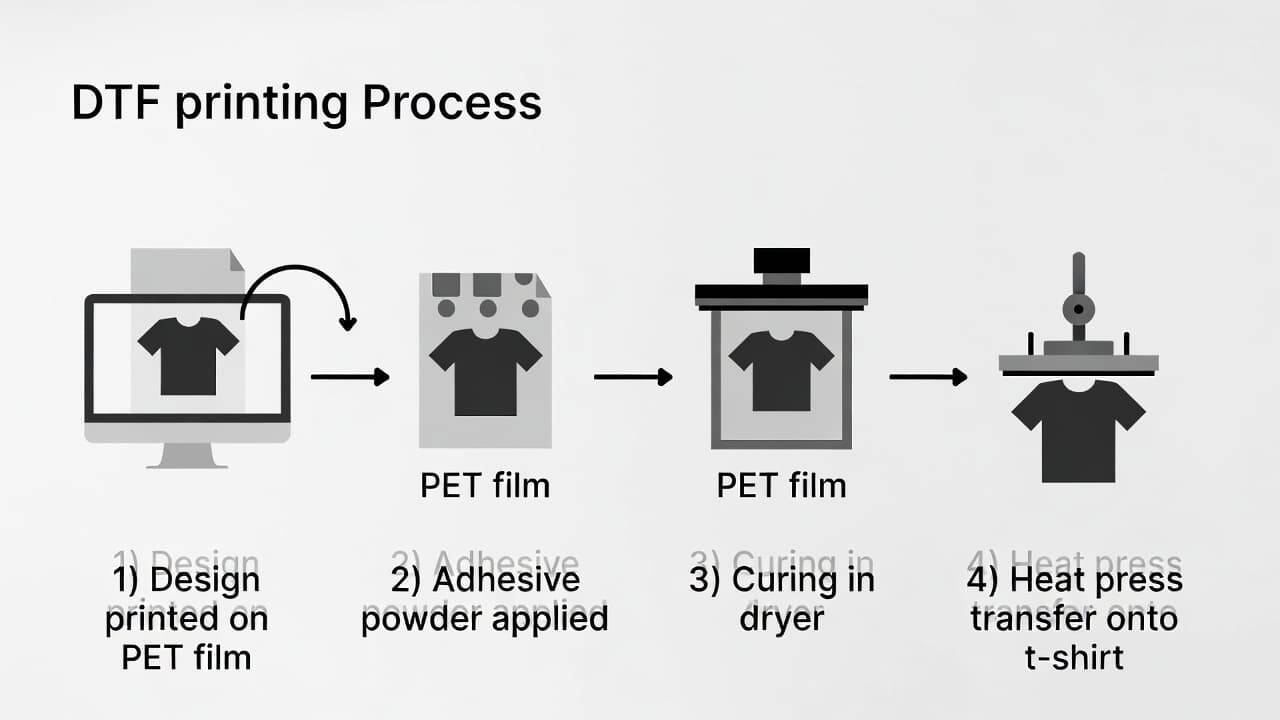
The process typically includes the following stages:
Printing the design onto a special PET film using DTF inks.
Applying adhesive powder evenly over the printed design.
Curing the adhesive powder using heat.
Transferring the design onto the garment using a heat press.
The result is a flexible, long-lasting print that maintains color vibrancy and fine details even after multiple washes.
Why DTF Printing Is Gaining Popularity
DTF printing has quickly become a preferred choice for custom apparel businesses. Here’s why:
Works on cotton, polyester, blends, silk, denim, and more.
Produces vibrant, high-resolution prints.
Suitable for complex, multi-color designs.
Lower setup cost compared to traditional screen printing.
Faster turnaround time for small and bulk orders.
Because of these advantages, many startups and established print shops are investing in a complete DTF printer setup with powder shaker and dryer to improve production efficiency.
Core Components of a Complete DTF Printer Setup
To build a fully functional DTF printing system, you need three primary components:
DTF Printer
Powder Shaker
Dryer (Curing Unit or Heat Press)
Each element plays a critical role in achieving consistent, high-quality results.
DTF Printer: The Heart of the System
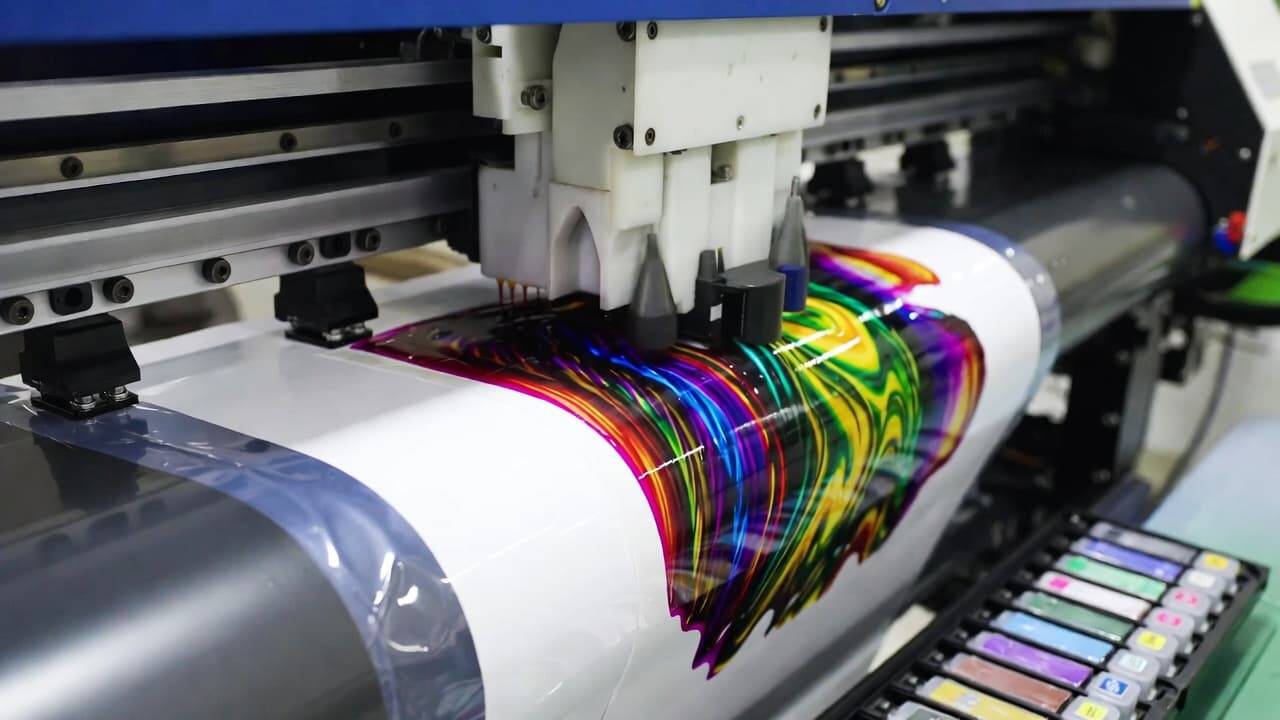
The DTF printer is the most important component in the setup. It is specifically engineered to handle DTF inks and PET film.
Key Features to Look For
High Print Resolution
Choose a printer with high DPI capability to ensure sharp details and smooth color gradients. High resolution is essential for intricate logos, artwork, and typography.
Reliable Print Speed
Print speed directly impacts productivity. If you plan to handle bulk orders, select a printer that balances speed with quality.
DTF Ink Compatibility
DTF printers use specialized pigment inks, including white ink for base layers. Make sure the printer supports proper ink circulation to prevent clogging.
Stable Film Feeding System
A smooth and accurate film feeding mechanism ensures alignment and reduces print errors.
2. Powder Shaker: Ensuring Perfect Adhesion
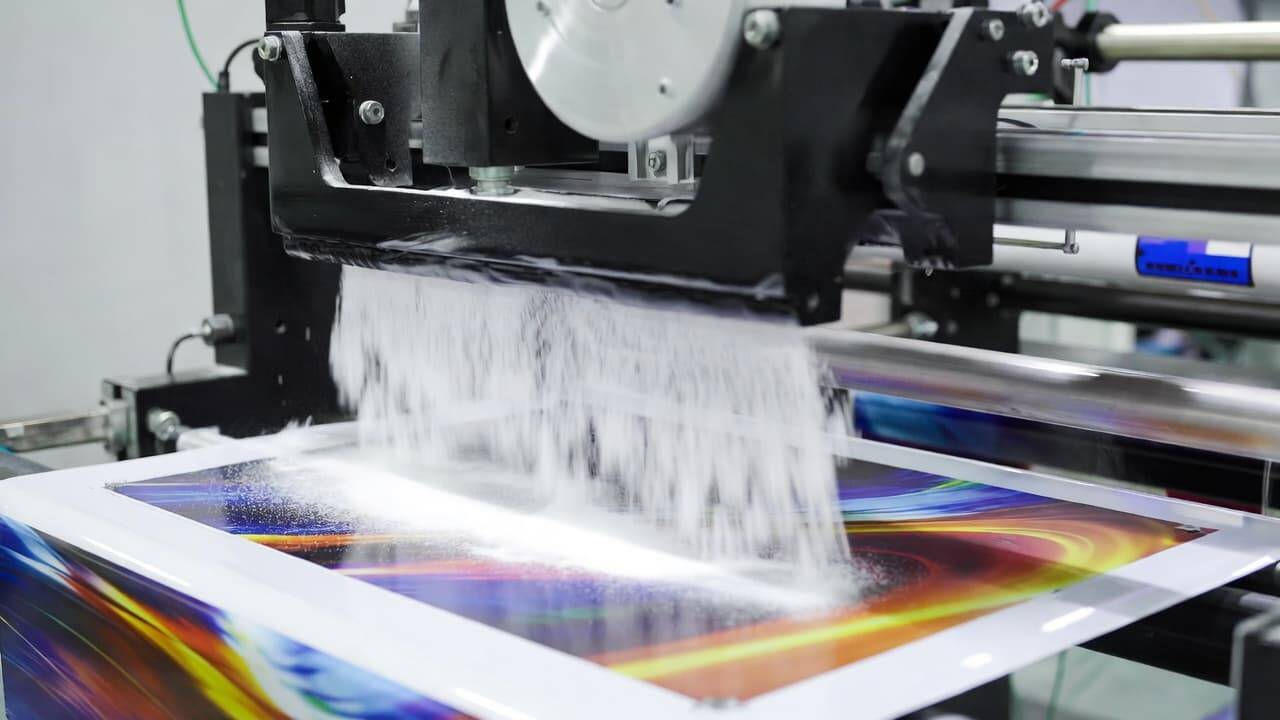
After printing your design onto the PET film, the next step is applying adhesive powder. The powder shaker automates this process and ensures uniform coating.
Why a Powder Shaker Is Essential
Manual powder application can lead to uneven distribution, clumping, and inconsistent results. A powder shaker provides:
Even powder coverage
Reduced material waste
Faster production workflow
Professional-level consistency
Important Features to Consider
Adjustable Powder Control
Being able to adjust powder quantity allows you to optimize adhesion for different design densities and fabrics.
Automatic Recycling System
Some advanced powder shakers recycle excess powder, reducing material costs.
Consistent Shaking Mechanism
Uniform vibration or shaking prevents clumping and ensures smooth coverage across the entire design.
3. Dryer: The Curing Stage
Once the adhesive powder is applied, the film must be cured to activate the adhesive. This is where the dryer plays a crucial role.
A dryer, also known as a curing oven or heat unit, melts the adhesive powder so it bonds properly with the printed ink.
Key Features of a Good Dryer
Accurate Temperature Control
Proper curing temperature is critical. Too much heat can damage the print; too little can weaken adhesion.
Even Heat Distribution
Uniform heating ensures consistent curing across the entire film surface.
Ventilation System
Since heat is involved, proper airflow helps maintain safe working conditions.
Step-by-Step Guide to Setting Up a DTF Printer with Powder Shaker and Dryer
Setting up your DTF system correctly is essential for smooth operation and long-term reliability.
Step 1: Install and Configure the DTF Printer
Unbox and position the printer on a stable surface.
Install DTF ink cartridges and check for proper ink flow.
Install RIP software for color management.
Load PET film properly to avoid misalignment.
Perform a test print to ensure nozzle performance.
Calibration is key at this stage. Adjust print head alignment and color settings for optimal results.
Step 2: Prepare the Powder Shaker
Fill the machine with high-quality DTF adhesive powder.
Adjust vibration or shaking intensity.
Test with a sample print to ensure even coverage.
Check for proper powder recycling (if available).
Consistency at this stage directly impacts the durability of your final print.
Step 3: Set Up the Dryer
Place the dryer in a well-ventilated space.
Preheat to the recommended curing temperature (as specified by the adhesive powder manufacturer).
Run a small test cure to verify melting consistency.
Make sure the film moves smoothly through the dryer without curling or overheating.
Step 4: Printing and Curing Workflow
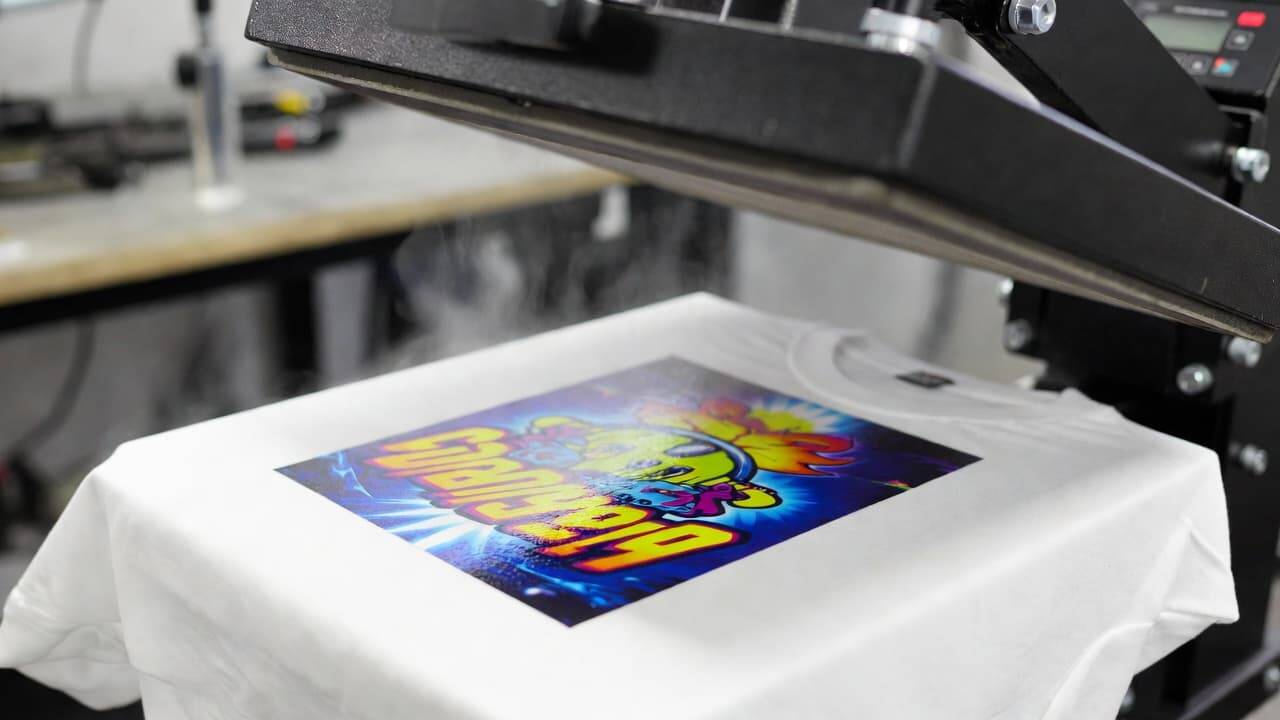
Print the design on PET film.
Transfer the film to the powder shaker.
Cure the adhesive in the dryer.
Use a heat press to transfer the design onto the garment.
Peel the film (cold or hot peel, depending on film type).
Step 5: Quality Inspection
Always inspect finished prints for:
Color accuracy
Edge sharpness
Adhesion strength
Wash resistance
If any issues appear, adjust temperature, powder quantity, or ink density accordingly.
Benefits of Investing in a Full DTF Printer Setup
A complete DTF printer with powder shaker and dryer offers numerous business advantages.
1. Fabric Versatility
Print on cotton, polyester, blends, silk, denim, and more without complex pre-treatment.
2. Vibrant and Detailed Prints
DTF technology captures fine lines and gradients with excellent color saturation.
3. Long-Lasting Durability
Properly cured DTF prints resist cracking, fading, and peeling even after repeated washing.
4. Cost-Effective Production
Compared to traditional methods, DTF printing reduces setup time and allows profitable small-batch printing.
5. Scalability
As demand grows, you can upgrade to automated powder shakers and larger curing systems.
Important Factors Before Buying a DTF Printer Setup
Before investing, evaluate these practical considerations:
Budget Planning
Include costs for:
Printer
Powder shaker
Dryer
Heat press
Consumables (ink, film, powder)
Plan for maintenance and spare parts as well.
Workspace Requirements
Ensure adequate space for:
Equipment placement
Ventilation
Storage of materials
Smooth workflow movement
Technical Support and Warranty
Choose a supplier that provides:
Installation guidance
Troubleshooting assistance
Warranty coverage
Spare parts availability
Reliable support can save time and prevent costly downtime.
Common Challenges and How to Avoid Them
Even the best DTF printer setup can face issues. Here are common problems and solutions:
Ink Clogging
Solution: Regular nozzle cleaning and proper ink circulation.
Uneven Powder Application
Solution: Adjust shaker settings and ensure powder quality.
Weak Adhesion
Solution: Increase curing temperature slightly or check powder quality.
Color Inconsistency
Solution: Calibrate RIP software and use quality ICC profiles.
Preventive maintenance significantly reduces production interruptions.
Maintenance Tips for Long-Term Performance
To keep your DTF printer setup running efficiently:
Clean print heads daily.
Shake white ink cartridges regularly.
Store PET films in a dry environment.
Inspect powder shaker filters weekly.
Calibrate temperature settings periodically.
Proper care extends machine lifespan and ensures consistent output quality.
Is a DTF Printer Setup Right for Your Business?
A DTF printer setup is ideal for:
Custom t-shirt businesses
Print-on-demand startups
Corporate merchandise suppliers
Sportswear printers
Fashion brands
If you want flexibility, vibrant print quality, and scalable production, DTF printing is a strong investment.
Frequently Asked Questions (FAQ)
What fabrics can I print on with a DTF printer?
You can print on cotton, polyester, blends, silk, denim, and many other materials. DTF printing works well on both light and dark garments.
How long does the DTF printing process take?
The time depends on design complexity and equipment speed. A single print cycle typically takes a few minutes, while bulk production depends on workflow efficiency.
Can I convert my existing printer into a DTF printer?
Some printers can be modified, but it requires proper ink systems and technical adjustments. It is generally safer to use a printer specifically designed for DTF printing.
Are DTF prints washable?
Yes. When properly cured, DTF prints are highly durable and withstand frequent washing without cracking or fading.
Do I need professional training to operate a DTF printer?
Basic technical understanding helps, but most modern DTF systems are user-friendly. With practice and proper guidance, beginners can quickly master the process.
Final Thoughts
A complete DTF printer setup with powder shaker and dryer provides a powerful solution for modern textile printing. It combines efficiency, flexibility, and professional-grade results in one streamlined workflow. By understanding each component and optimizing your setup correctly, you can produce vibrant, durable prints that meet high market standards.
Whether you are launching a new apparel brand or upgrading your existing print shop, investing in the right DTF printing system can significantly boost your productivity and profitability. With proper maintenance, smart workflow management, and quality materials, your DTF setup can become the backbone of a successful printing business.explore our high-quality DTF printers here