

 HOME
HOME PRODUCT CENTER
 ABOUT US
 DOWNLOAD CENTER
 SUPPORT CENTER
 SUBSCRIBE
 BLOG
BLOGDTF Printer Specifications Explained
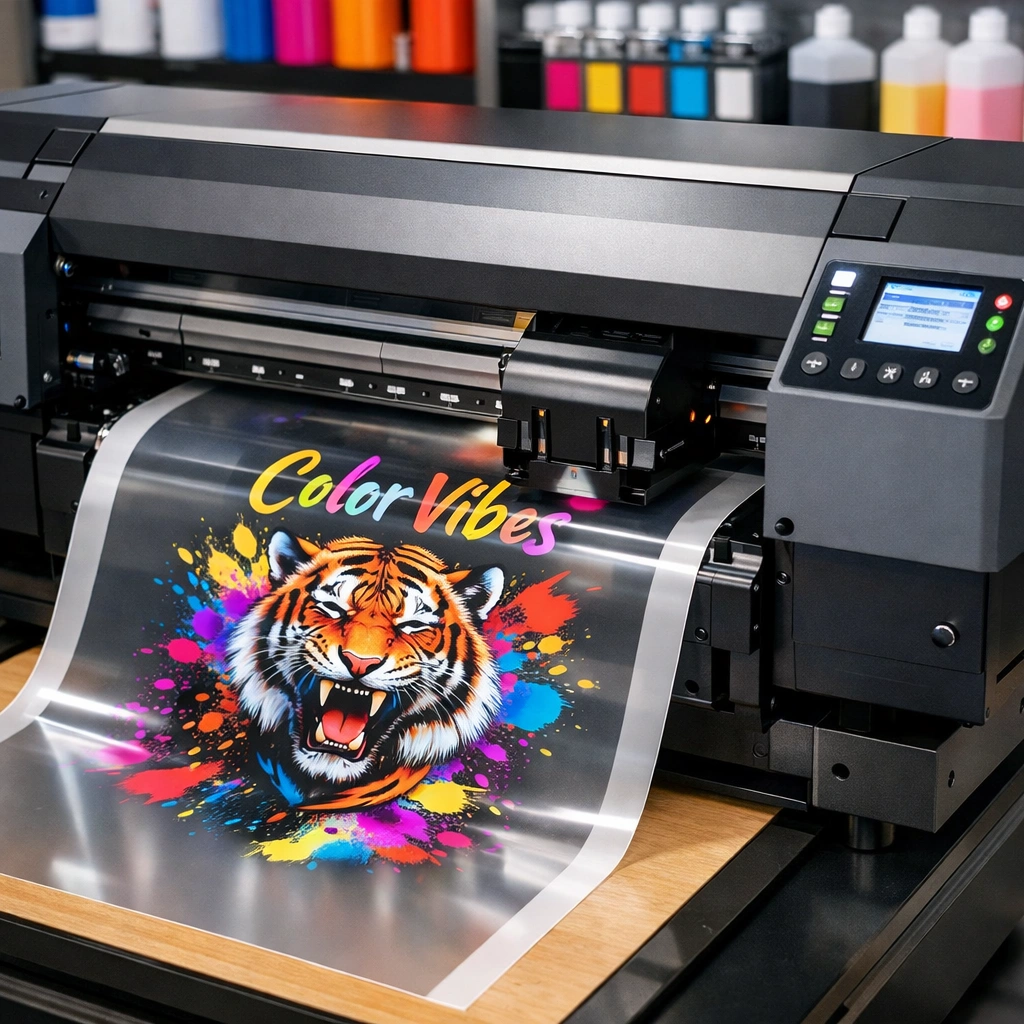
Direct-to-Film (DTF) printing has rapidly emerged as one of the most reliable and flexible technologies in the modern textile printing industry. From small custom apparel businesses to large-scale commercial printing units, DTF printing has become a preferred solution due to its ability to deliver vibrant colors, sharp details, and long-lasting prints on a wide variety of fabrics. Unlike traditional printing methods that may be limited by material type or design complexity, DTF printing offers unmatched versatility and efficiency.
However, with the growing popularity of DTF technology, the market is now flooded with a wide range of DTF printers—each claiming superior performance and quality. For buyers, this abundance of options often creates confusion. Selecting the wrong printer without carefully verifying its specifications can lead to poor print quality, increased maintenance costs, and reduced productivity.
This article provides a detailed, easy-to-understand guide to verifying DTF printer specifications before making a purchase. By the end of this guide, you will have a clear understanding of which technical features truly matter and how to choose a DTF printer that aligns with your business goals and production requirements.
Understanding DTF Printing Technology
Before analyzing technical specifications, it is important to understand how DTF printing works and why it has become such a powerful solution for textile decoration.
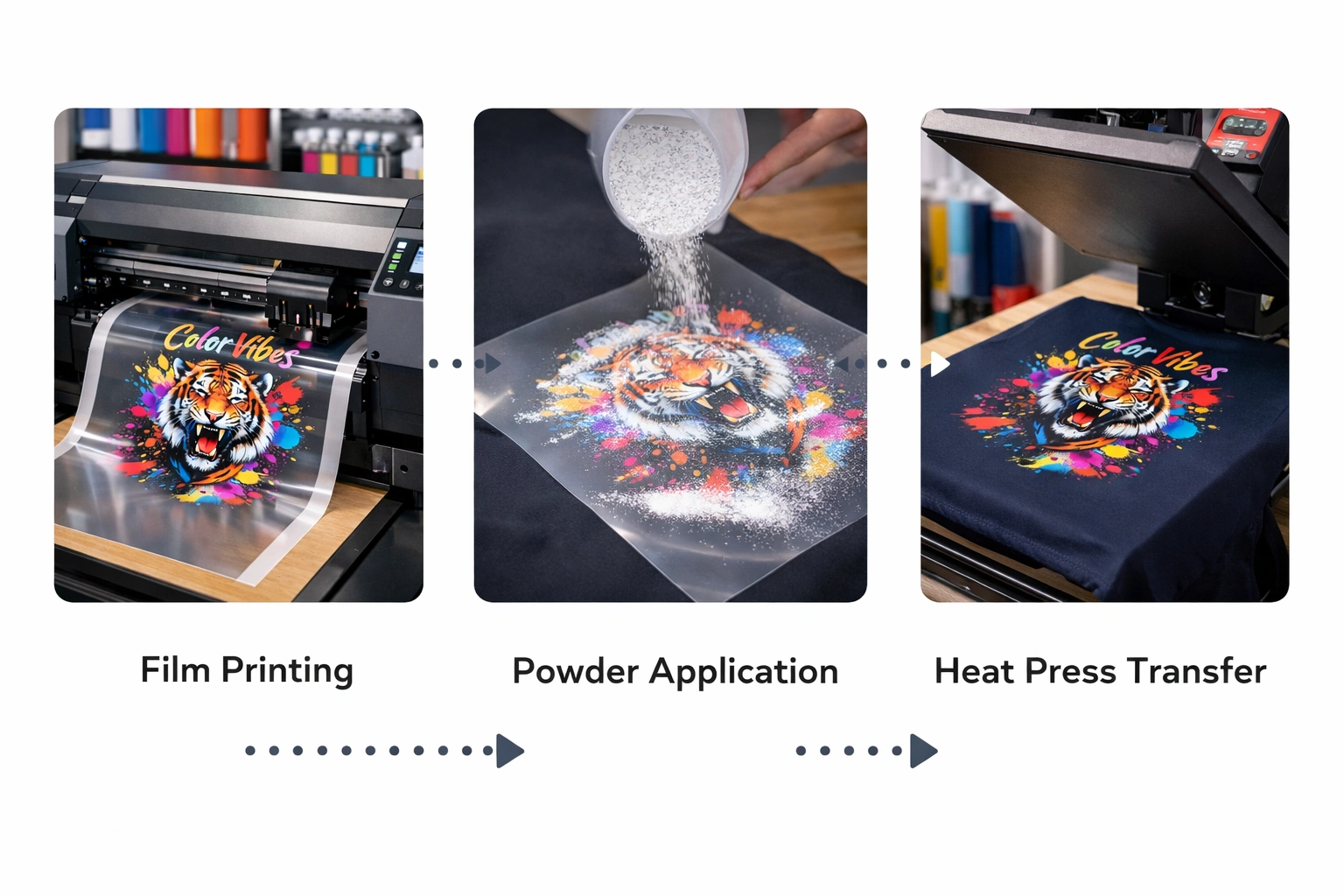
DTF printing involves printing a digital design onto a specially coated transfer film using water-based pigment inks. After printing, a hot-melt adhesive powder is applied to the wet ink. The printed film is then cured using heat, allowing the adhesive to bond with the ink layer. Once cured, the design can be transferred onto fabric using a heat press.
One of the biggest advantages of this process is that it does not require pre-treatment of fabrics. DTF prints can be applied to cotton, polyester, blends, denim, nylon, and even darker fabrics without compromising color brightness or durability. This flexibility makes DTF printing ideal for custom clothing, promotional products, and on-demand printing businesses.
Why Verifying Specifications Is Essential
DTF printers may appear similar at first glance, but their internal components and technical capabilities can differ significantly. Specifications determine not only print quality but also operational efficiency, long-term reliability, and total cost of ownership.
Without verifying specifications, buyers risk investing in machines that fail to meet production demands, struggle with color consistency, or require frequent repairs. Understanding each specification ensures that the printer you choose supports your workflow, reduces downtime, and delivers consistent results.
Key DTF Printer Specifications to Consider
1. Print Resolution (DPI)
Print resolution is one of the most critical specifications of any DTF printer. It is measured in dots per inch (DPI) and directly impacts image sharpness, text clarity, and color transitions.
A minimum resolution of 720 DPI is generally sufficient for basic designs, logos, and text-based prints. However, for businesses producing detailed artwork, gradients, or photographic designs, printers offering 1440 DPI or higher are strongly recommended.
Higher resolution ensures smoother edges, more precise color blending, and professional-grade output. While higher DPI may slightly reduce printing speed, the improvement in print quality often justifies the trade-off.
2. Print Width Capacity
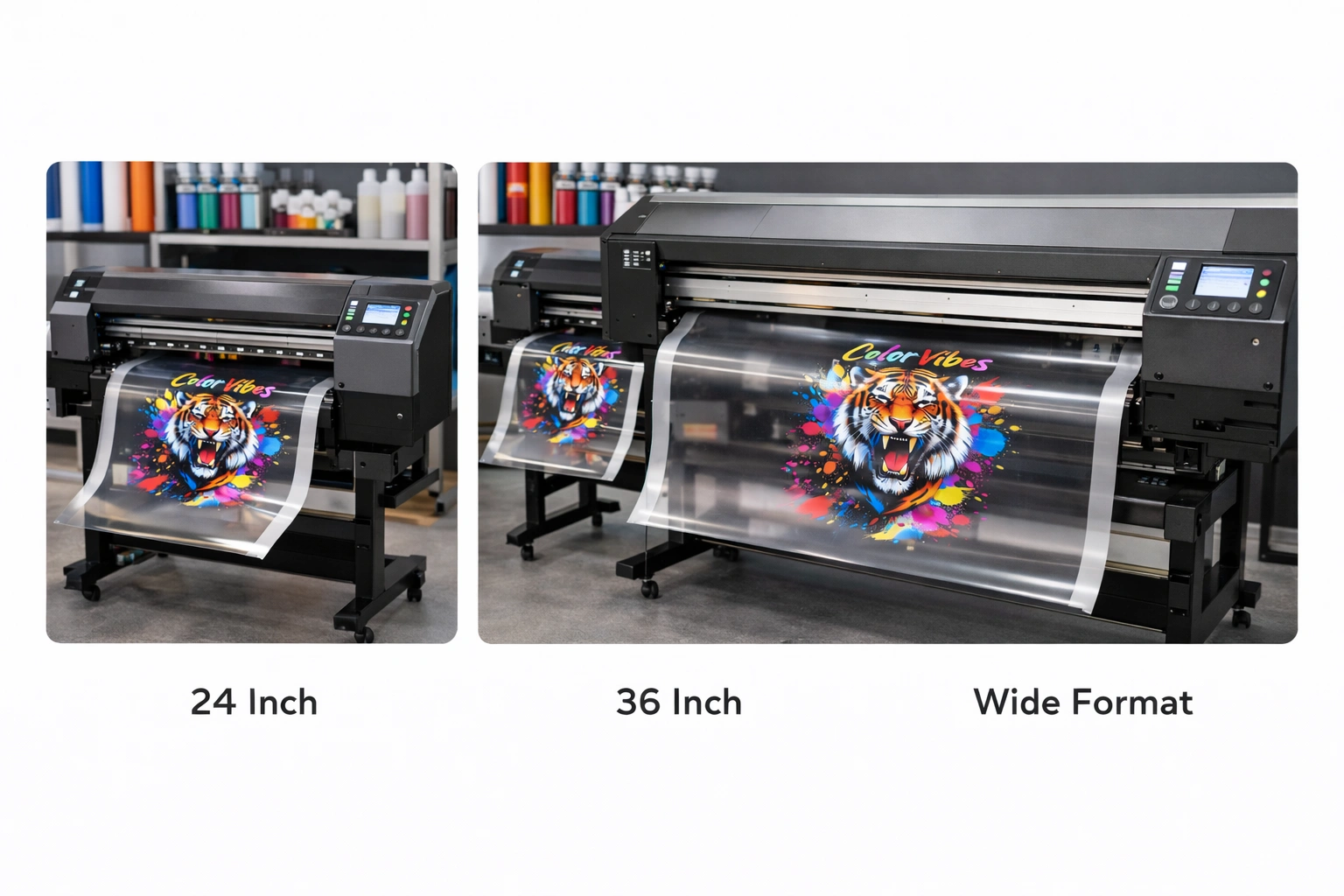
Print width defines the maximum size of designs that a DTF printer can handle. Choosing the correct print width depends on your target market and product range.
Common DTF printer widths include:
24 inches – Ideal for small businesses, startup operations, and custom apparel printing
36 inches – Suitable for medium-scale production and standard garment sizes
44 to 60 inches – Best for industrial operations handling bulk orders and large fabric rolls
Selecting a wider printer than your immediate needs can be beneficial for future expansion. However, wider machines also require more workspace and higher investment, so balance is important.
3. Ink System and Ink Type
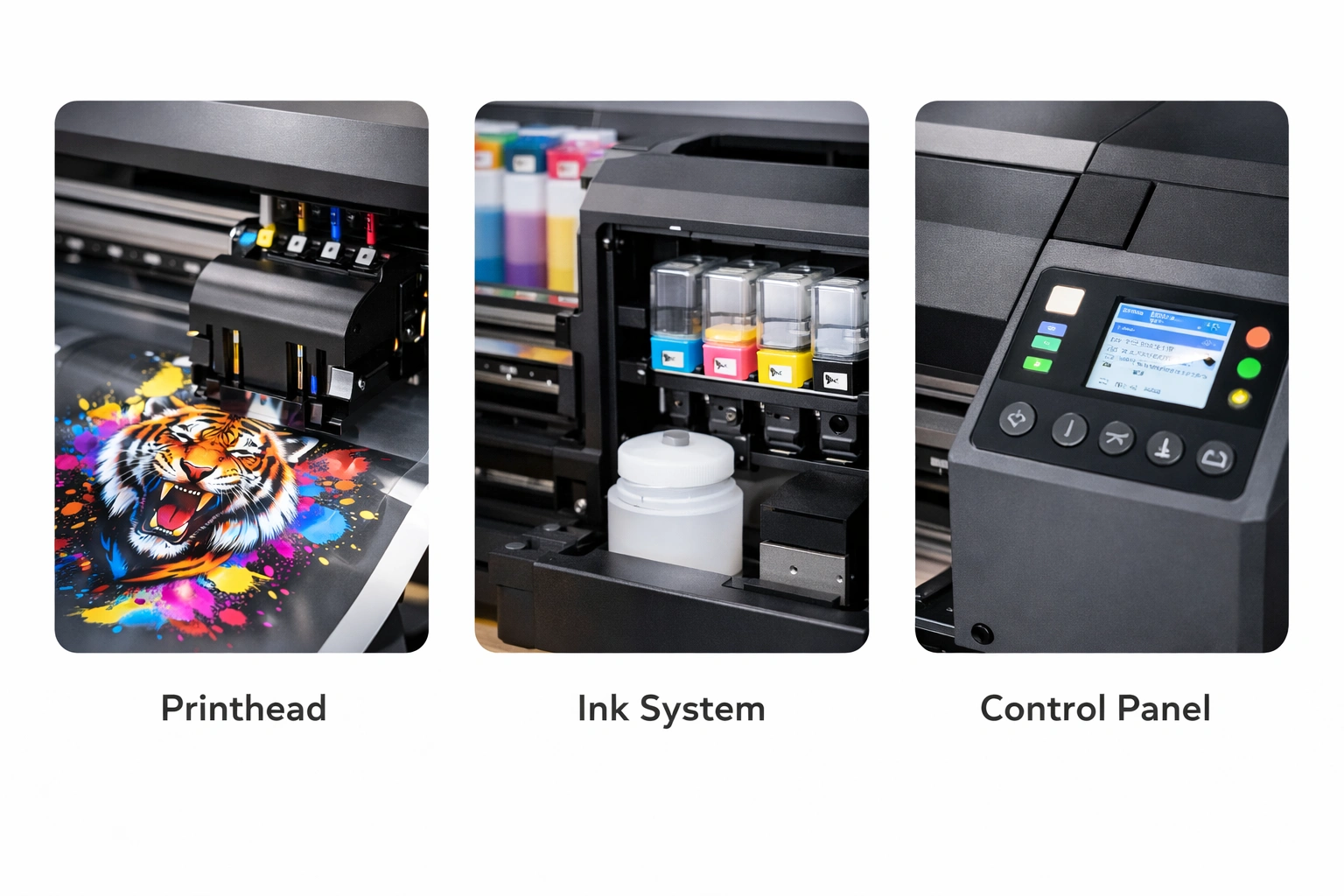
Ink quality plays a crucial role in color vibrancy, wash durability, and overall print longevity. DTF printers typically use water-based pigment inks designed specifically for transfer printing.
Key points to check include:
White ink circulation system to prevent clogging and sedimentation
CMYK + White ink configuration for accurate color reproduction
Ink compatibility with multiple fabric types
High-quality pigment inks ensure prints remain bright, flexible, and resistant to cracking even after repeated washes. A reliable ink delivery system also reduces maintenance issues and ink wastage.
4. Print Speed and Production Output
Print speed determines how many transfers you can produce within a given timeframe. This is especially important for commercial operations handling bulk orders or tight deadlines.
DTF printers typically offer speeds ranging from 10 to 25 square meters per hour, depending on resolution and print mode. Faster speeds improve productivity but should not come at the cost of print quality.
When evaluating speed, consider your average order volume and daily production targets. A balanced printer delivers consistent quality while maintaining efficient output.
5. Media and Fabric Compatibility
One of the biggest advantages of DTF printing is its wide compatibility with different fabrics. However, not all printers handle media equally well.
Ensure the printer supports:
Cotton and cotton blends
Polyester and performance fabrics
Dark and light-colored materials
Stretchable and textured surfaces
Advanced printers often feature adjustable platen height, stable film feeding mechanisms, and precise temperature control to handle diverse media types without distortion or misalignment.
6. Software and RIP Compatibility
DTF printing relies heavily on software for color management, layout control, and print accuracy. A good DTF printer should be compatible with professional RIP (Raster Image Processor) software.
Important features include:
Accurate white ink layering control
ICC color profile support
Compatibility with popular design tools
User-friendly interface for easy operation
Efficient software integration reduces errors, improves color consistency, and speeds up workflow.
7. Maintenance Requirements
DTF printers require routine maintenance to ensure consistent performance. However, modern machines are designed to minimize manual intervention.
Look for features such as:
Automatic printhead cleaning
White ink agitation systems
Easy access to internal components
Maintenance alerts and diagnostics
Lower maintenance requirements translate into reduced downtime and long-term cost savings.
8. Build Quality and Components
The durability of a DTF printer depends on its construction and internal components. A well-built machine delivers stable performance and resists vibration, which is essential for high-resolution printing.
Check for:
Industrial-grade frames
High-quality printheads
Stable film feeding mechanisms
Efficient cooling and ventilation systems
Strong build quality ensures consistent output even during long production runs.
Comparing Different DTF Printers Effectively
Research and User Reviews
Customer feedback provides real-world insights into printer reliability, print quality, and support services. Reviews often highlight issues that specifications alone cannot reveal.
Request Print Samples
Print samples allow you to evaluate color accuracy, sharpness, and durability firsthand. This step is especially useful when comparing printers with similar specifications.
Price vs. Value Analysis
Rather than choosing the cheapest option, assess long-term value. Consider ink efficiency, maintenance costs, and production capacity to determine true affordability.
Warranty and After-Sales Support
A strong warranty and responsive technical support are essential. Reliable after-sales service ensures quick issue resolution and protects your investment.
Benefits of Choosing the Right DTF Printer
Superior Print Quality with vibrant colors and fine details
Lower Operational Costs through efficient ink usage
Business Scalability with flexible production capacity
Expanded Product Range across multiple fabric types
Improved Customer Satisfaction due to consistent results
Common Mistakes to Avoid
Ignoring ink system quality
Choosing insufficient print width
Overlooking software compatibility
Underestimating maintenance needs
Focusing only on price instead of performance
Avoiding these mistakes helps ensure a smooth and profitable DTF printing operation.
Conclusion
Verifying DTF printer specifications before purchasing is a crucial step in building a successful printing business. By carefully evaluating resolution, print width, ink system, speed, software, and maintenance features, you can select a printer that aligns with your production needs and long-term goals.
A well-chosen DTF printer not only enhances print quality but also improves efficiency, reduces costs, and opens new opportunities for growth. Taking the time to understand specifications today will save you from costly mistakes tomorrow.Explore our high-quality DTF printers here
Frequently Asked Questions (FAQ)
What is the recommended DPI for professional DTF printing?
A minimum of 720 DPI is suitable for most jobs, while 1440 DPI is ideal for detailed and premium prints.
Can DTF printing be used on all fabrics?
DTF printing works on most fabrics, including cotton, polyester, blends, and dark materials.
How often should maintenance be performed?
Regular maintenance is recommended weekly or after heavy production cycles to maintain print quality.
Is a high-priced DTF printer always better?
Not necessarily. The best printer is one that balances performance, reliability, and long-term cost efficiency.
What ongoing costs should be considered?
Ink, transfer film, adhesive powder, electricity, and routine maintenance should all be factored into total operating costs.