

 HOME
HOME PRODUCT CENTER
 ABOUT US
 DOWNLOAD CENTER
 SUPPORT CENTER
 SUBSCRIBE
 BLOG
BLOG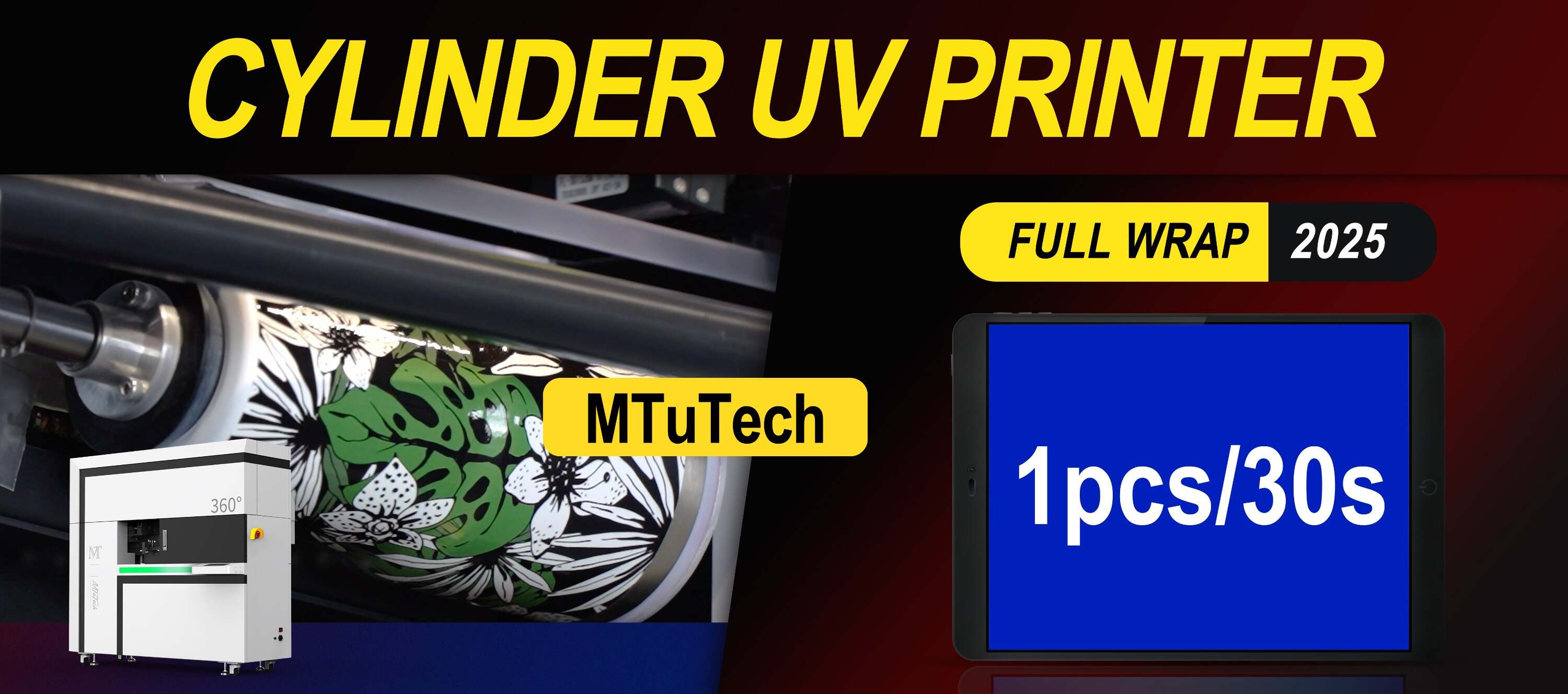
Cylinder UV Printer Demo Checklist: What to Test Before Buying
Introduction
In the ever-evolving world of printing technology, Cylinder UV printers stand out for their versatility and efficiency. These machines cater to a wide range of applications, from customized goods to high-volume industrial printing. However, before committing to a purchase, it's crucial to ensure that the printer meets your specific needs. This blog post is designed to provide a comprehensive checklist for testing a Cylinder UV printer during a demo session, helping you make an informed decision.
The Importance of Testing a Cylinder UV Printer
Testing a Cylinder UV printer before buying can save you both time and money. By assessing different aspects of the printer's performance, you'll be capable of determining its suitability for your operations. This means fewer surprises down the road and a significant reduction in potential costs associated with poor investment choices.
Key Areas to Test
Here’s a detailed checklist of areas to consider when testing a Cylinder UV printer:
1. Print Quality
The most critical factor in any printing technology is the quality of the printed product. When evaluating print quality, consider the following:
·
Resolution: Test various resolutions to see the fine details and overall clarity.
·
·
Color Accuracy: Compare printed output to the original design files to assess color consistency.
·
·
Vibrancy: Ensure colors pop, particularly important for promotional items.
·
·
Ink Coverage: Test the coverage to see if it meets your project requirements.
·
2. Material Compatibility
One of the significant advantages of Cylinder UV printers is their ability to print on diverse materials. Test the printer with materials relevant to your business:
·
Plastic: Ensure the printer can handle various types of plastic without any issues.
·
·
Glass: Testing on glass can reveal how well the printer adheres ink and handles curvatures.
·
·
Metal: Check if the printer functions smoothly on metal surfaces, which often require specific settings.
·
·
Wood: Wood can have varying textures; make sure the results meet your expectations.
·
3. Speed and Efficiency
Time is money, especially in commercial printing. When assessing speed and efficiency, consider testing the following:
·
Nozzle Speed: Test how quickly the printer can print various designs.
·
·
Setup Time: Evaluate how long it takes to set up the machine for different materials.
·
·
Throughput: Measure the number of units printed in a specific time frame to get an idea of productivity.
·
4. User-Friendly Features
The user experience is paramount. Examine how straightforward the printer's operation is:
·
Control Interface: A good control panel should be intuitive and easy to navigate.
·
·
Software Integration: Test how well the printer integrates with your existing design software.
·
·
Maintenance Alerts: Check if the printer has built-in alerts for maintenance and troubleshooting.
·
·
Documentation: Assess the availability and quality of user manuals and support materials.
·
5. Ink Quality and Durability
The type of ink used significantly affects the lifespan and vibrancy of printed materials. During your demo, consider the following:
·
Opacity: Inspect how well the ink covers the underlying material.
·
·
Drying Time: Test the speed at which the printed product dries, as this impacts handling and production time.
·
·
Environmental Resistance: Evaluate how the printed material holds up against different environmental conditions such as UV exposure and moisture.
·
6. Cost of Ownership
Understanding the long-term costs involved with ownership can help in budget planning:
·
Ink Cost: Assess the price of ink cartridges and how often they need to be replaced.
·
·
Maintenance Costs: Get an estimate on regular servicing or repairs.
·
·
Energy Consumption: Look into how energy-efficient the unit is during operation.
·
Conclusion
Purchasing a Cylinder UV printer is a significant investment, and thorough testing is essential to ensure it meets your business needs. By systematically evaluating print quality, material compatibility, speed, user-friendliness, ink quality, and ownership costs, you can make a more informed decision.
Before you make your final choice, it's also advisable to consult with printing experts or peers in your industry. They can provide valuable insights that can complement your findings during the demo. When in doubt about which model to choose, consider exploring options from reputable suppliers. Explore our high-quality Cylinder UV printers here to see what suits your needs best.
FAQ
What is a Cylinder UV printer used for?
Cylinder UV printers are primarily used for printing on cylindrical objects and a variety of materials, allowing for high-quality, vibrant custom prints suitable for promotional items, packaging, and more.
How does UV printing differ from traditional printing methods?
UV printing uses ultraviolet light to cure (dry) the ink as it is printed, which allows for faster production times, minimal ink absorption, and the ability to print on a wider range of materials compared to traditional methods.
Are Cylinder UV printers easy to operate?
Most modern Cylinder UV printers are designed with user-friendly interfaces and software compatibility, making them accessible even for those with limited technical expertise. However, some training may be beneficial for optimization.
What maintenance do Cylinder UV printers require?
Regular maintenance includes cleaning print heads, checking ink levels, and ensuring that the printer is free from dust and debris. Following the manufacturer's guidelines for upkeep will help prolong the life of the printer.
Can I print on any material with a Cylinder UV printer?
While Cylinder UV printers can handle a wide range of materials, the best results are seen on surfaces specifically designed for UV printing. Always check compatibility with the manufacturer for best practices.