

 HOME
HOME PRODUCT CENTER
 ABOUT US
 DOWNLOAD CENTER
 SUPPORT CENTER
 SUBSCRIBE
 BLOG
BLOG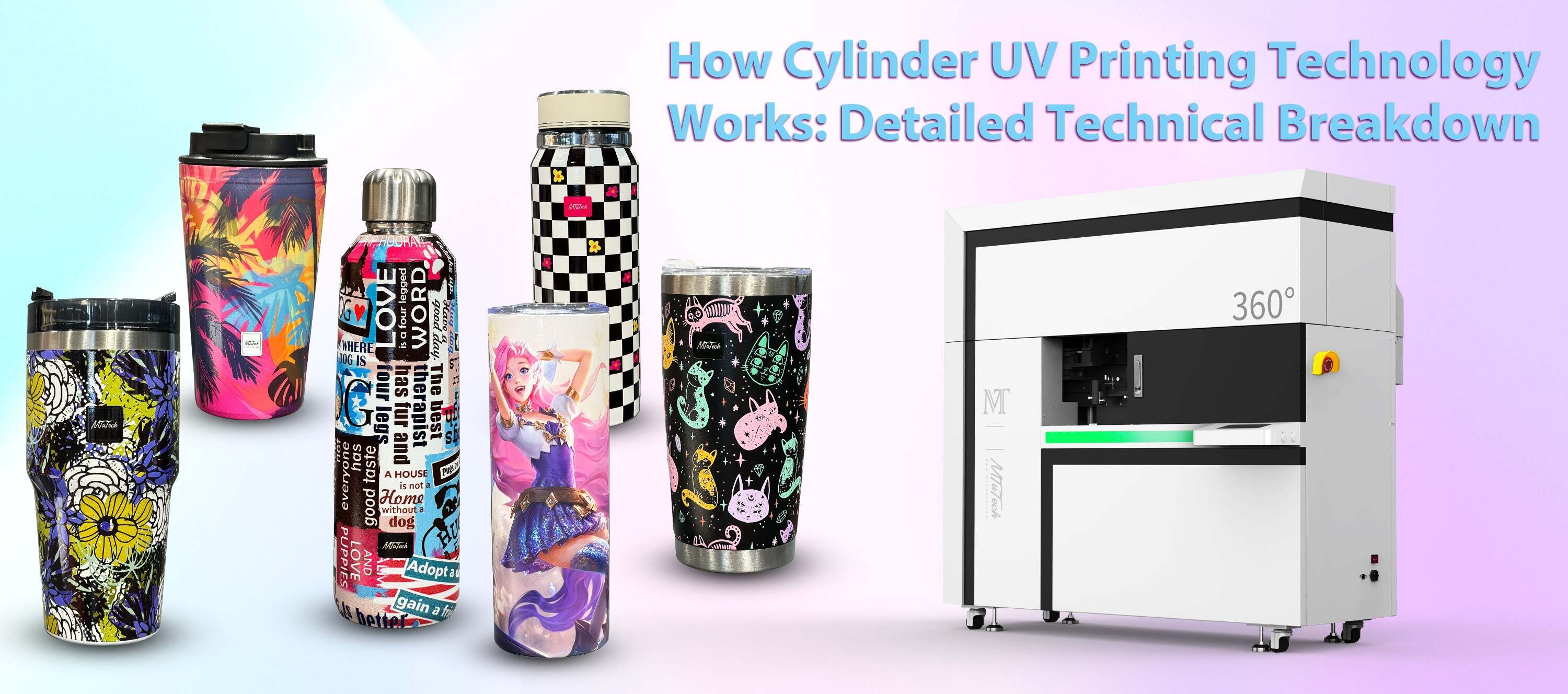
Cylinder UV Printer Footprint: Space Planning for Your Workshop
Introduction
In today's dynamic world of printing technology, the cylinder UV printer has emerged as a game-changer for various industries. Its ability to print on 3D objects, combined with vibrant color reproduction and durability, makes it a sought-after addition to printing workshops. However, before bringing this innovative machine into your workspace, it's essential to consider space planning to ensure that it integrates seamlessly into your workshop's layout.
This blog post explores the importance of space planning for cylinder UV printers, tips for optimizing your workshop layout, and the benefits of having a well-structured environment for your printing needs.
Understanding the Cylinder UV Printer Footprint
Before delving into space planning, it's crucial to understand what a cylinder UV printer is and its typical footprint. These printers vary in size depending on their model, capabilities, and intended use, but a general overview will help you evaluate your space needs.
Typical Dimensions
Generally, cylinder UV printers range in size, but most are compact enough for desktop use or larger models suitable for industrial applications. A small cylinder UV printer may measure around:
·
Width: 24 to 36 inches
·
·
Depth: 20 to 30 inches
·
·
Height: 20 to 45 inches
·
In contrast, larger models can exceed these dimensions. Therefore, it is imperative to know the specific dimensions of the model you intend to purchase to plan your workshop accordingly.
Benefits of Effective Space Planning
Efficient space planning for a cylinder UV printer can yield numerous benefits, enhancing productivity and overall workflow. Here are some key advantages:
1. Improved Workflow Efficiency
By strategically placing your cylinder UV printer in a logical location, you can streamline the workflow. Avoid unnecessary movement by organizing related equipment and supplies nearby. This setup minimizes downtime and helps maintain a seamless production process.
2. Enhanced Safety
A well-planned workspace prioritizes safety. Ensure there’s enough space around the printer for operators to move freely. Also, keeping ventilation and safety equipment within reach is essential for preventing accidents.
3. Maximized Productivity
A clutter-free workspace fosters focus and efficiency. When arranging your printer and surrounding space, consider how to minimize distractions, leading to better productivity and higher quality output.
Space Planning Tips for Your Workshop
Now that we understand the importance of space planning, here are some practical tips to make the most of your workshop layout:
1. Measure Your Space
Before you can effectively plan, you must know the dimensions of your workshop. Measure the total space available and consider potential obstructions like windows, columns, or existing equipment that may limit your layout options.
2. Consider Printer Specifications
Each cylinder UV printer comes with its specific requirements, including power supply, ventilation, and clearance for maintenance. Make sure to consult the manufacturer’s guidelines to determine the space needed for effective operation.
3. Optimize Workflow Zones
Divide your workshop into zones to maximize efficiency. Create areas for:
·
Printing
·
·
Post-processing
·
·
Storage of materials and supplies
·
·
Quality control
·
·
Shipping and handling
·
Arranging these zones logically can significantly improve workflow and efficiency.
4. Leave Room for Expansion
Consider the future growth of your business. If you anticipate increasing your production capacity or adding more printers, ensure that you allocate space for possible expansion when planning your layout.
5. Ensure Adequate Lighting
Proper lighting is crucial in a printing workshop. Ensure your cylinder UV printer is placed in an area with sufficient lighting to facilitate precise operation and inspection of printed products.
6. Maintain Flexibility
Trying out different layouts can help you find the most efficient setup. Use movable shelving and workstations to adapt to your needs as your printing operations evolve.
Integrating Technology into Your Space Planning
As technology advances, so does the capability of cylinder UV printers. Integrating additional technology into your workspace can further enhance your productivity. Consider these technological aspects:
1. Digital Inventory Management
By incorporating digital inventory management systems, you can efficiently track materials, manage production timelines, and analyze workflows. This integration can lead to improved planning and execution of printing jobs.
2. Automation Tools
Automation can significantly reduce manual labor and errors. Consider robotic arms or automated material feeding systems that can save time and enhance precision.
Conclusion
Incorporating a cylinder UV printer into your workshop demands careful consideration of space planning. By measuring your space, understanding your printer's dimensions, and optimizing the layout for efficiency and safety, you can create a productive workspace that meets current demands and accommodates future growth.
With the right planning and design, your workshop can function like a well-oiled machine, allowing for seamless production and high-quality outputs. If you’re looking to elevate your printing capabilities, explore our high-quality Cylinder UV printers here.
FAQ
What is a cylinder UV printer used for?
A cylinder UV printer is ideal for printing on cylindrical objects, such as bottles, jars, and other 3D shapes. It’s commonly used in industries like packaging, promotional items, and décor.
How do I maintain my cylinder UV printer?
Regular maintenance involves cleaning the print heads, checking ink levels, and ensuring the machine is calibrated correctly. It's also recommended to refer to the manufacturer's guidelines for specific maintenance procedures.
What should I consider when selecting a cylinder UV printer?
Consider the printer's specifications, including print size, speed, resolution, and the types of materials it can handle. Additionally, evaluate your workshop space and future production needs.
Can cylinder UV printers print on various materials?
Yes, cylinder UV printers are versatile and can print on various materials, including glass, metal, plastic, wood, and ceramics, allowing for a wide range of applications.
Cylinder UV Printer Footprint: Space Planning for Your Workshop
Introduction
In today's dynamic world of printing technology, the cylinder UV printer has emerged as a game-changer for various industries. Its ability to print on 3D objects, combined with vibrant color reproduction and durability, makes it a sought-after addition to printing workshops. However, before bringing this innovative machine into your workspace, it's essential to consider space planning to ensure that it integrates seamlessly into your workshop's layout.
This blog post explores the importance of space planning for cylinder UV printers, tips for optimizing your workshop layout, and the benefits of having a well-structured environment for your printing needs.
Understanding the Cylinder UV Printer Footprint
Before delving into space planning, it's crucial to understand what a cylinder UV printer is and its typical footprint. These printers vary in size depending on their model, capabilities, and intended use, but a general overview will help you evaluate your space needs.
Typical Dimensions
Generally, cylinder UV printers range in size, but most are compact enough for desktop use or larger models suitable for industrial applications. A small cylinder UV printer may measure around:
·
Width: 24 to 36 inches
·
·
Depth: 20 to 30 inches
·
·
Height: 20 to 45 inches
·
In contrast, larger models can exceed these dimensions. Therefore, it is imperative to know the specific dimensions of the model you intend to purchase to plan your workshop accordingly.
Benefits of Effective Space Planning
Efficient space planning for a cylinder UV printer can yield numerous benefits, enhancing productivity and overall workflow. Here are some key advantages:
1. Improved Workflow Efficiency
By strategically placing your cylinder UV printer in a logical location, you can streamline the workflow. Avoid unnecessary movement by organizing related equipment and supplies nearby. This setup minimizes downtime and helps maintain a seamless production process.
2. Enhanced Safety
A well-planned workspace prioritizes safety. Ensure there’s enough space around the printer for operators to move freely. Also, keeping ventilation and safety equipment within reach is essential for preventing accidents.
3. Maximized Productivity
A clutter-free workspace fosters focus and efficiency. When arranging your printer and surrounding space, consider how to minimize distractions, leading to better productivity and higher quality output.
Space Planning Tips for Your Workshop
Now that we understand the importance of space planning, here are some practical tips to make the most of your workshop layout:
1. Measure Your Space
Before you can effectively plan, you must know the dimensions of your workshop. Measure the total space available and consider potential obstructions like windows, columns, or existing equipment that may limit your layout options.
2. Consider Printer Specifications
Each cylinder UV printer comes with its specific requirements, including power supply, ventilation, and clearance for maintenance. Make sure to consult the manufacturer’s guidelines to determine the space needed for effective operation.
3. Optimize Workflow Zones
Divide your workshop into zones to maximize efficiency. Create areas for:
·
Printing
·
·
Post-processing
·
·
Storage of materials and supplies
·
·
Quality control
·
·
Shipping and handling
·
Arranging these zones logically can significantly improve workflow and efficiency.
4. Leave Room for Expansion
Consider the future growth of your business. If you anticipate increasing your production capacity or adding more printers, ensure that you allocate space for possible expansion when planning your layout.
5. Ensure Adequate Lighting
Proper lighting is crucial in a printing workshop. Ensure your cylinder UV printer is placed in an area with sufficient lighting to facilitate precise operation and inspection of printed products.
6. Maintain Flexibility
Trying out different layouts can help you find the most efficient setup. Use movable shelving and workstations to adapt to your needs as your printing operations evolve.
Integrating Technology into Your Space Planning
As technology advances, so does the capability of cylinder UV printers. Integrating additional technology into your workspace can further enhance your productivity. Consider these technological aspects:
1. Digital Inventory Management
By incorporating digital inventory management systems, you can efficiently track materials, manage production timelines, and analyze workflows. This integration can lead to improved planning and execution of printing jobs.
2. Automation Tools
Automation can significantly reduce manual labor and errors. Consider robotic arms or automated material feeding systems that can save time and enhance precision.
Conclusion
Incorporating a cylinder UV printer into your workshop demands careful consideration of space planning. By measuring your space, understanding your printer's dimensions, and optimizing the layout for efficiency and safety, you can create a productive workspace that meets current demands and accommodates future growth.
With the right planning and design, your workshop can function like a well-oiled machine, allowing for seamless production and high-quality outputs. If you’re looking to elevate your printing capabilities, explore our high-quality Cylinder UV printers here.
FAQ
What is a cylinder UV printer used for?
A cylinder UV printer is ideal for printing on cylindrical objects, such as bottles, jars, and other 3D shapes. It’s commonly used in industries like packaging, promotional items, and décor.
How do I maintain my cylinder UV printer?
Regular maintenance involves cleaning the print heads, checking ink levels, and ensuring the machine is calibrated correctly. It's also recommended to refer to the manufacturer's guidelines for specific maintenance procedures.
What should I consider when selecting a cylinder UV printer?
Consider the printer's specifications, including print size, speed, resolution, and the types of materials it can handle. Additionally, evaluate your workshop space and future production needs.
Can cylinder UV printers print on various materials?
Yes, cylinder UV printers are versatile and can print on various materials, including glass, metal, plastic, wood, and ceramics, allowing for a wide range of applications.