

 HOME
HOME PRODUCT CENTER
 ABOUT US
 DOWNLOAD CENTER
 SUPPORT CENTER
 SUBSCRIBE
 BLOG
BLOG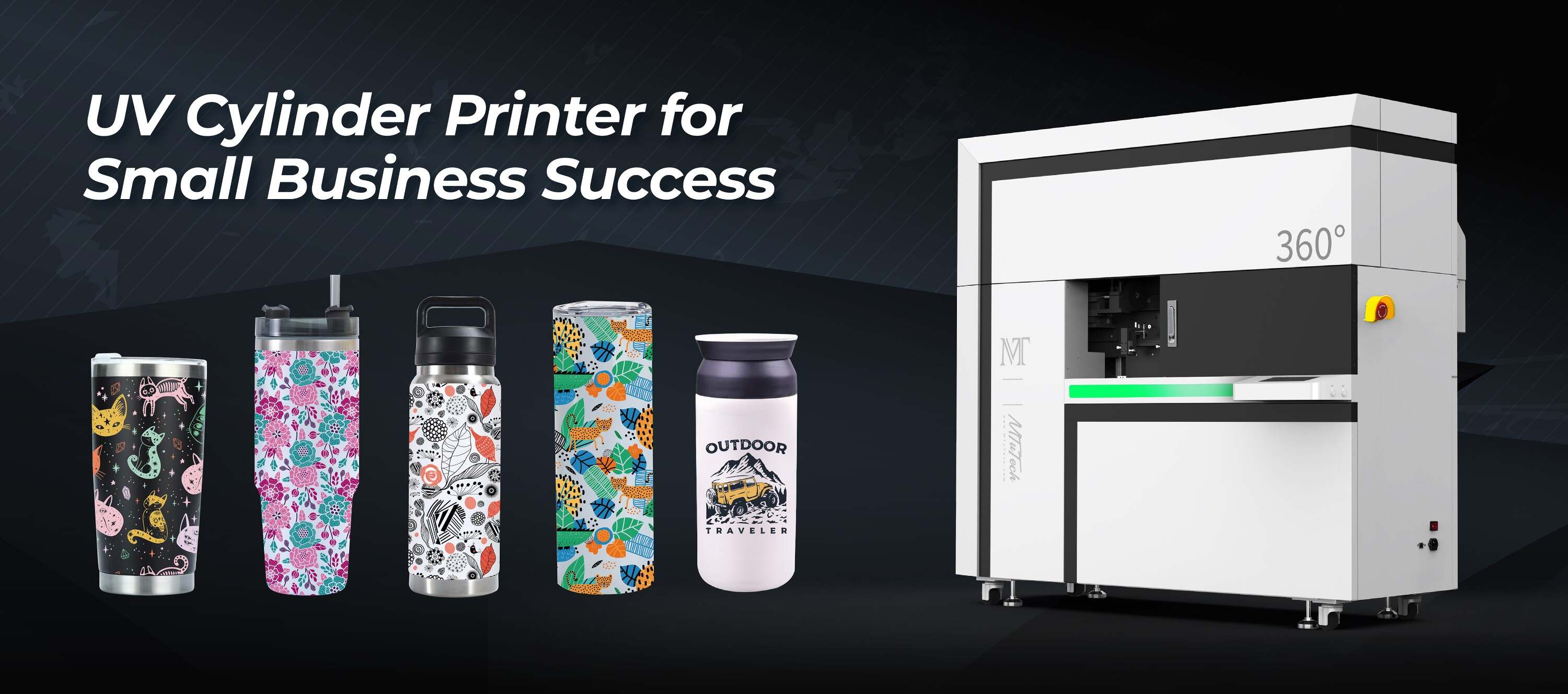
Cylinder UV Printer Ink Drop Placement on Curved vs Flat Surfaces
Introduction
The advent of cylinder UV printers has transformed the way businesses approach custom printing. With their ability to print on both flat and curved surfaces, these printers offer versatility previously unimaginable. However, the effectiveness of the print greatly depends on one crucial aspect: ink drop placement. In this blog post, we'll delve into the differences between printing on curved versus flat surfaces and how ink drop placement plays a pivotal role in achieving high-quality prints.
Understanding Cylinder UV Printing
Cylinder UV printing utilizes ultraviolet light to cure or dry the ink as it is printed. This process allows for vibrant colors and durability, making it ideal for a variety of materials. The unique mechanics of a cylinder printer enable the creation of 3D effects and printing on diverse shapes, which significantly broadens the potential applications for businesses.
What is Ink Drop Placement?
Ink drop placement refers to the precise positioning of individual droplet volumes of ink ejected from the printer's print head onto the printing surface. The accuracy and distribution of these ink drops can significantly impact the final print quality, especially when considering different surface types.
Flat Surfaces: The Basics
Printing on flat surfaces is relatively straightforward for cylinder UV printers. The evenness of the substrate allows for consistent ink drop placement throughout the entire print area.
Advantages of Flat Surface Printing
·
Consistent Results: With minimal variation in the surface, achieving uniform ink distribution is easier.
·
·
High Resolution: Flat surfaces typically allow for higher resolutions, producing sharp and detailed images.
·
·
Easier Calibration: Printing on flat surfaces often requires less calibration, allowing for quicker setup times.
·
·
Wider Material Compatibility: Many materials can be easily printed on flat surfaces, such as paper, plastic, and metal.
·
Challenges of Printing on Flat Surfaces
·
Limited Design Dimensions: Flat printing can restrict creative design options, as depth and texture are challenging to achieve.
·
·
Surface Preparation: Flat surfaces may require specific pre-treatment to ensure optimal ink adhesion.
·
Curved Surfaces: A Different Ballgame
Printing on curved surfaces introduces a unique set of challenges due to the varying diameters and contours of the objects being printed. This can complicate ink drop placement and may require advanced calibration.
Advantages of Curved Surface Printing
·
Creative Flexibility: Curved surfaces allow for more three-dimensional designs, making products stand out.
·
·
Enhanced Brand Visibility: Printing on various curved products such as bottles or mugs maximizes exposure and recognition.
·
·
Unique Textures: The ability to print on textured surfaces can add depth and tactile experience to the printed product.
·
Challenges of Curved Surface Printing
·
Ink Drop Placement: The curvature of the surface can result in uneven ink distribution, affecting print quality.
·
·
Calibration Complexity: More complex surface shapes may require sophisticated setup and calibration processes.
·
·
Adhesion Issues: Certain curved surfaces may present challenges in ink adhesion, necessitating additional pre-treatment.
·
Strategizing Ink Drop Placement
To achieve the best results on both flat and curved surfaces, it is critical to focus on ink drop placement strategies tailored to each surface type.
Techniques for Flat Surfaces
·
Regular Patterns: Utilize consistent drop patterns and pressures to ensure homogenous ink distribution.
·
·
Higher DPI Settings: Higher dots-per-inch settings can enhance detail and clarity, capitalizing on the flat surface's uniformity.
·
·
Environmental Control: Maintain controlled printing environments to prevent ink flow inconsistencies.
·
Techniques for Curved Surfaces
·
Adaptive Drop Placement: Program the printer to adjust drop sizes based on curvature to ensure even coverage.
·
·
Dynamic Height Adjustment: Implement technologies that dynamically adjust the height of the print head to maintain optimal distance from the surface.
·
·
Use of Special Software: Employ software tools designed to facilitate sophisticated mapping and adaptation for varying shapes.
·
Best Practices for Optimal Results
Regardless of the surface type, following certain best practices can enhance the overall output quality of cylinder UV printing.
Pre-Printing Preparations
·
Surface Cleaning: Clean the surface thoroughly to remove any dust or oils that could affect adhesion.
·
·
Surface Treatment: Utilize primers or coatings that promote ink adhesion, particularly on non-porous surfaces.
·
Post-Printing Care
·
Curing Time: Ensure proper curing times are followed to allow inks to fully set and adhere to surfaces.
·
·
Quality Control: Regularly inspect prints to identify issues with ink placement and address them proactively.
·
Conclusion
The placement of ink drops in cylinder UV printing is critical, whether you are printing on flat or curved surfaces. Understanding the inherent challenges and advantages of each surface type can help you implement effective strategies for ink placement. As businesses continue to seek innovative ways to stand out, mastering these techniques will undoubtedly lead to superior product presentation that resonates with customers.
For businesses looking to take a step forward in custom printing, explore our high-quality Cylinder UV printers here.
FAQ
What materials can be used with cylinder UV printers?
Cylinder UV printers are versatile and can print on a wide range of materials, including glass, plastic, metal, wood, and ceramics.
How do I prepare a curved surface for printing?
Preparing a curved surface involves cleaning it thoroughly and possibly applying a primer or surface treatment to ensure optimal ink adhesion.
What kind of software do I need for printing on curved surfaces?
Specialized printing software that can handle complex surface mapping and dynamic adjustments for ink placement is recommended when printing on curved surfaces.
Can I print high-resolution images on curved surfaces?
Yes, with the right techniques and calibration, high-resolution images can be printed on curved surfaces as well as flat surfaces.