

 HOME
HOME PRODUCT CENTER
 ABOUT US
 DOWNLOAD CENTER
 SUPPORT CENTER
 SUBSCRIBE
 BLOG
BLOGWhite Ink Clogging in UV DTF Printers

UV Direct to Film (UV DTF) printing has rapidly become one of the most preferred printing technologies for businesses that demand sharp detail, vibrant colors, and strong adhesion on a wide variety of surfaces. From custom branding to industrial applications, UV DTF printers are valued for their versatility and durability. However, despite their advanced capabilities, one issue continues to challenge operators at every scale—white ink clogging.
White ink plays a crucial role in UV DTF printing. It acts as a base layer, enhances color opacity, and ensures accurate color reproduction on transparent and dark substrates. Unfortunately, white ink is also thicker and heavier than CMYK inks, making it more prone to settling, drying, and clogging inside printheads and ink lines.
When white ink clogging occurs, it can result in uneven prints, missing layers, wasted film, increased maintenance costs, and unexpected downtime. For businesses relying on consistent output, this problem can directly affect productivity and profitability. The good news is that white ink clogging is preventable and manageable when you understand its causes and apply the right maintenance and troubleshooting strategies.
This in-depth guide explains why white ink clogs in UV DTF printers, how to prevent it proactively, and what step-by-step actions to take if clogging has already occurred. Whether you are a beginner or an experienced operator, this article will help you maintain optimal print quality and extend the lifespan of your UV DTF printer.
Understanding White Ink in UV DTF Printing
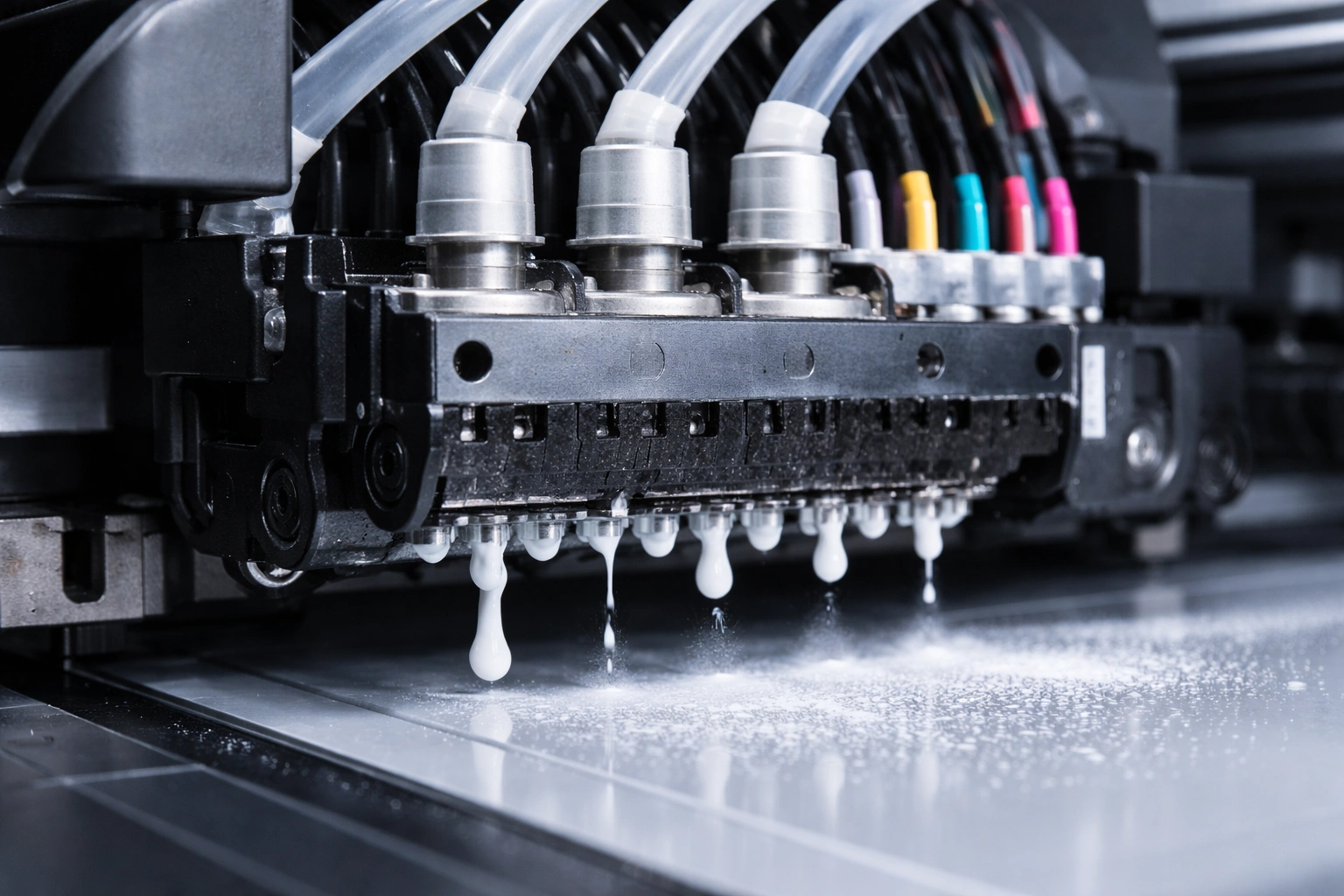
Before addressing clogging issues, it’s important to understand why white ink behaves differently from other inks.
White ink contains a high concentration of titanium dioxide pigments, which give it excellent opacity. These pigments are heavier and naturally tend to settle over time. Unlike CMYK inks that flow more easily, white ink requires continuous circulation, controlled temperature, and consistent movement to remain stable.
In UV DTF printers, white ink is exposed to air, UV light, and temperature fluctuations, all of which can accelerate drying or pigment separation. Without proper handling, these factors increase the risk of nozzle blockage and ink flow disruption.
Common Causes of White Ink Clogging
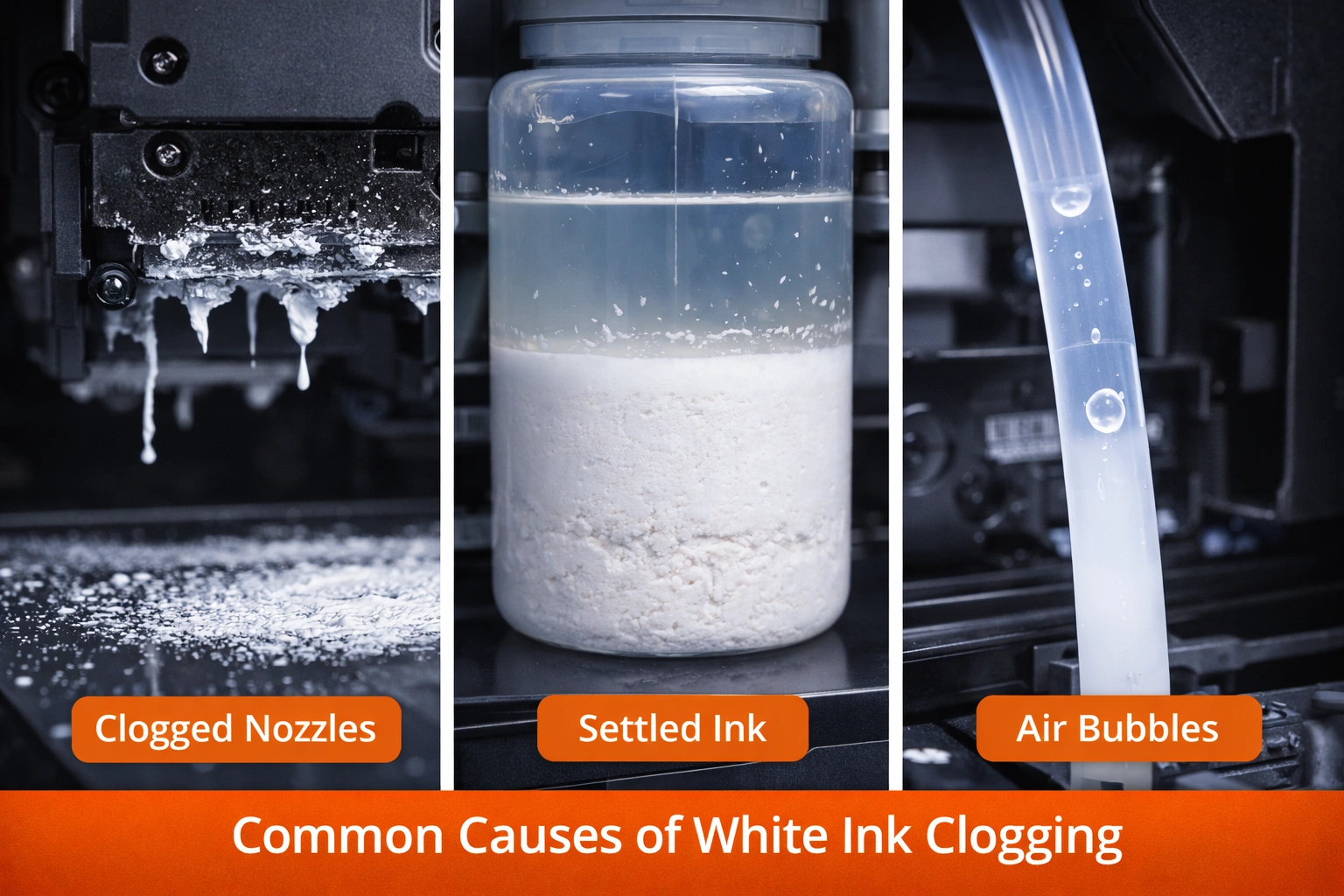
White ink clogging rarely happens due to a single reason. In most cases, it is the result of multiple small issues that build up over time. Below are the most common causes explained in detail.
1. Poor Ink Quality or Expired Ink
Low-quality or expired white ink often lacks proper stabilizers. Over time, pigments settle and harden, making it difficult for the ink to flow smoothly through the printhead nozzles. Using ink that is not recommended by the printer manufacturer can also lead to chemical incompatibility and residue buildup.
2. Insufficient Ink Circulation
White ink must stay in constant motion to prevent pigment settling. Printers without an effective white ink circulation or agitation system are far more likely to experience clogging. If circulation settings are disabled or malfunctioning, sediment can form quickly.
3. Infrequent Printing
UV DTF printers that remain idle for long periods are at higher risk of clogging. When white ink sits unused, pigments settle and begin drying inside the nozzles. Even short idle periods can cause partial blockages if proper standby maintenance is not followed.
4. Improper Maintenance Routine
Skipping daily or weekly cleaning routines allows dried ink to accumulate on printheads, capping stations, and wiper blades. Over time, this buildup restricts ink flow and leads to stubborn clogs that are difficult to remove.
5. Environmental Conditions
Temperature and humidity play a significant role in ink behavior. Low humidity can cause ink to dry too quickly, while excessive heat can alter ink viscosity. Dust and airborne particles in the printing environment can also contaminate the ink system.
6. Air Bubbles in Ink Lines
Air entering the ink lines disrupts ink flow and prevents consistent pressure delivery. This can cause uneven printing and localized clogging, especially in white ink channels.
7. Incorrect Purge and Cleaning Settings
If purge cycles are too infrequent or insufficient, white ink may dry inside the nozzles. On the other hand, excessive purging wastes ink and stresses the printhead. Incorrect calibration often leads to long-term clogging problems.
Signs of White Ink Clogging You Should Not Ignore
Early detection can save both time and money. Watch for these warning signs:
Missing or uneven white layers
Faded or patchy prints
Banding in white areas
Frequent nozzle drop-outs
Increased cleaning cycle requirements
Ink flow errors or pressure warnings
Ignoring these symptoms can lead to permanent printhead damage.
Preventive Measures to Avoid White Ink Clogging
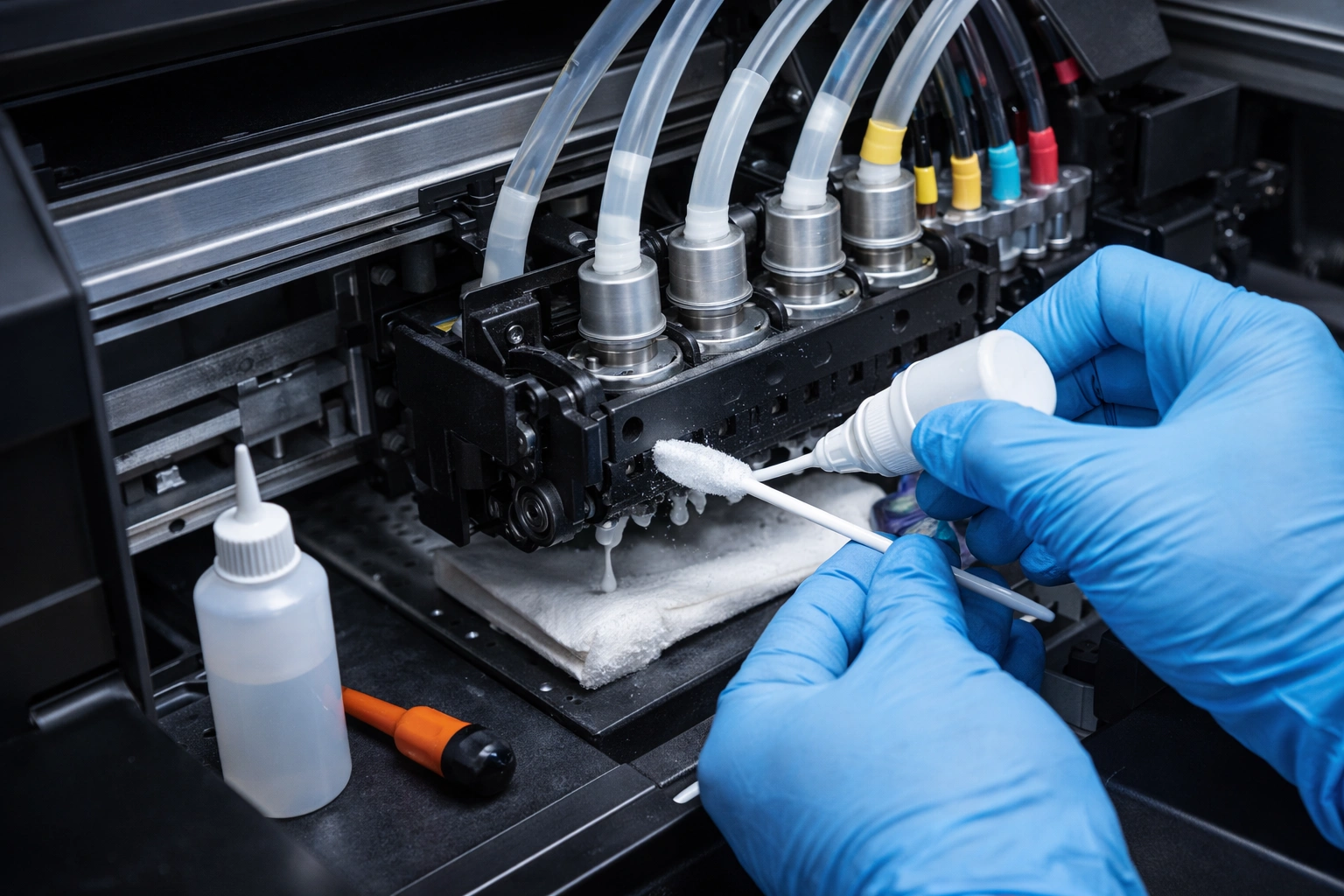
Prevention is always better—and cheaper—than repair. Implementing the following measures can significantly reduce clogging risks.
1. Always Use High-Quality, Compatible Ink
Choose white ink specifically formulated for UV DTF printers. Ensure compatibility with your printer model and avoid mixing ink brands. Track ink expiration dates and rotate stock properly.
2. Enable Continuous White Ink Circulation
Make sure the white ink circulation system is always active, even during standby mode. Regular agitation prevents pigment settling and keeps ink consistency uniform throughout the system.
3. Follow a Strict Maintenance Schedule
A disciplined maintenance routine is essential:
Daily Tasks
Nozzle check and test print
Light printhead cleaning
Wiper and cap inspection
Weekly Tasks
Deep cleaning cycle
Ink line inspection
Waste ink system check
Monthly Tasks
Full system flush (if recommended)
Sensor and pump inspection
Firmware and setting review
4. Maintain a Controlled Environment
Keep the printing room within optimal conditions:
Temperature: 20–25°C (68–77°F)
Humidity: 40–60%
Use air conditioning, humidifiers, or dehumidifiers if necessary. A clean, dust-free workspace significantly improves printer reliability.
5. Print Regularly
Even a small daily print job helps keep ink flowing and prevents stagnation. If regular printing is not possible, run scheduled maintenance cycles to simulate ink movement.
6. Store Ink Properly
Store white ink containers upright, sealed tightly, and away from direct sunlight. Gently shake ink bottles (if manufacturer allows) before installation to redistribute pigments evenly.
Step-by-Step Troubleshooting White Ink Clogging
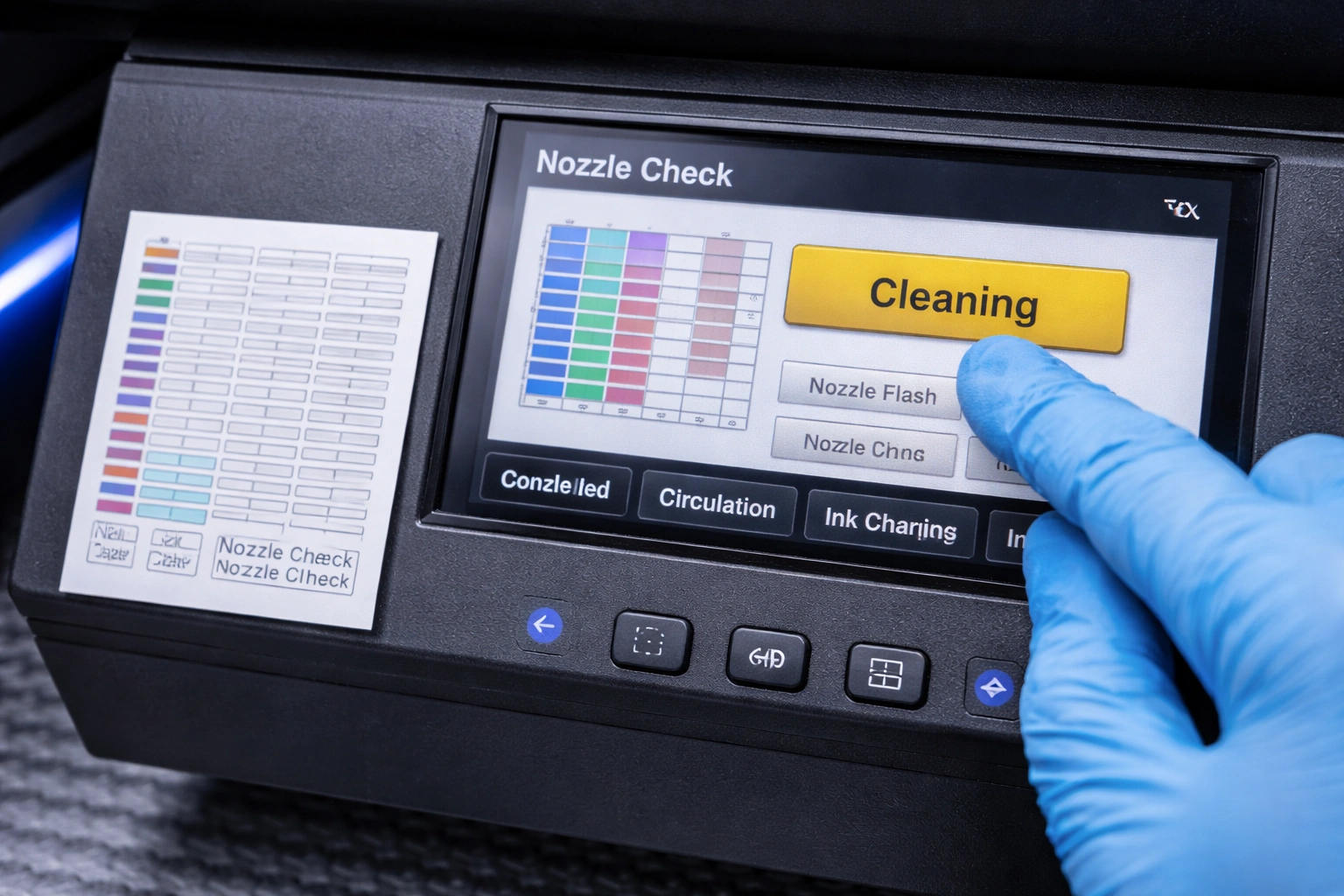
If clogging has already occurred, follow these steps carefully.
Step 1: Perform a Nozzle Check
Run a nozzle test pattern to identify which channels are blocked. This helps determine whether the clog is minor or severe.
Step 2: Run Automatic Cleaning Cycles
Use the printer’s built-in cleaning function. Start with a light cleaning and gradually move to deeper cycles if needed. Avoid excessive cleaning, as it can wear out printheads.
Step 3: Manual Printhead Cleaning
If automatic cleaning fails, manual cleaning may be required. Use approved cleaning solutions and lint-free wipes. Clean gently to avoid damaging the nozzles.
Step 4: Inspect Ink Lines and Dampers
Check for air bubbles, kinks, or dried ink in the lines. Replace damaged dampers or flush ink lines if necessary.
Step 5: Adjust Purge and Standby Settings
Increase purge frequency slightly if white ink dries too quickly. Ensure standby agitation and circulation remain active during idle periods.
Step 6: Reset and Recalibrate
After cleaning, recalibrate the printer settings to ensure optimal ink flow and pressure balance.
Step 7: Seek Professional Assistance
If clogging persists, contact a certified technician. Persistent blockages may indicate pump failure, sensor issues, or printhead damage.
Long-Term Best Practices for UV DTF Printer Health
Train operators thoroughly
Maintain detailed maintenance logs
Use original spare parts
Update firmware regularly
Avoid sudden environment changes
These practices not only prevent clogging but also extend overall machine lifespan.
Business Impact of Poor White Ink Maintenance
Ignoring white ink clogging doesn’t just affect print quality—it affects business performance. Increased downtime, wasted materials, delayed deliveries, and higher repair costs directly reduce profit margins. Consistent maintenance ensures predictable output, satisfied clients, and long-term operational stability.
Conclusion
White ink clogging in UV DTF printers is a common but manageable challenge. By understanding the nature of white ink, recognizing early warning signs, and following structured preventive and troubleshooting strategies, operators can maintain smooth production and exceptional print quality.
A well-maintained UV DTF printer delivers consistent results, minimizes downtime, and protects your investment. Regular care, proper ink handling, and a controlled environment are the keys to avoiding costly interruptions and ensuring long-term success in UV DTF printing.explore our high-quality UV-DTF printers here
Frequently Asked Questions (FAQ)
What makes white ink clog more than other inks?
White ink contains heavy pigments that settle easily, making it more prone to drying and blockage without continuous circulation.
How often should white ink maintenance be done?
Basic checks should be done daily, with deeper maintenance weekly and monthly depending on usage.
Can idle printers cause clogging?
Yes. Inactivity allows ink to settle and dry, increasing clogging risk significantly.
Is manual cleaning safe for printheads?
Only when done carefully using manufacturer-approved cleaning solutions and tools.
When should I call a technician?
If repeated cleaning cycles fail or print quality does not improve, professional servicing is recommended.