

 HOME
HOME PRODUCT CENTER
 ABOUT US
 DOWNLOAD CENTER
 SUPPORT CENTER
 SUBSCRIBE
 BLOG
BLOG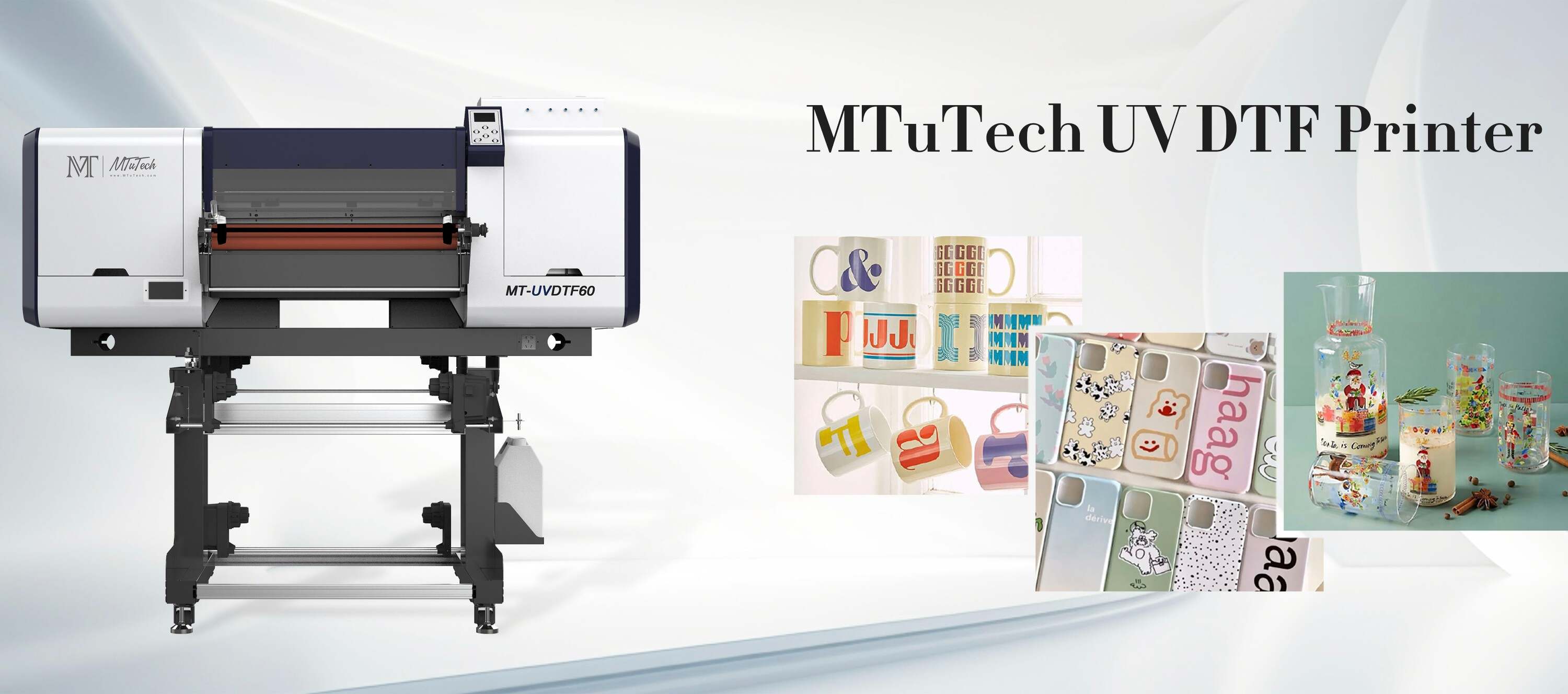
Introduction
When it comes to printing high-quality designs, especially in the realm of UV Direct to Film (DTF) printing, color management is critical. Achieving the perfect color reproduction can significantly impact your projects, and understanding ICC profiles is a pivotal part of this process. This blog will dive into what ICC profiles are and why they matter, especially in UV DTF printing.
What Are ICC Profiles?
ICC (International Color Consortium) profiles are standardized data files that help manage color consistency across different devices and applications. They define the colors that a device can reproduce and help ensure that the colors you see on your screen match what comes out of your printer.
Why Are ICC Profiles Important?
Consistency: They provide a reliable way to maintain color integrity across various devices, including monitors and printers.
Calibration: ICC profiles ensure that your devices are correctly calibrated, reducing discrepancies in color output.
Professional Quality: A well-managed color process enhances the professional quality of printed materials, making them more appealing to customers.
Understanding UV DTF Printing
Before we delve further into ICC profiles, it's essential to understand what UV DTF printing entails. This process uses UV light to cure the ink on the media as it is printed, allowing for vibrant colors and a durable finish.
Key Features of UV DTF Printing
Versatility: Can print on various materials, including plastics, paper, and fabric.
Speed: Curing with UV light allows for faster printing speeds compared to traditional methods.
Vibrant Colors: UV inks offer a wide color gamut, essential for detailed and colorful designs.
How ICC Profiles Work in UV DTF Printing
The role of ICC profiles in UV DTF printing cannot be overstated. They guide the printer in reproducing colors accurately based on the specific characteristics of the media and inks used.
Creating ICC Profiles
Creating an ICC profile involves the following steps:
Calibration: The printer is calibrated to ensure its output matches the desired color standard.
Color Measurement: Use a color measurement device to capture the colors produced by your printer.
Profile Generation: Software converts this data into an ICC profile, which can be used to adjust colors for a specific printer and media combination.
Applying ICC Profiles
Once you have your ICC profiles created, applying them is straightforward:
Load the ICC profile into your printing software.
Choose the appropriate profile for the media you are printing on.
Adjust the color settings if necessary to achieve the desired output.
Benefits of Using ICC Profiles in UV DTF Printing
The advantages of utilizing ICC profiles in UV DTF printing are numerous:
Enhanced Color Accuracy: Ensures colors are reproduced accurately, aligning with what you see on your screen.
Improved Workflow: Streamlines color management in your printing process, saving time and reducing frustration.
Better Client Satisfaction: High-quality, consistent prints lead to happier clients and repeat business.
Troubleshooting Common Color Issues
Even with ICC profiles, there might still be challenges in achieving perfect color output. Here are some common issues and how to resolve them:
Faded Colors
If colors are appearing washed out or faded, consider the following:
Ensure that your printer is using the correct ICC profile for the media type.
Check ink levels; low ink can lead to faded prints.
Inspect printer settings; incorrect settings can affect color output.
Inaccurate Colors
To tackle inaccurate colors:
Revisit the calibration process to ensure the printer is set up correctly.
Make sure you are viewing the print under appropriate lighting conditions.
Use a color calibration tool to better match your monitor to your printer output.
Banding and Color Shifts
If banding or color shifts are noticed in your prints:
Run a printer maintenance cycle to clear any clogs.
Ensure your ICC profiles are up to date and suitable for the type of artwork you are printing.
Check for any mechanical issues with the printer that might be affecting print quality.
Conclusion
Mastering color management with ICC profiles is essential for anyone looking to elevate their UV DTF printing. The consistent and accurate reproduction of colors ensures that your designs stand out and meet professional standards. Whether you are a seasoned printer or just starting out, integrating ICC profiles into your workflow is a step toward producing high-quality, vibrant prints. For those interested in stepping up their printing game, explore our high-quality UV-DTF printers here and see how they can enhance your projects.
FAQ
What is the main purpose of ICC profiles?
The main purpose of ICC profiles is to manage color accuracy and consistency across different devices, ensuring what you see on the monitor matches the final print output.
Can I create my own ICC profiles?
Yes, you can create your own ICC profiles using calibration tools and software to measure the colors produced by your printer, ensuring they match your desired standards.
How often should I update my ICC profiles?
It is advisable to update ICC profiles whenever you change media types or inks, or if you notice inconsistencies in color output.
Why are my printed colors different from what I see on my monitor?
Differences in printed colors can arise from various factors, including monitor calibration, differences in color gamuts, and the use of incorrect ICC profiles. Proper calibration and profile management can help mitigate these issues.