

 HOME
HOME PRODUCT CENTER
 ABOUT US
 DOWNLOAD CENTER
 SUPPORT CENTER
 SUBSCRIBE
 BLOG
BLOG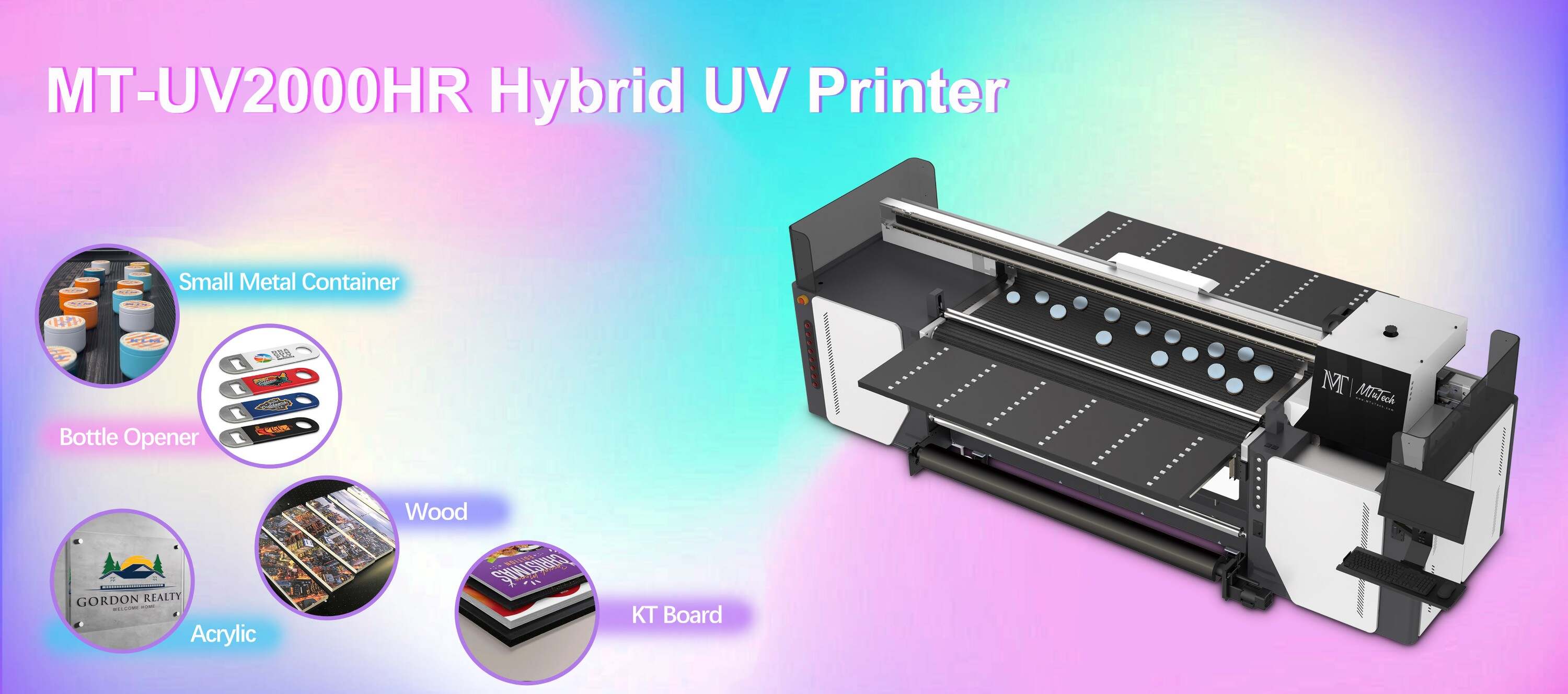
Fixing Visual Positioning UV Printer Communication Errors Between Camera and Controller
Introduction
Visual Positioning UV printers are revolutionizing the printing industry with their ability to produce high-quality images on various substrates. However, like any advanced technology, they can experience communication errors between the camera and the controller. These errors can lead to misalignment, poor print quality, and increased downtime. In this blog, we'll explore common communication errors, their causes, and effective troubleshooting steps to ensure seamless operation of your Visual Positioning UV printer.
Understanding Visual Positioning UV Printers
Visual Positioning UV printers utilize advanced camera systems to accurately position print designs on substrates. Unlike traditional printers, these printers rely heavily on feedback between the camera and the controller to ensure precision and alignment. Understanding how these components work together is crucial for diagnosing communication issues.
Components of a Visual Positioning UV Printer
·
Camera System: Captures images of the substrate and provides real-time feedback.
·
·
Controller: Processes data and sends commands to adjust the print head positioning.
·
·
Print Head: Applies UV ink to the substrate based on instructions from the controller.
·
·
Software: Integrates the hardware components and manages the overall operation.
·
Common Communication Errors
Several communication errors can arise during the printing process. Recognizing these errors is the first step toward finding a resolution. Here are some of the most common issues:
1. Synchronization Failures
Synchronization errors occur when the camera and controller are out of sync. This can lead to misaligned prints and wasted materials.
2. Signal Interference
External factors, such as electromagnetic interference from other devices, can disrupt communication between the camera and controller.
3. Software Glitches
Software bugs or outdated firmware can lead to communication errors. Regular updates are necessary to ensure that the hardware and software work harmoniously.
4. Hardware Malfunctions
Defective cables, connectors, or components can cause disruptions in the communication process. These hardware issues often require physical inspection to identify.
5. Poor Image Quality
Inadequate lighting, lens obstructions, or dirt on the camera can lead to poor image quality, ultimately resulting in communication errors.
Troubleshooting Communication Errors
Once you've identified the type of communication error, you can begin troubleshooting. Here are some steps you can take:
Step 1: Check Connections
Ensure all cables, connectors, and ports are secure and free from damage. A loose connection can significantly impair communication.
Step 2: Inspect the Camera System
·
Clean the camera lens to remove any obstructions.
·
·
Check the lighting in the print area—proper lighting is essential for accurate image capture.
·
Step 3: Update Software and Firmware
Check for any software updates for both the printer and the camera system. Keeping them updated can resolve many software-related issues.
Step 4: Test Hardware Components
If you suspect a hardware issue, test each component individually. For instance, replace cables one at a time to see if the issue persists.
Step 5: Reboot the System
Sometimes, a simple reboot can fix glitches. Restart both the camera and controller to reset the system and clear temporary errors.
Prevention Tips
While troubleshooting is essential, it's also crucial to take preventive measures to avoid communication errors in the first place. Here are several tips:
·
Regular Maintenance: Schedule routine checks for all components, including cleaning the camera and inspecting connections.
·
·
Keep the Software Updated: Regularly check for and install updates to both the printer software and the camera firmware.
·
·
Environmental Control: Maintain optimal environmental conditions, such as temperature and humidity, to minimize external interference.
·
·
Training Staff: Provide training for your maintenance staff to recognize potential issues and perform basic troubleshooting.
·
When to Seek Professional Help
If you've exhausted all troubleshooting steps and still encounter communication errors, it may be time to contact technical support. Professional technicians can diagnose more complex issues and handle repairs or component replacements effectively.
Conclusion
Communication errors between the camera and controller in a Visual Positioning UV printer can significantly impact print quality and operational efficiency. By understanding the common issues and implementing effective troubleshooting steps, you can minimize downtime and ensure smooth operation. Regular maintenance and prompt attention to any arising problems will extend the life of your printer and improve overall performance. For those looking to elevate their printing game, explore our high-quality Visual Positioning UV printers here to experience top-tier reliability and innovation.
FAQ
What causes synchronization failures in UV printers?
Synchronization failures can result from miscommunication between the camera and controller, loose connections, or inconsistencies in software updates.
How often should I clean the camera on my UV printer?
It is recommended to clean the camera lens regularly, especially before high-resolution print jobs or if you notice any image quality issues.
Can software glitches be fixed without professional help?
Many software glitches can be resolved by updating the software or rebooting the system. However, persistent issues may require professional assistance.
What should I do if the problem persists after troubleshooting?
If the problem remains unresolved after following all troubleshooting steps, it may be best to consult technical support for further diagnosis and repair.
Is it necessary to update my printer's firmware regularly?
Yes, regular firmware updates can fix bugs, enhance performance, and improve compatibility with other hardware components.