

 HOME
HOME PRODUCT CENTER
 ABOUT US
 DOWNLOAD CENTER
 SUPPORT CENTER
 SUBSCRIBE
 BLOG
BLOGVisual Positioning UV Printer Camera Resolution Explained
In today’s competitive digital printing industry, accuracy is no longer optional—it is a necessity. Businesses involved in signage, packaging, industrial printing, promotional products, and customized manufacturing rely heavily on visual positioning UV printers to achieve consistent and precise output. One of the most critical yet often misunderstood components of these advanced printers is the camera resolution used for visual positioning.
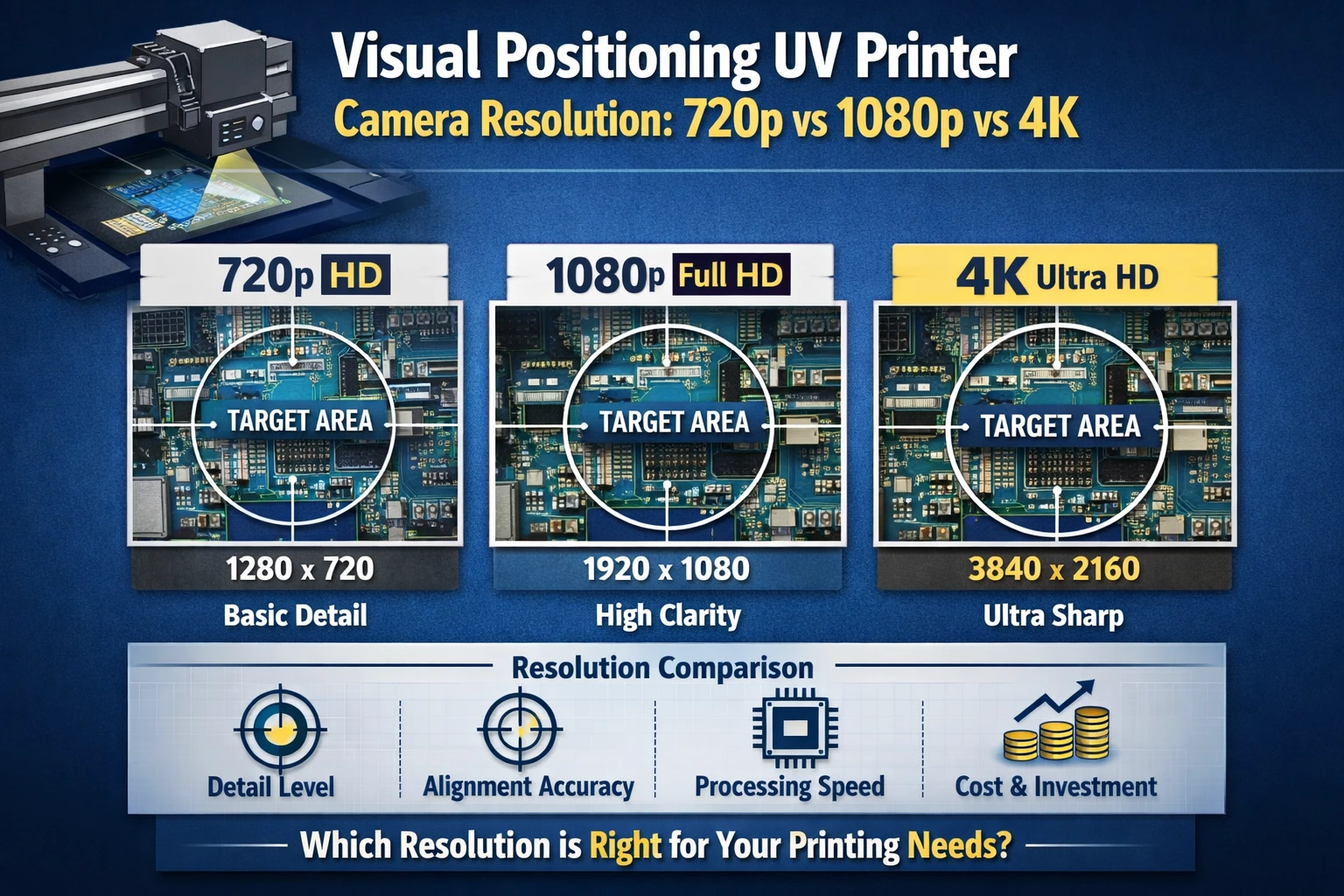
Camera resolution directly affects alignment accuracy, print sharpness, color consistency, and production reliability. When selecting a visual positioning UV printer, most buyers encounter three common camera resolution options: 720p, 1080p, and 4K. Each resolution level offers distinct advantages, limitations, and cost implications.
This in-depth guide explains how camera resolution works in visual positioning UV printers, compares 720p vs 1080p vs 4K in real-world printing environments, and helps you determine which option best matches your production goals, budget, and long-term business strategy.
What Is Visual Positioning in UV Printing?
Visual positioning is a technology that uses an integrated camera system to detect the exact position, shape, and orientation of a printing substrate before ink is applied. Unlike traditional UV printers that rely on fixed templates or manual alignment, visual positioning UV printers automatically recognize objects and adjust the print path in real time.
This technology is especially useful for:
Irregular or non-standard objects
Pre-cut materials
Multiple objects placed randomly on the print bed
High-precision industrial applications
The camera captures an image of the substrate, processes it through software, and aligns the print file accordingly. The clarity and accuracy of this captured image depend heavily on camera resolution.
Understanding Camera Resolution in Simple Terms
Camera resolution refers to the number of pixels used to capture an image. More pixels mean more detail, sharper edges, and better recognition of small features.
Resolution is commonly expressed as:
720p: 1280 × 720 pixels
1080p: 1920 × 1080 pixels
4K: 3840 × 2160 pixels
In visual positioning UV printing, higher resolution allows the system to detect fine outlines, small gaps, thin lines, and subtle edges that lower resolutions may miss.
Why Camera Resolution Matters in Visual Positioning UV Printers
Camera resolution does not directly control ink output, but it significantly influences where the ink is placed. Poor resolution can cause:
Misalignment of prints
Ink bleeding beyond edges
Inconsistent registration
Rejected products and material waste
High-resolution cameras improve:
Edge detection accuracy
Registration precision
Repeatability in bulk production
Overall print quality
Choosing the correct resolution is a balance between performance requirements and operational efficiency.
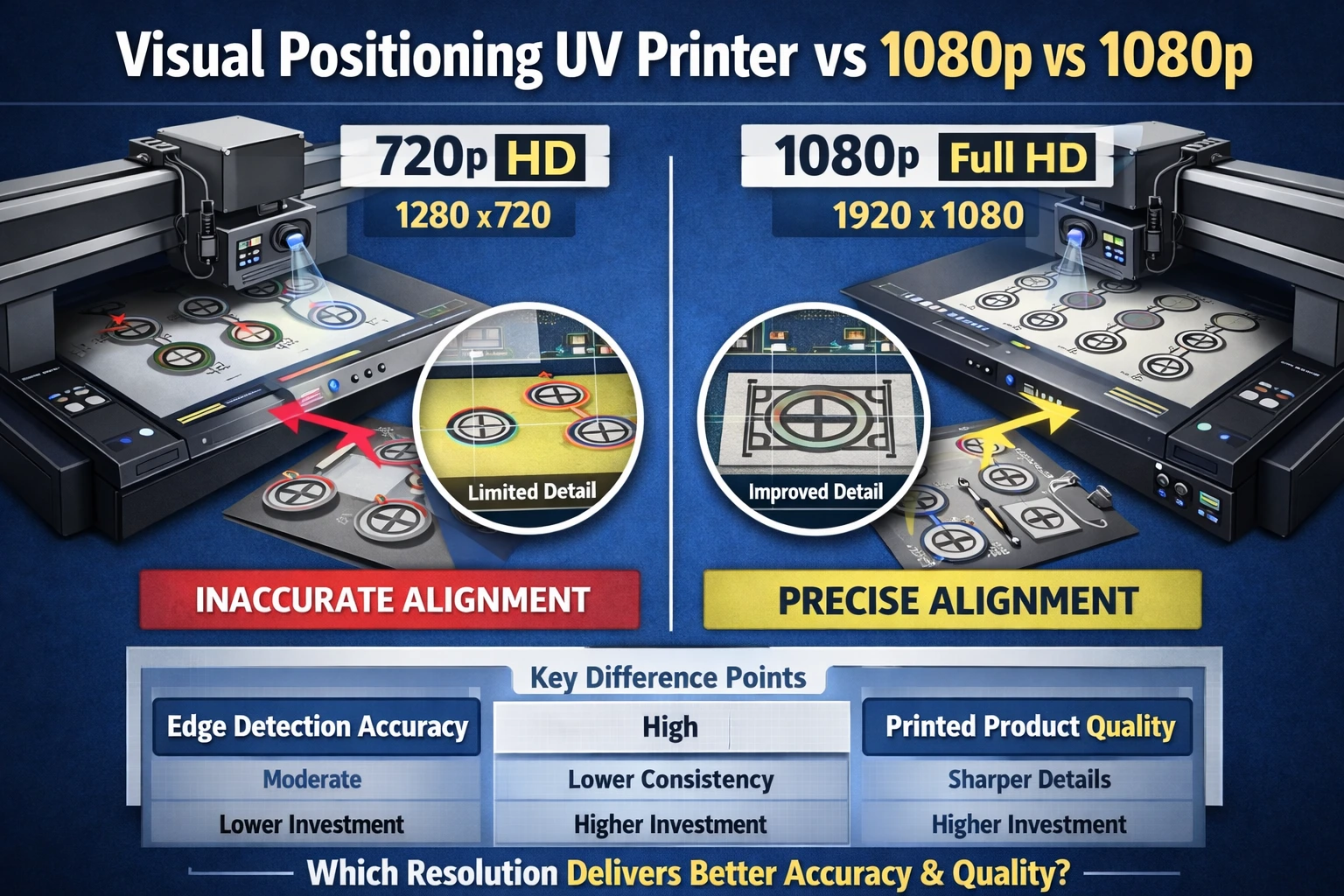
720p Camera Resolution in Visual Positioning UV Printers
Overview
720p cameras are often considered entry-level options. They capture basic positioning information and are commonly found in lower-cost or older visual positioning UV printers.
Strengths of 720p Resolution
Lower machine cost
Reduced data processing load
Faster image capture and analysis
Suitable for simple, uniform shapes
For businesses printing large objects with clear outlines—such as flat boards or simple promotional items—720p can be sufficient.
Limitations of 720p Resolution
Difficulty detecting fine details
Inaccurate recognition of thin lines
Reduced precision on small objects
Higher chances of alignment errors
720p struggles with complex designs, closely placed objects, and high-density layouts. As market demands move toward customization and precision, 720p is becoming less practical for professional workflows.
Best Use Cases for 720p
Basic signage
Large flat substrates
Low-detail graphics
Budget-focused startups
1080p Camera Resolution in Visual Positioning UV Printers
Overview
1080p has become the industry standard for most commercial visual positioning UV printers. It offers a strong balance between accuracy, performance, and cost.
Advantages of 1080p Resolution
Noticeably sharper image capture
Reliable edge detection
Better recognition of medium-sized details
Suitable for most commercial applications
1080p cameras provide consistent results across a wide range of materials and designs without excessive system requirements.
Limitations of 1080p Resolution
Slight limitations with extremely fine micro-details
Less effective for ultra-small objects compared to 4K
Moderate hardware and processing demands
While not perfect for every high-end application, 1080p meets the needs of most professional print shops.
Best Use Cases for 1080p
Promotional product printing
Acrylic and glass printing
Phone cases and customized goods
Mid-to-high volume production
4K Camera Resolution in Visual Positioning UV Printers
Overview
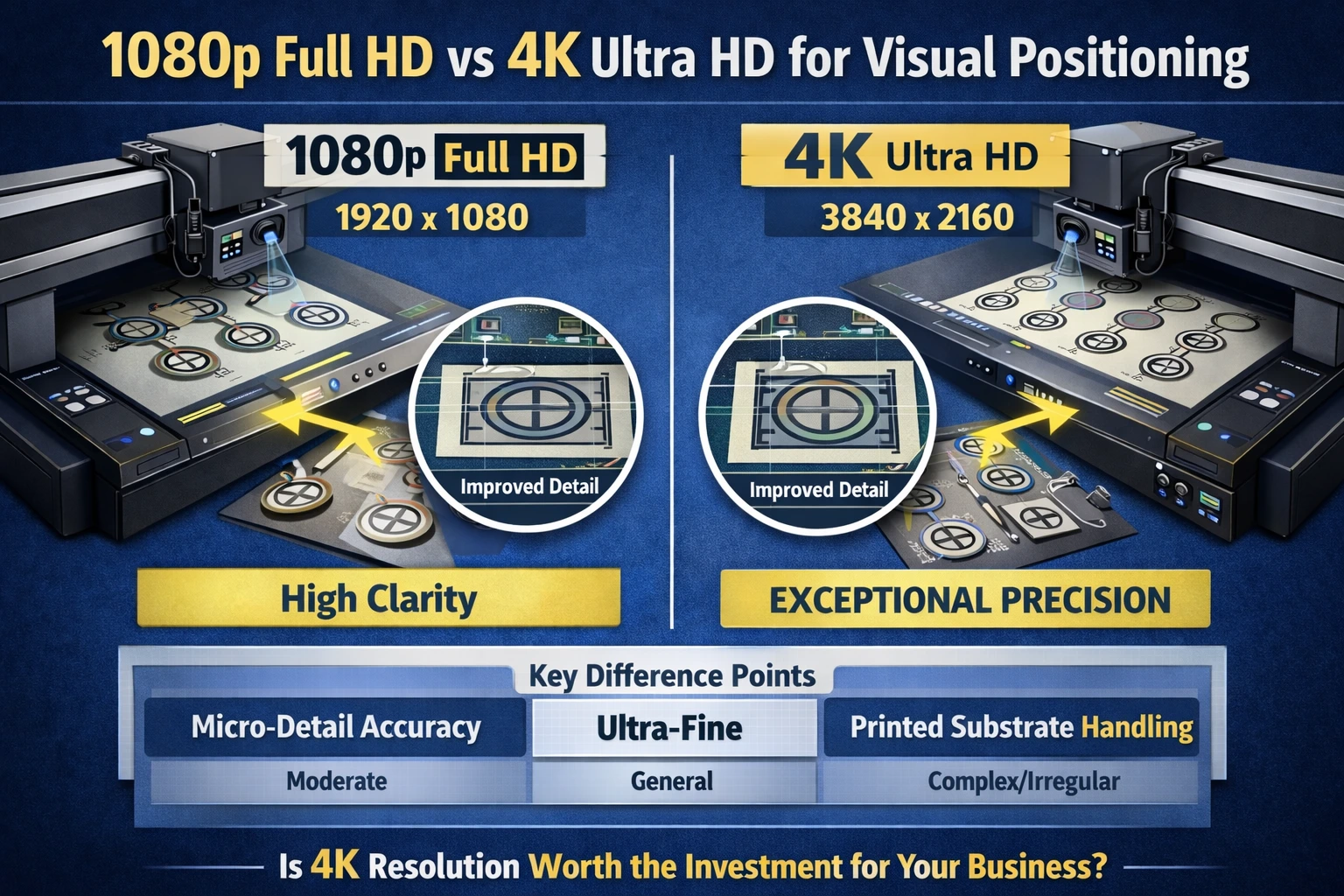
4K resolution represents the highest level of detail currently used in visual positioning UV printing. These systems are designed for precision-critical industries where even microscopic misalignment is unacceptable.
Advantages of 4K Resolution
Exceptional image clarity
Superior edge and contour recognition
Accurate detection of tiny features
Ideal for dense layouts and micro-printing
4K cameras excel in demanding environments where objects are small, closely packed, or highly detailed.
Limitations of 4K Resolution
Higher machine cost
Increased processing requirements
Larger data storage needs
Potentially slower processing speeds
For businesses that do not require extreme precision, 4K may be unnecessary and inefficient.
Best Use Cases for 4K
Electronics and component printing
Luxury packaging
Industrial labeling
High-precision branding applications
Direct Comparison: 720p vs 1080p vs 4K
Detail Recognition
720p: Basic outlines only
1080p: Clear and consistent detail
4K: Ultra-fine precision
Alignment Accuracy
720p: Moderate
1080p: High
4K: Exceptional
Processing Load
720p: Low
1080p: Medium
4K: High
Cost Impact
720p: Lowest
1080p: Balanced
4K: Highest
How Camera Resolution Affects Print Quality
Edge Sharpness
Higher resolutions improve edge detection, preventing ink spillover and blurred outlines.
Registration Accuracy
Precise camera data ensures printed designs align perfectly with substrate boundaries.
Color Consistency
Accurate positioning reduces overlapping layers, improving color uniformity.
Waste Reduction
Better alignment means fewer rejected prints and lower material loss.
Does Higher Resolution Always Mean Better Results?
Not necessarily. While higher resolution improves precision, it must match your actual production needs. Over-investing in resolution can:
Increase costs unnecessarily
Slow down workflow
Add maintenance complexity
The best resolution is the one that delivers required accuracy without exceeding operational needs.
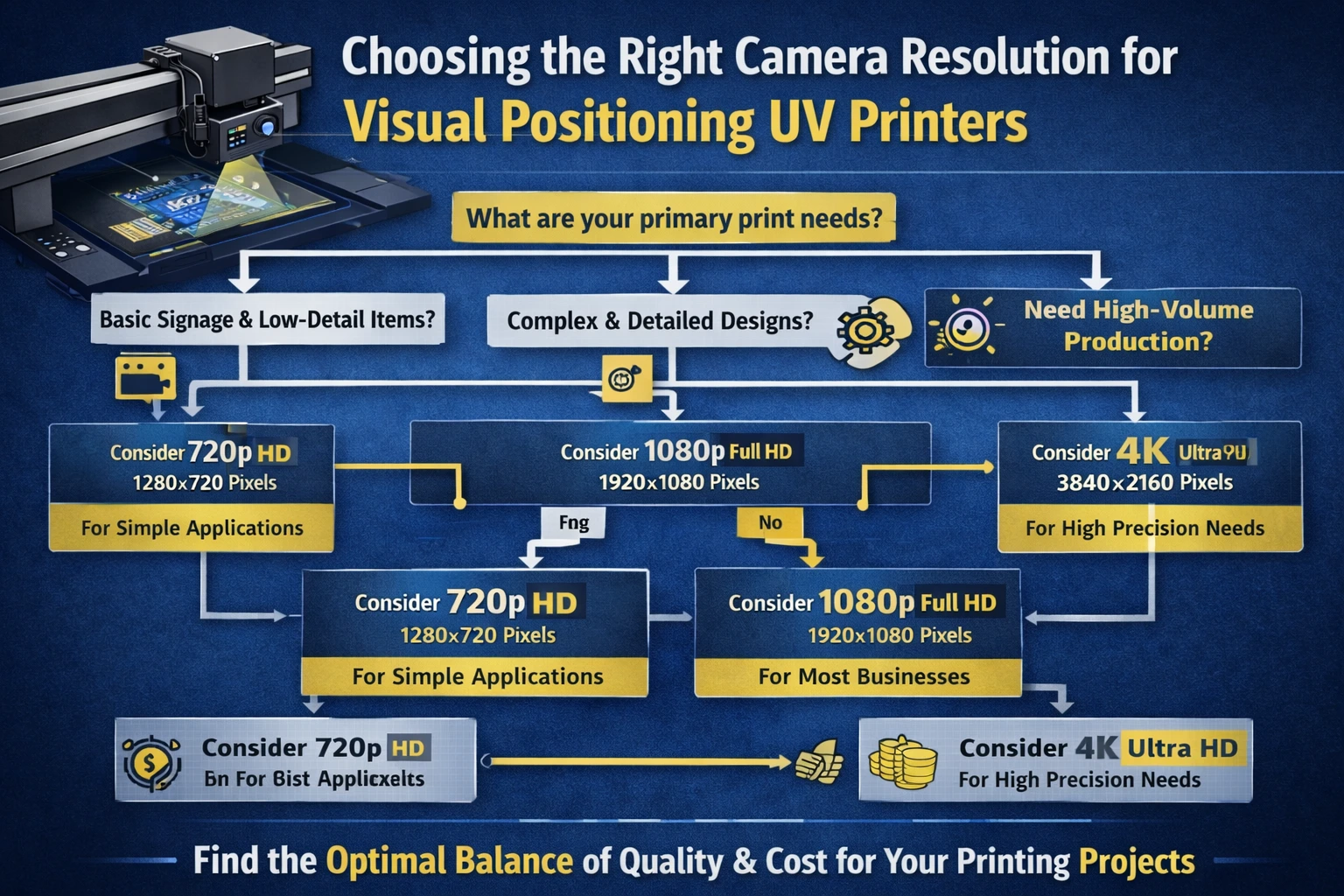
Choosing the Right Camera Resolution for Your Business
Consider Your Product Size
Small and detailed items benefit from higher resolution.
Evaluate Design Complexity
Complex designs require sharper detection.
Assess Production Volume
High volumes need stable, efficient processing.
Budget and ROI
Balance equipment cost with output quality and customer expectations.
Future Trends in Visual Positioning Camera Technology
AI-assisted edge detection
Smarter software compensation
Higher resolution with faster processing
Improved lighting integration
As software evolves, even 1080p systems are becoming more powerful through intelligent image processing.
Common Myths About Camera Resolution
“4K Is Always Better”
False. It is only better when precision demands justify it.
“Resolution Controls Print Sharpness”
Resolution affects positioning, not ink droplet size.
“720p Is Obsolete”
Not entirely—still useful for basic applications.
Maintenance Considerations by Resolution
Higher resolution systems require:
Clean lenses
Stable lighting
Regular calibration
Updated processing hardware
Ignoring maintenance can negate resolution benefits.
Conclusion
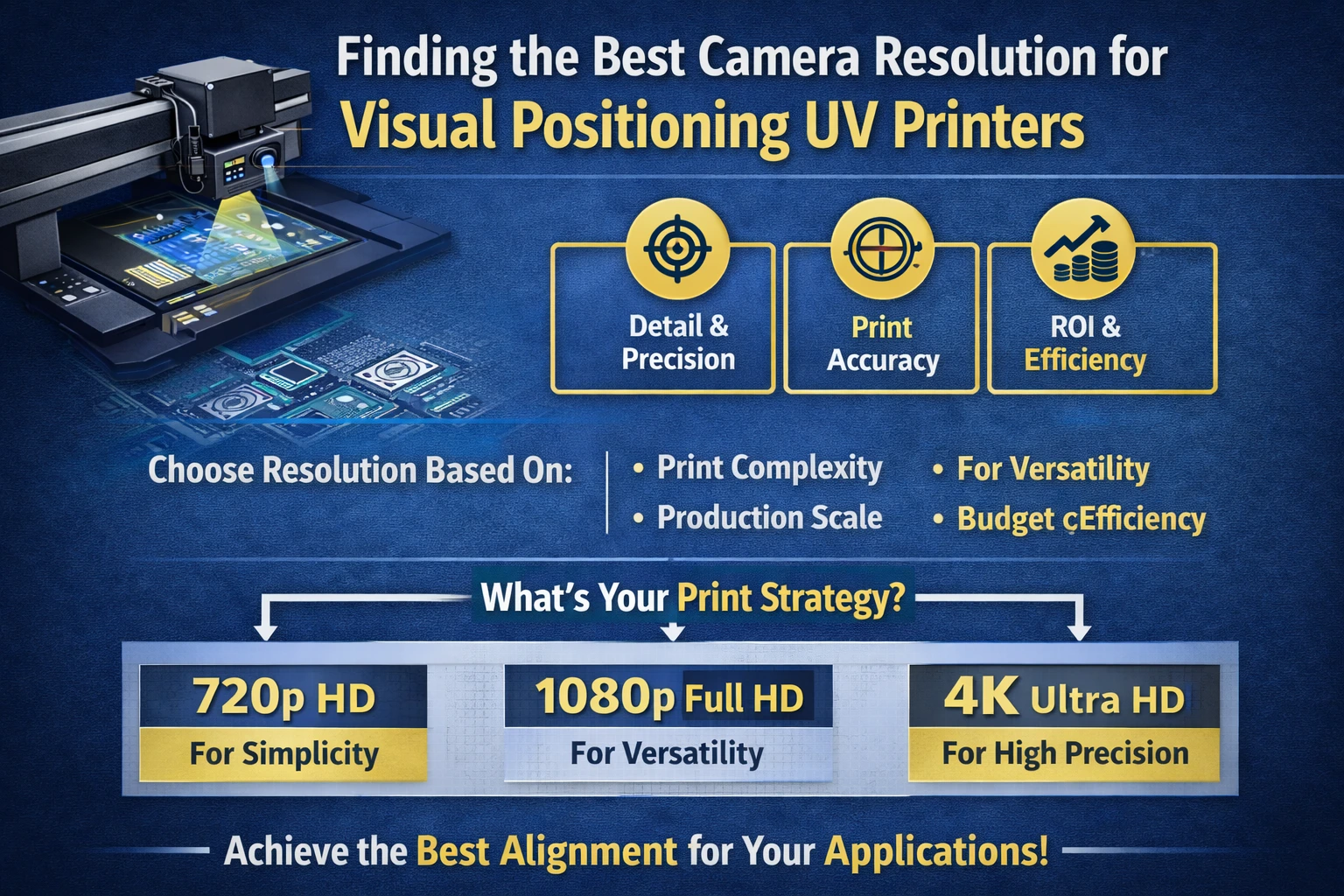
Camera resolution plays a vital role in the performance of visual positioning UV printers. While 720p may work for simple tasks, it lacks the precision required for modern professional printing. 1080p stands out as the most versatile and cost-effective choice for most businesses, offering reliable accuracy and strong performance. 4K, while impressive, is best reserved for applications where extreme precision is essential.
By understanding how resolution impacts alignment, quality, workflow, and costs, you can make an informed decision that supports both your current production needs and future growth.
Choosing the right camera resolution is not about buying the highest number—it’s about selecting the smartest solution for your business.
Frequently Asked Questions (FAQ)
Which camera resolution is best for visual positioning UV printing?
1080p is ideal for most commercial applications, while 4K suits ultra-precision work.
Can 720p be used professionally?
Only for simple, large-format, low-detail projects.
Does camera resolution affect print speed?
Higher resolutions require more processing, which can slightly impact speed.
Is upgrading to 4K always worth it?
Only if your products demand extreme alignment accuracy.
Does higher resolution reduce printing errors?
Yes, when combined with proper calibration and software optimization.