

 HOME
HOME PRODUCT CENTER
 ABOUT US
 DOWNLOAD CENTER
 SUPPORT CENTER
 SUBSCRIBE
 BLOG
BLOGVisual Positioning UV Printer FOV Guide
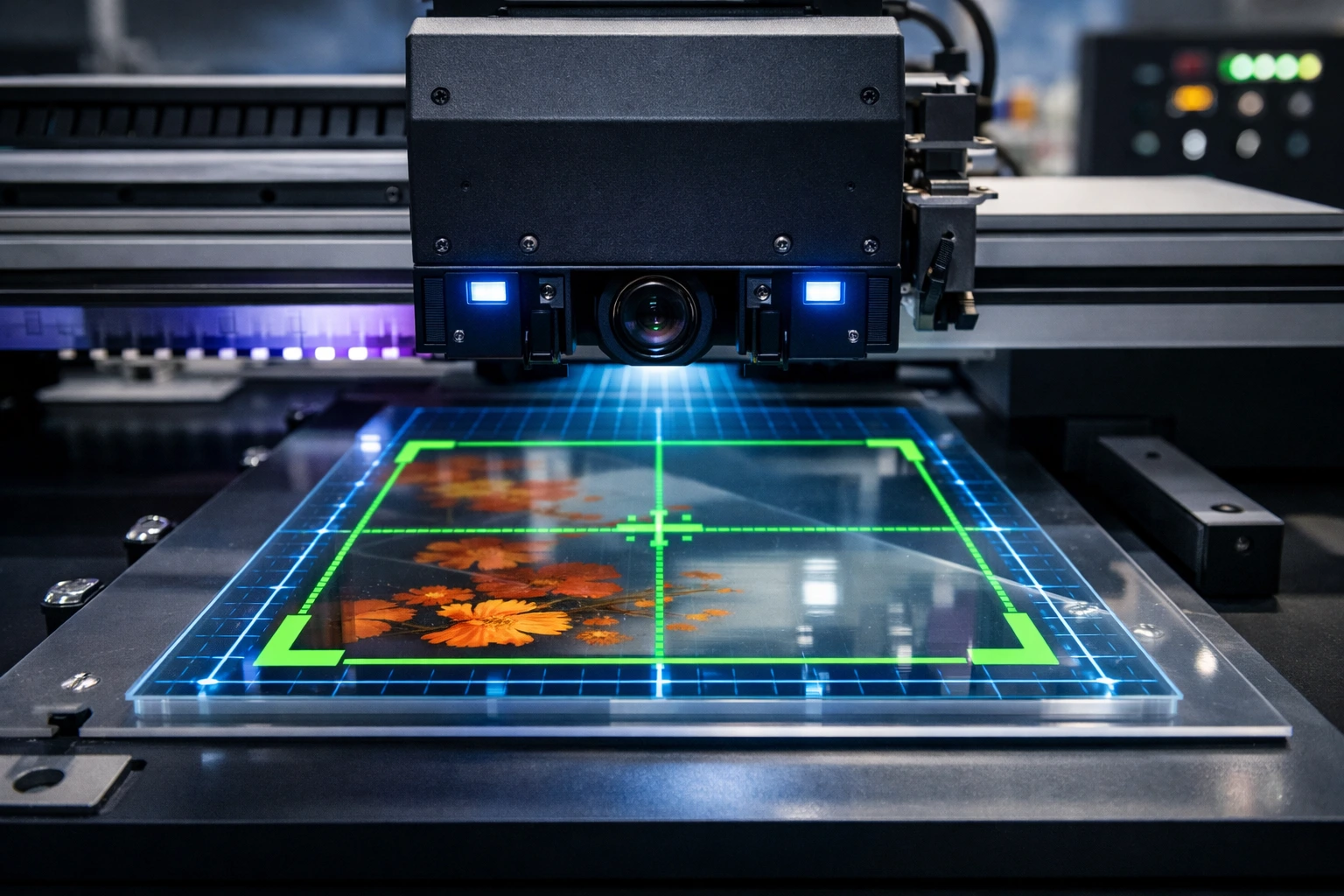
The digital printing industry is evolving faster than ever, and one technology that has transformed precision-based printing is the visual positioning UV printer. These machines are widely used in signage, packaging, promotional products, decorative printing, and industrial applications where accuracy matters more than speed alone. While many buyers focus on print size, ink type, or curing power, one critical specification is often overlooked—the Field of View (FOV).
Field of View plays a decisive role in how accurately a printer detects materials, aligns graphics, and delivers consistent output across different substrates. If your goal is to reduce errors, improve workflow efficiency, and achieve reliable print quality, understanding FOV specifications is non-negotiable. This article explains visual positioning UV printer FOV specifications in detail, breaks down the technical factors that influence it, and shows how the right FOV can directly impact productivity and profitability.
What Is Field of View (FOV) in Visual Positioning UV Printing?
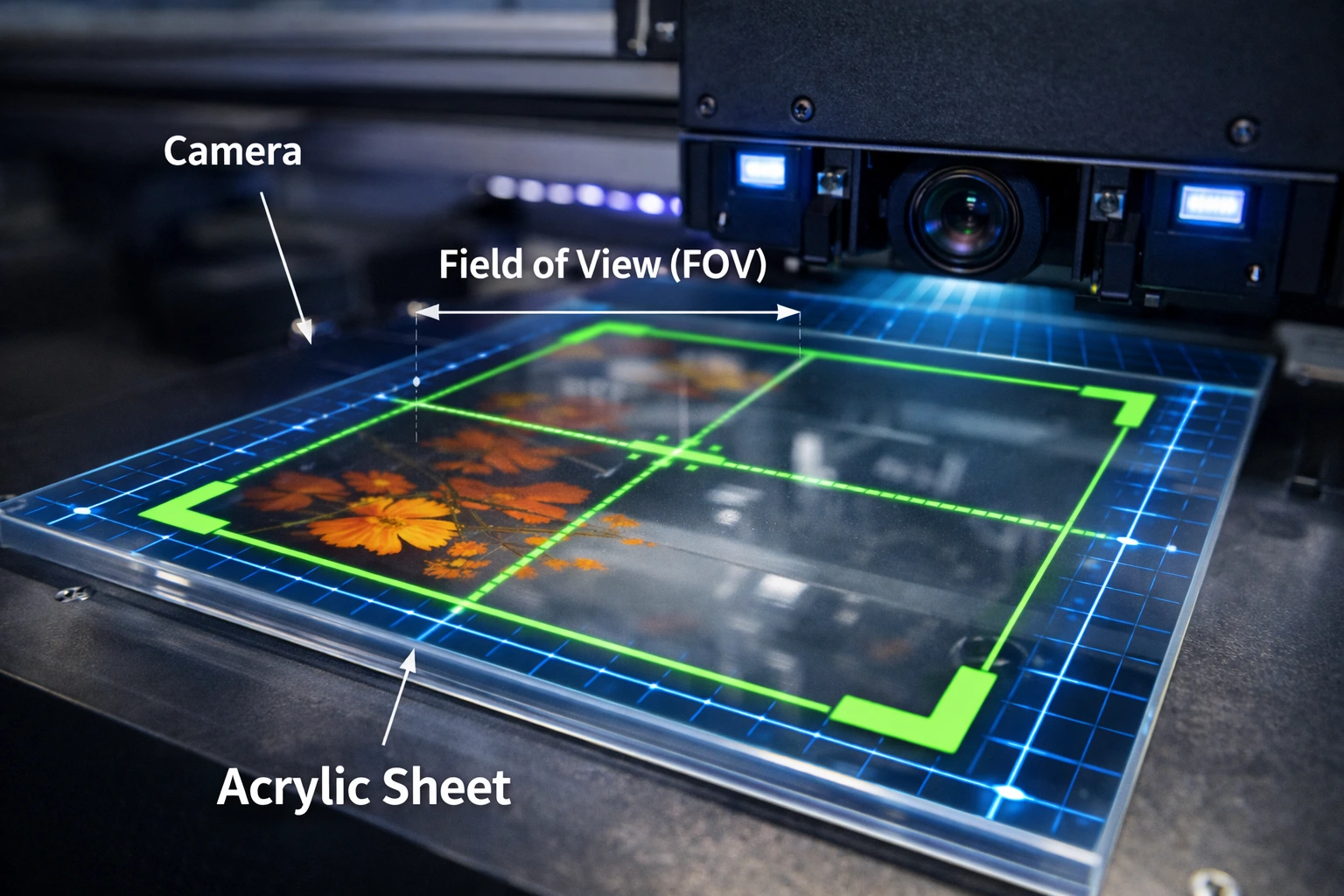
In visual positioning UV printers, the Field of View refers to the visible area captured by the printer’s camera system at one time. This camera scans the substrate—whether it’s acrylic, glass, metal, wood, leather, or plastic—and sends positioning data to the printer software. Based on this data, the printer aligns the print head precisely with the material.
Unlike traditional UV printers that rely on fixed coordinates or manual alignment, visual positioning UV printers depend heavily on FOV to “see” the substrate. If the FOV is too small, the printer may need multiple scans to understand material placement. If the FOV is too large without sufficient resolution, precision can suffer. Therefore, FOV is not just about size; it is about balance.
Why Field of View Matters So Much
Field of View directly influences three core aspects of printing:
Accuracy of alignment
Speed of job setup
Consistency across batches
In industries where substrates are irregular, pre-cut, or randomly placed on the bed, a well-optimized FOV allows the printer to recognize shapes, edges, and reference points automatically. This reduces manual intervention and minimizes human error.
Core Components of FOV Specifications
Understanding FOV specifications requires breaking them into measurable and functional components. Each component affects how the printer performs in real-world conditions.
1. Physical Dimensions of the Field of View
The most basic FOV specification is the physical scanning area covered by the camera system.
Width
The width defines how much horizontal space the camera can capture in a single scan. A wider FOV width is beneficial for:
Large panels
Multiple small items printed simultaneously
Batch production workflows
However, extremely wide widths may reduce pixel density unless supported by high-resolution sensors.
Height
The height determines the vertical scanning coverage. This is especially important for:
Thick or raised objects
Multi-layer printing
Cylindrical or uneven surfaces
An optimal balance between width and height ensures the printer can handle diverse applications without compromising detail.
2. Camera Resolution and Pixel Density
FOV size alone is meaningless without considering resolution. A large field of view paired with low resolution results in poor edge detection and inaccurate positioning.
High-resolution cameras allow:
Sharp recognition of fine outlines
Accurate detection of small registration marks
Better alignment on intricate designs
Pixel density (pixels per millimeter) is often more important than raw FOV size. Professional-grade printers optimize both to maintain accuracy across the entire scan area.
3. Focal Length and Working Distance
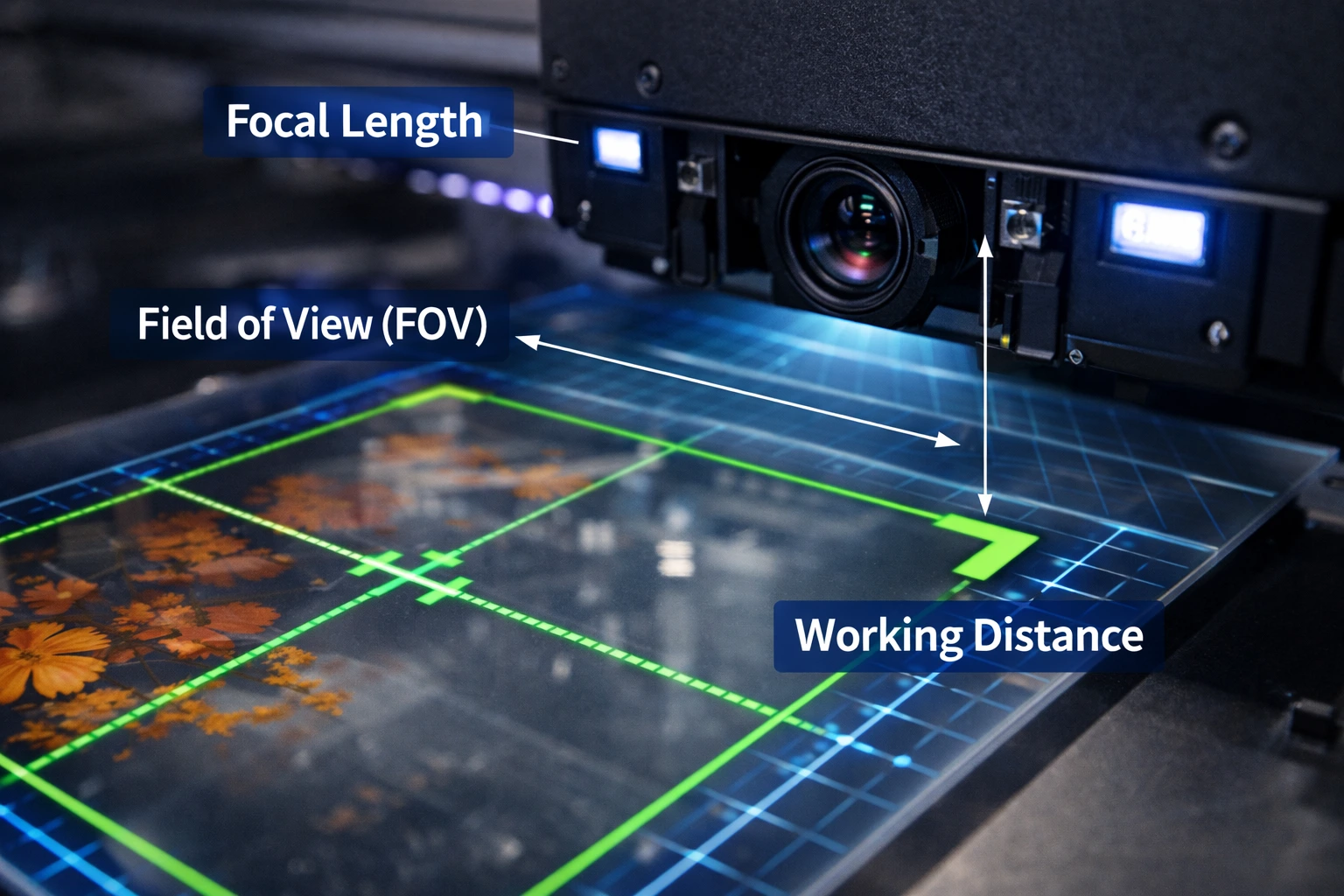
Focal length determines how far the camera is positioned from the substrate and how much area it can capture clearly.
Short focal length
Wider FOV
Better for large or varied substrates
Requires careful calibration to avoid distortion
Long focal length
Narrower FOV
Higher precision
Ideal for small, detailed items
The working distance must remain stable to maintain consistent results. Changes in substrate thickness can impact focus if the printer lacks adaptive calibration.
4. Angle of View
The angle of view defines how wide the camera lens captures the scene. A wider angle allows the printer to “see” more of the bed, while a narrower angle focuses on a smaller area with higher detail.
Wide angles increase versatility
Narrow angles improve precision
Advanced printers compensate for wide-angle distortion through software correction, maintaining accuracy across the entire FOV.
Relationship Between FOV and Print Accuracy
Print accuracy depends on how precisely the printer can interpret visual data. If the FOV is poorly matched to the application, issues such as misalignment, skewing, or inconsistent print placement can occur.
A properly configured FOV enables:
Accurate edge detection
Reliable contour printing
Precise registration for multi-layer jobs
This is especially critical in industries like electronics printing, decorative glass, or premium packaging, where even a millimeter of error can cause rejection.
FOV and Workflow Efficiency
One of the biggest operational benefits of an optimized FOV is faster workflow.
Reduced Setup Time
With a large and accurate FOV, operators can place materials freely on the bed without manual alignment. The printer automatically detects position and orientation.
Faster Batch Processing
When multiple items fit within a single FOV scan, the printer can process them simultaneously. This significantly increases output in high-volume environments.
Lower Operator Dependency
Automation driven by visual positioning reduces reliance on skilled labor, making production more scalable.
FOV and Material Versatility
Visual positioning UV printers are often chosen for their ability to print on diverse substrates. FOV plays a key role in enabling this versatility.
A well-designed FOV supports:
Irregular shapes
Transparent materials
Reflective surfaces
Mixed batches of different sizes
Advanced camera systems adjust exposure and contrast to ensure consistent detection across challenging materials.
Software’s Role in Maximizing Field of View
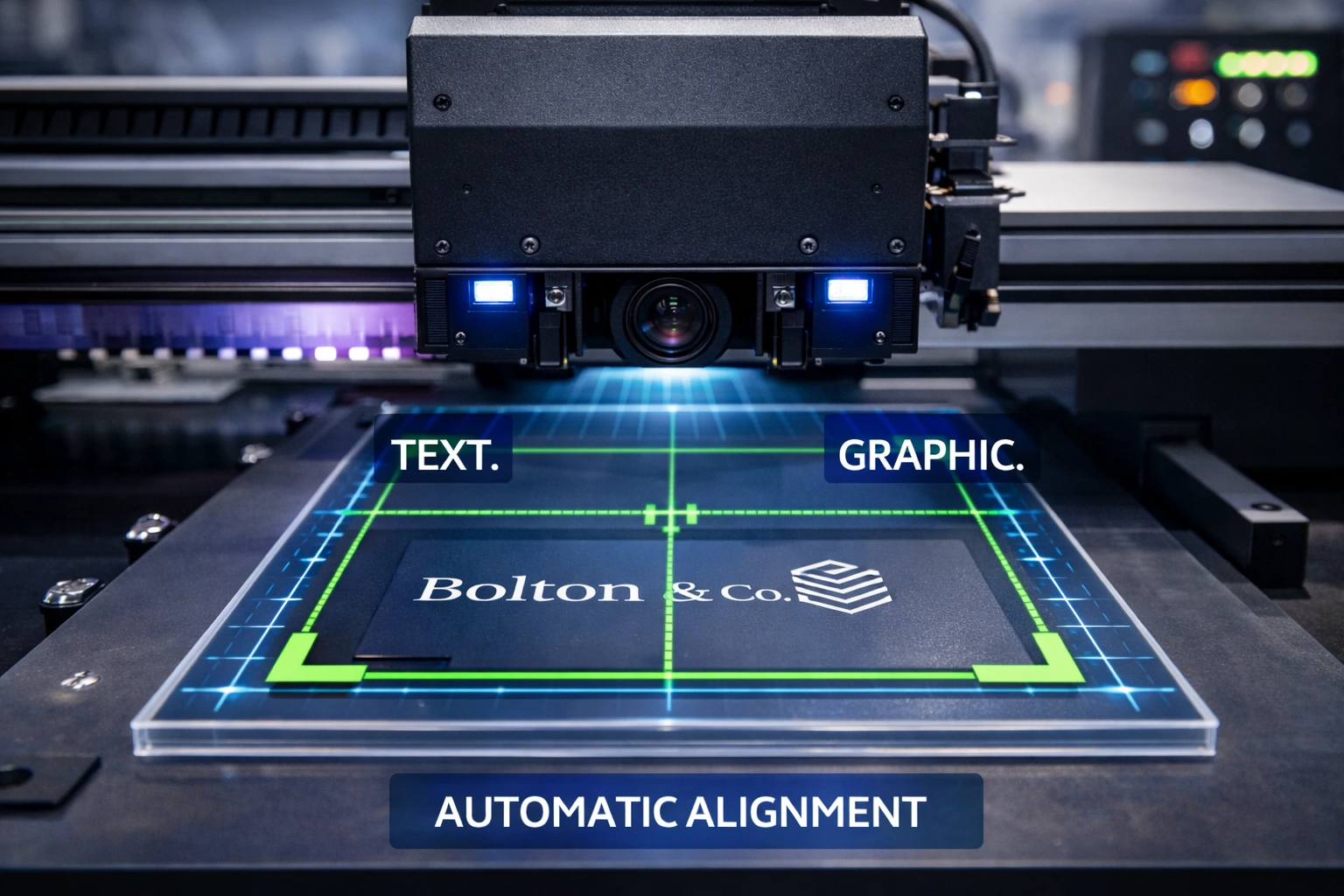
Hardware alone does not define FOV performance. Software integration is equally important.
Image Recognition Algorithms
Modern printers use intelligent algorithms to interpret camera data. These algorithms:
Identify edges and contours
Correct perspective distortion
Compensate for lens curvature
Automatic Scaling and Rotation
Software can resize or rotate designs automatically based on detected material orientation, maximizing the effective use of the FOV.
Real-Time Feedback
Live camera feeds allow operators to preview alignment before printing, reducing costly errors.
Adjustable Print Heads and Dynamic FOV Control
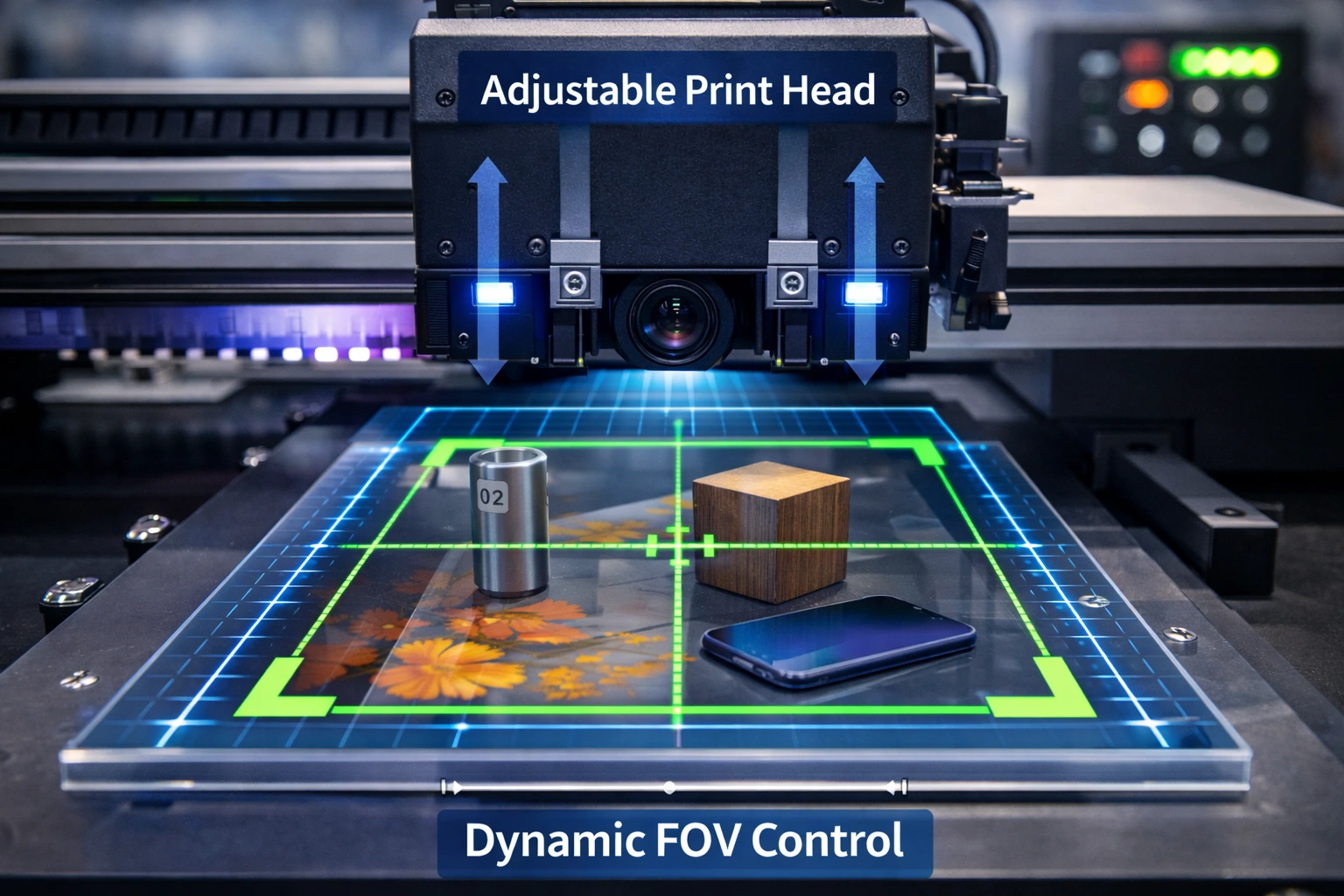
Some visual positioning UV printers allow mechanical adjustments that indirectly affect FOV.
Adjustable print head height accommodates varying material thickness
Multi-camera systems expand effective FOV without sacrificing resolution
Dynamic calibration maintains accuracy even when conditions change
These features are particularly useful in industrial environments where materials vary from job to job.
Choosing the Right FOV for Your Application
Selecting the ideal FOV is not about choosing the largest number on a spec sheet. It’s about matching the FOV to your actual production needs.
1. Application Type
Large signage and panels: Wide FOV with high-resolution sensors
Small promotional items: Narrower FOV with high pixel density
Mixed production: Medium FOV with intelligent software correction
2. Production Volume
High-volume production benefits from larger FOVs that reduce scanning cycles. Low-volume, high-detail work may prioritize precision over coverage.
3. Substrate Characteristics
Transparent, glossy, or textured materials require advanced camera systems and optimized FOV settings to ensure reliable detection.
4. Future Scalability
Investing in a printer with flexible FOV options ensures you can expand into new applications without replacing equipment.
Common Misconceptions About FOV
“Bigger FOV Always Means Better Performance”
This is false. Without sufficient resolution and software support, a larger FOV can reduce accuracy.
“FOV Only Matters for Large Prints”
Even small items benefit from optimized FOV, especially in batch production.
“FOV Cannot Be Improved”
While hardware limits exist, calibration, software updates, and workflow optimization can significantly enhance real-world FOV performance.
FOV and Cost Efficiency
Understanding and utilizing FOV effectively can directly reduce costs.
Less material waste due to fewer alignment errors
Reduced downtime from reprints
Higher throughput without additional labor
Over time, these savings often outweigh the initial investment in a higher-quality visual positioning system.
Maintenance and Calibration Impact on FOV
Even the best FOV specifications require proper maintenance.
Regular camera lens cleaning prevents distortion
Calibration ensures consistent detection accuracy
Software updates improve image processing algorithms
Neglecting these factors can degrade FOV performance over time, affecting overall print quality.
Future Trends in Visual Positioning FOV Technology
The next generation of visual positioning UV printers is moving toward smarter, more adaptive systems.
Expected advancements include:
AI-driven object recognition
Multi-angle camera arrays
Automatic depth mapping
Enhanced correction for reflective and transparent substrates
These innovations will further expand effective FOV while maintaining ultra-high accuracy.
Conclusion
Field of View specifications are one of the most important yet misunderstood aspects of visual positioning UV printers. FOV is not just a number—it is a combination of camera coverage, resolution, focal length, angle of view, and intelligent software working together.
By understanding FOV in depth, businesses can select printers that deliver better accuracy, faster workflows, and greater material flexibility. Whether you are producing signage, promotional products, or industrial components, the right FOV configuration can significantly improve output quality and operational efficiency.
Investing time in understanding FOV specifications today ensures smarter purchasing decisions, reduced production costs, and a competitive edge in the rapidly evolving UV printing market.
Frequently Asked Questions (FAQ)
What is the ideal field of view for a visual positioning UV printer?
There is no single ideal FOV. The best option depends on your application size, material variety, and precision requirements.
Can FOV be adjusted on visual positioning UV printers?
Many modern printers allow indirect adjustment through camera position, focal length settings, and software calibration.
How does FOV affect print quality?
Proper FOV ensures accurate alignment and consistent ink placement, directly improving print sharpness and repeatability.
Is a wide FOV suitable for detailed printing?
Only if supported by high-resolution cameras and advanced software. Otherwise, a narrower FOV may deliver better detail.
Should FOV influence purchasing decisions?
Absolutely. FOV has a long-term impact on productivity, versatility, and cost efficiency, making it a critical evaluation factor.