

 HOME
HOME PRODUCT CENTER
 ABOUT US
 DOWNLOAD CENTER
 SUPPORT CENTER
 SUBSCRIBE
 BLOG
BLOGDTF Printer Setup Guide
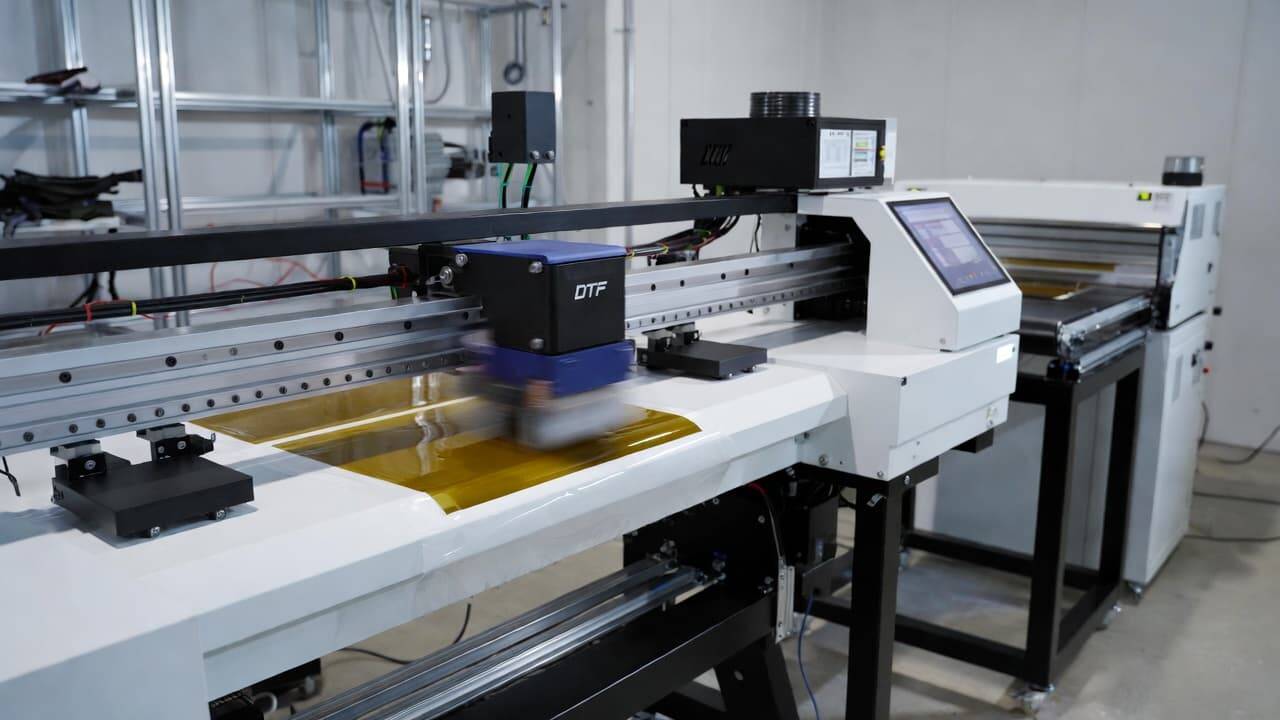
The textile printing industry has evolved rapidly in recent years, and one of the most impactful innovations is the DTF printer system. Direct-to-Film printing, commonly known as DTF printing, has opened new doors for garment decorators, print-on-demand businesses, and apparel brands that want vibrant, durable, and highly detailed designs on various fabrics.
Unlike traditional methods that restrict fabric choice or design complexity, DTF printing offers flexibility, efficiency, and consistent quality. A complete DTF setup typically includes three essential components: a DTF printer, a powder shaker, and a dryer (or curing unit). Together, these machines create a streamlined workflow that transforms digital designs into long-lasting textile prints.
In this comprehensive guide, you will learn how a DTF printer setup works, what equipment you need, how to install and operate it correctly, and how to optimize your production for professional results. Whether you are a beginner or planning to upgrade your existing printing business, this article will help you build a reliable, website-ready DTF printing system.
What Is DTF Printing?
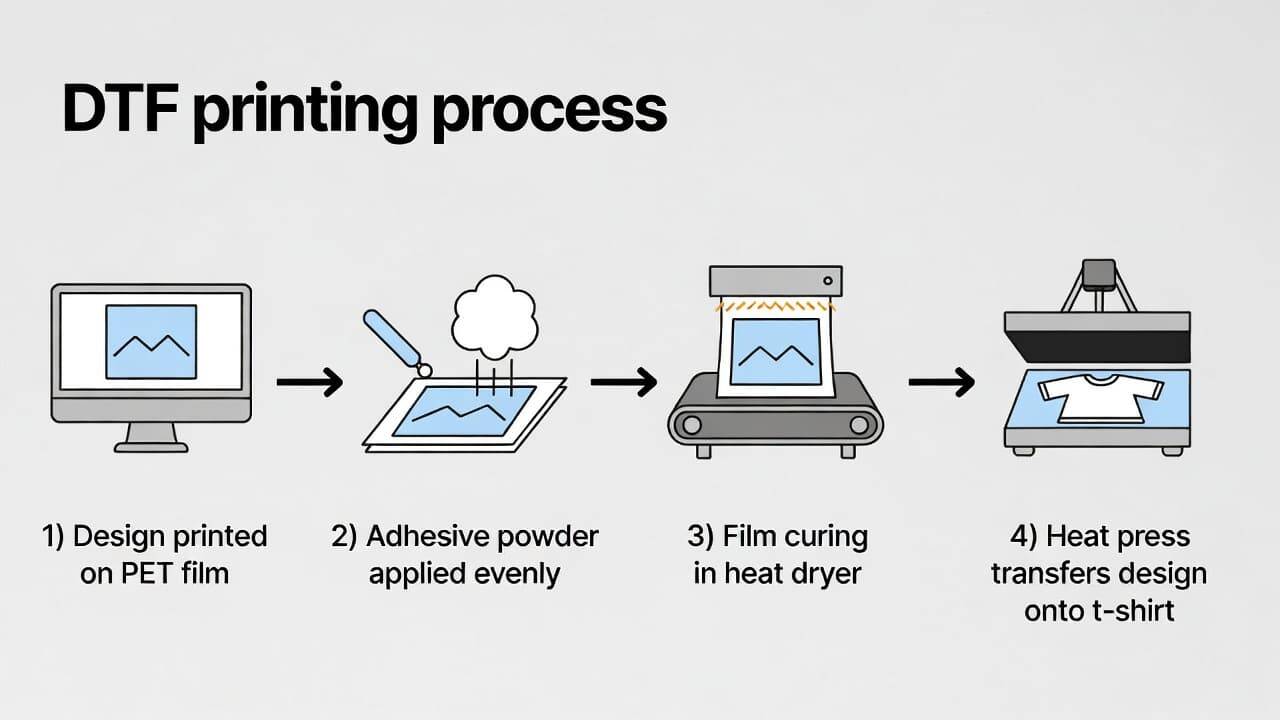
DTF (Direct-to-Film) printing is a digital transfer method where a design is printed onto a special PET film and then transferred onto fabric using adhesive powder and heat curing.
Instead of printing directly onto garments, the design is first printed onto film using DTF inks. After printing, a layer of adhesive powder is applied to the wet ink. The powder-coated film is then cured using controlled heat. Finally, the design is heat-pressed onto the garment.
Why DTF Printing Is Popular
Works on cotton, polyester, blends, silk, denim, and more
Suitable for both light and dark garments
Allows intricate and colorful designs
Produces soft, flexible, and durable prints
Requires lower setup costs compared to traditional screen printing
Because of these advantages, DTF printing has become a preferred solution for custom apparel brands and small-to-medium printing businesses.
Complete DTF Printer Setup: Essential Components
A professional DTF printing workflow requires three main machines working together:
DTF Printer
Powder Shaker
Dryer (Curing Unit or Heat System)
Each component plays a crucial role in achieving high-quality output.
DTF Printer: The Core of the System
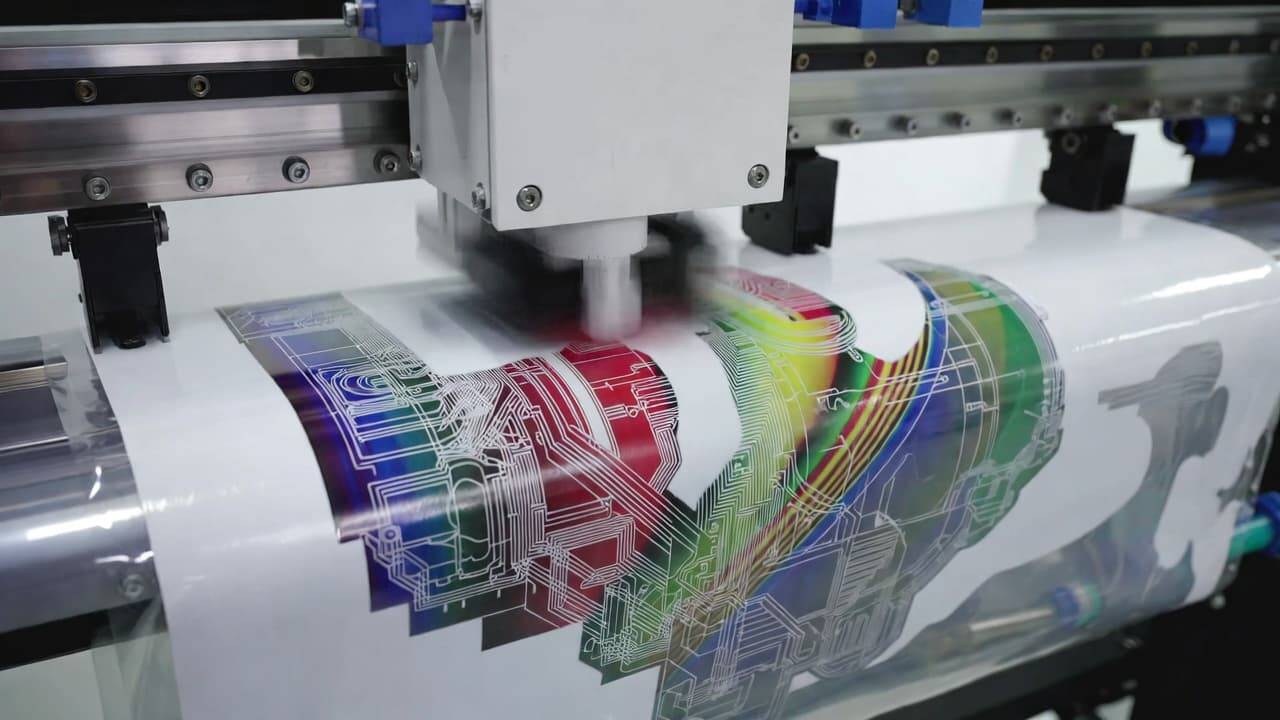
The DTF printer is the foundation of your setup. It is specially designed to handle DTF inks and PET film media.
Key Features to Consider
High Print Resolution
Look for printers with high DPI (dots per inch). Higher resolution ensures sharp details, smooth gradients, and professional-quality designs.
Print Speed
Production speed matters if you plan to handle bulk orders. Choose a printer that balances speed with quality.
Ink Compatibility
DTF printers use specialized pigment-based DTF inks, including white ink for underbase printing. Standard inkjet inks are not suitable.
White Ink Circulation System
A good DTF printer includes a white ink circulation or stirring system to prevent clogging and ensure consistent output.
RIP Software Integration
Professional DTF setups use RIP (Raster Image Processor) software for color management, white underbase control, and layout optimization.
Why a Dedicated DTF Printer Is Necessary
Regular inkjet printers cannot handle DTF processes properly. They lack the required ink systems and configurations. Investing in a dedicated DTF printer ensures consistent results, reduced maintenance issues, and longer equipment life.
2. Powder Shaker: Ensuring Even Adhesive Application
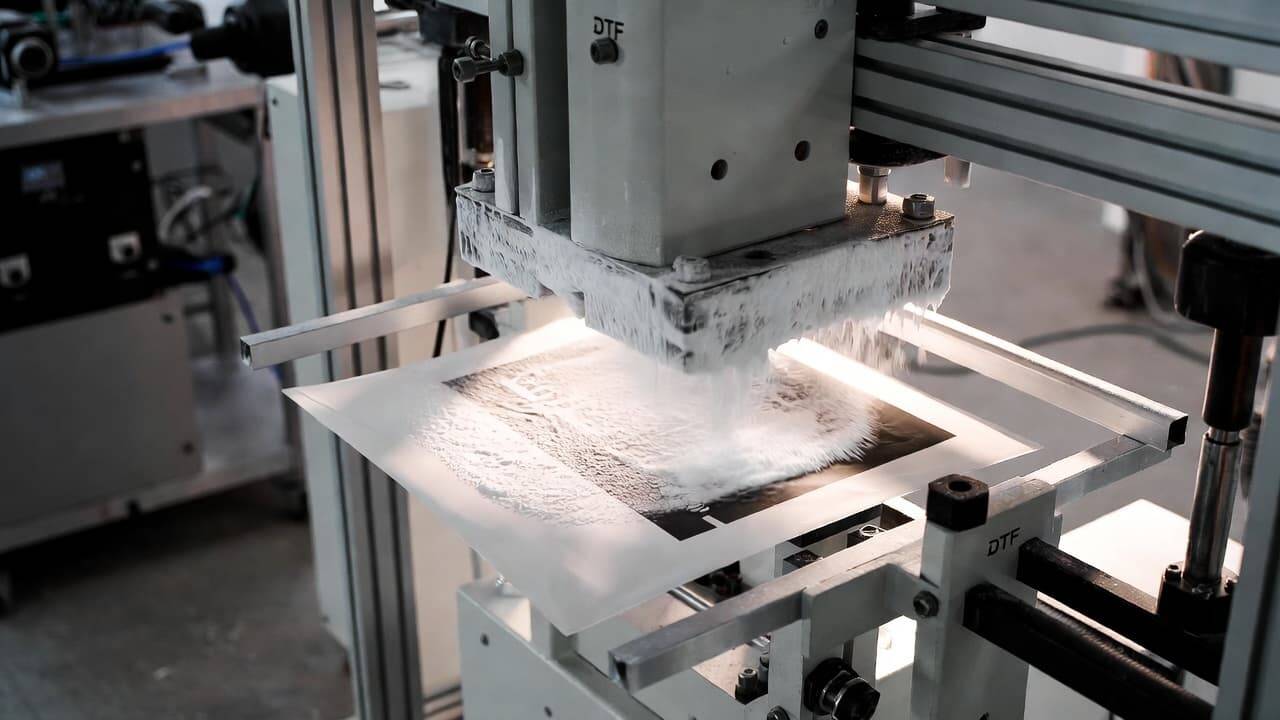
After printing your design on DTF film, adhesive powder must be applied while the ink is still wet. This step determines how well the design bonds with the fabric.
A powder shaker automates this process and ensures uniform coverage.
What Does a Powder Shaker Do?
Evenly distributes adhesive powder
Removes excess powder
Prevents clumping
Improves transfer quality
Important Features to Look For
Adjustable Powder Settings
Allows you to control the amount of adhesive based on fabric type and design complexity.
Automatic Shaking System
Ensures consistent application without manual intervention.
Built-in Preheating Option (in advanced models)
Some powder shakers include integrated heating for partial curing before transferring to the dryer.
Using a powder shaker improves production efficiency and reduces errors compared to manual powder application.
3. Dryer (Curing Unit): Activating the Adhesive
Once the powder is applied, the next step is curing. A dryer melts the adhesive powder so it bonds effectively with the printed ink.
This step is critical. Improper curing can lead to peeling, cracking, or weak adhesion.
Key Features of a Good Dryer
Accurate Temperature Control
Precise heat levels ensure proper melting of adhesive without damaging the film.
Even Heat Distribution
Uniform heat prevents uneven curing and print defects.
Proper Ventilation
Heat curing generates fumes, so good airflow is important for safety and performance.
Some setups use standalone curing ovens, while others integrate dryers directly with powder shakers for a seamless workflow.
Step-by-Step Guide to Setting Up a DTF Printer System
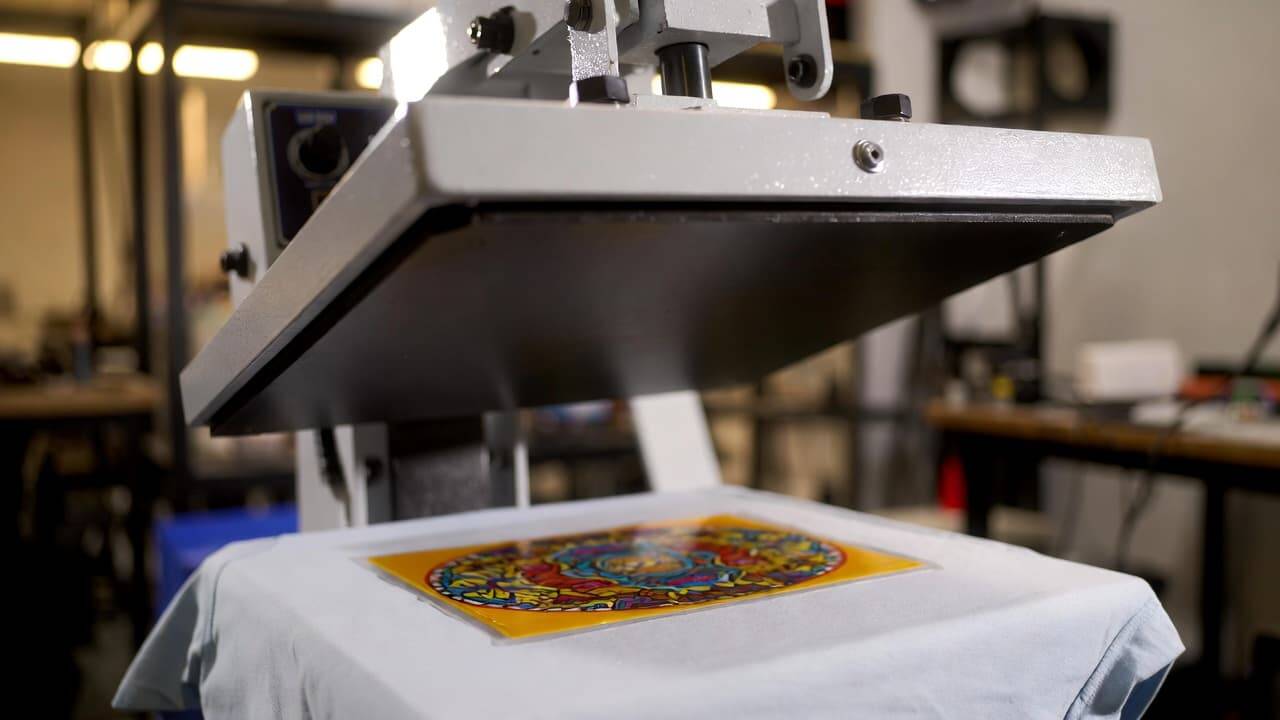
Setting up a DTF printing system may look complex at first, but with proper planning, it becomes manageable.
Step 1: Prepare Your Workspace
Before installing equipment:
Ensure sufficient ventilation
Arrange stable tables or stands
Maintain clean, dust-free surroundings
Ensure proper electrical supply
A well-organized workspace improves workflow and reduces operational errors.
Step 2: Install and Configure the DTF Printer
Unbox and assemble the printer according to the manual
Install ink cartridges and fill DTF inks
Load PET film properly
Install RIP software on your computer
Perform initial test prints
Calibration is crucial at this stage. Adjust color profiles and white ink density for optimal results.
Step 3: Set Up the Powder Shaker
Fill the machine with DTF adhesive powder
Adjust powder flow settings
Test with a small print to check coverage
Ensure the powder layer is smooth and evenly distributed. Excess powder should be removed before curing.
Step 4: Install and Preheat the Dryer
Position the dryer in a ventilated area
Set the recommended curing temperature
Preheat before inserting film
Curing temperature typically depends on the adhesive brand, so follow manufacturer guidelines carefully.
Step 5: Complete the Transfer Process
After curing:
Place the film on the garment
Use a heat press to transfer the design
Apply correct pressure and temperature
Peel the film (hot or cold peel depending on film type)
Proper heat pressing ensures a strong and long-lasting bond.
Benefits of Using a Full DTF Printer Setup
A complete DTF printer with powder shaker and dryer setup provides several advantages.
1. Versatility Across Fabrics
DTF printing works on:
Cotton
Polyester
Blended fabrics
Denim
Silk
Synthetic materials
This flexibility allows you to expand your product range easily.
2. High-Quality and Vibrant Prints
DTF prints offer:
Bright colors
Sharp details
Smooth gradients
Strong white underbase
The final output looks professional and premium.
3. Excellent Durability
DTF transfers are:
Wash-resistant
Crack-resistant
Flexible
Long-lasting
When cured properly, prints maintain their quality even after multiple washes.
4. Lower Setup Costs Compared to Screen Printing
Unlike traditional screen printing, DTF does not require:
Screen preparation
Extensive setup time
Large minimum orders
This makes it ideal for small businesses and custom orders.
Important Considerations Before Buying a DTF Printer Setup
Before investing, evaluate the following factors:
Budget Planning
Consider total costs, including:
Printer
Powder shaker
Dryer
Heat press
Consumables (film, ink, powder)
Plan your investment according to expected production volume.
Production Capacity
Determine:
Daily order volume
Design complexity
Business scale
Choose equipment that matches your workload.
Available Space
Ensure enough room for:
Printer
Shaker
Dryer
Heat press
Storage
A cramped workspace can reduce efficiency.
After-Sales Support
Choose a supplier that offers:
Technical support
Warranty
Training resources
Spare parts availability
Strong support minimizes downtime and protects your investment.
Common DTF Printing Issues and Solutions
Ink Clogging
Cause: Poor maintenance or white ink settling
Solution: Perform regular nozzle checks and cleaning cycles.
Uneven Powder Application
Cause: Incorrect shaker settings
Solution: Adjust powder flow and remove excess properly.
Peeling After Wash
Cause: Improper curing or heat pressing
Solution: Verify temperature, pressure, and curing time.
Dull Colors
Cause: Incorrect RIP settings
Solution: Calibrate color profiles and increase white underbase density.
Maintenance Tips for Long-Term Performance
To keep your DTF printer setup running smoothly:
Clean print heads regularly
Shake white ink bottles daily
Store films in dry conditions
Keep powder moisture-free
Maintain proper humidity levels
Routine maintenance increases equipment lifespan and ensures consistent print quality.
Who Should Invest in a DTF Printer Setup?
DTF printing is ideal for:
Custom t-shirt businesses
Print-on-demand startups
Fashion brands
Promotional product companies
Home-based entrepreneurs
Whether you are scaling an existing business or starting from scratch, DTF offers flexibility and profitability.
Future of DTF Printing Technology
DTF technology continues to evolve with:
Faster printers
Automated powder systems
Integrated curing units
Improved ink formulations
As demand for customized apparel grows, DTF printing is expected to remain a leading solution in textile decoration.
Frequently Asked Questions (FAQ)
What materials can I print on using a DTF printer?
You can print on cotton, polyester, blends, silk, denim, and many synthetic fabrics. DTF printing works well on both light and dark garments.
How long does the DTF printing process take?
Printing time depends on design complexity and equipment speed. Simple designs may take a few minutes, while larger, detailed prints may take longer.
Can I convert my regular printer into a DTF printer?
Standard inkjet printers are not recommended unless specifically modified for DTF use. Dedicated DTF printers provide better reliability and print quality.
Are DTF prints durable?
Yes. When cured and pressed correctly, DTF prints resist fading, cracking, and repeated washing.
Do I need special training to operate a DTF printer?
Basic technical knowledge is helpful, but most modern DTF printers include user-friendly software and manuals. With practice, you can quickly master the process.
Final Thoughts
A complete DTF printer setup with powder shaker and dryer provides a powerful solution for modern textile printing. By understanding each component and following a structured setup process, you can achieve professional, durable, and vibrant results.
DTF printing combines creativity with efficiency, making it an excellent investment for businesses aiming to grow in the custom apparel market. With the right equipment, proper maintenance, and optimized workflow, your DTF printing operation can deliver consistent quality and long-term profitability.explore our high-quality DTF printers here
If you're planning to upgrade your printing capabilities, investing in a high-quality DTF printer system is a smart step toward expanding your creative and business potential.