

 HOME
HOME PRODUCT CENTER
 ABOUT US
 DOWNLOAD CENTER
 SUPPORT CENTER
 SUBSCRIBE
 BLOG
BLOG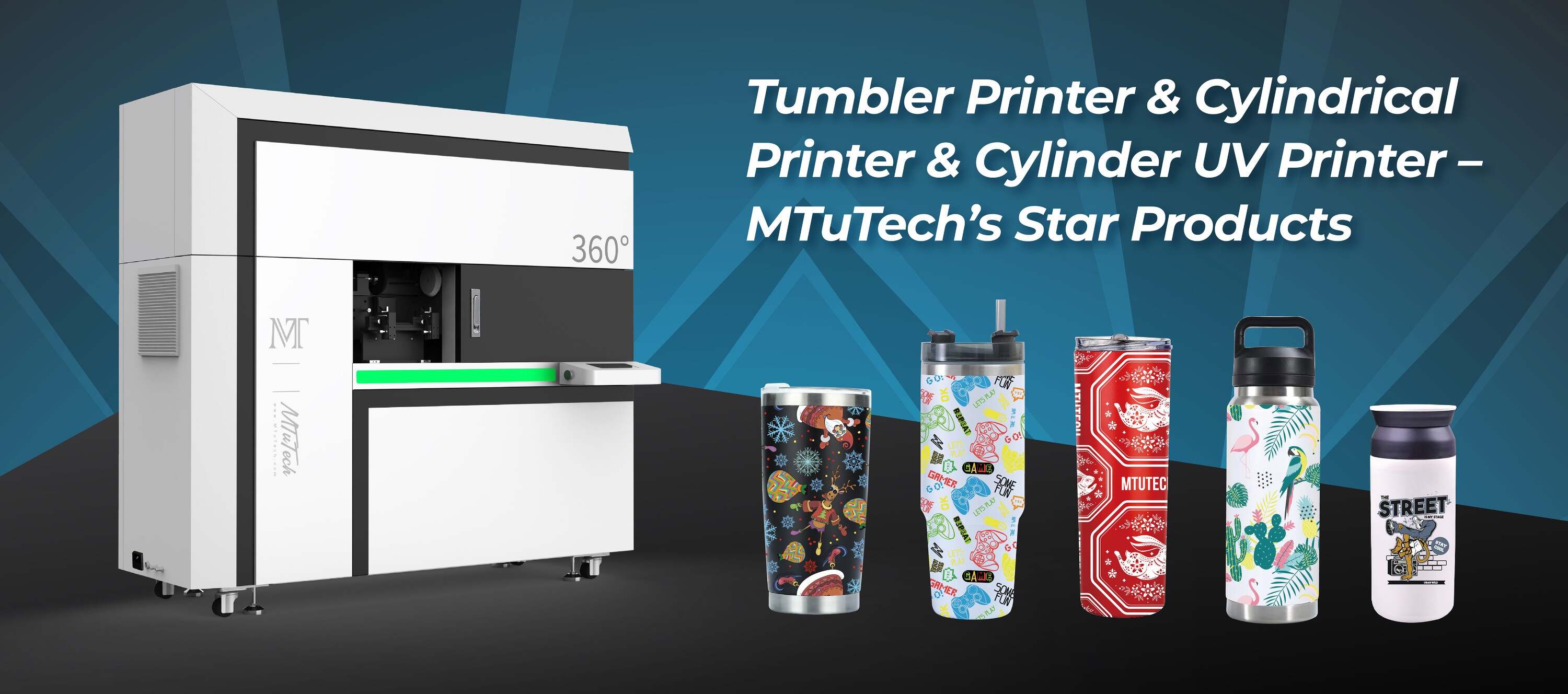
How to Print Barcodes and QR Codes on Cylindrical Items
Introduction
In today's fast-paced and technology-driven world, barcodes and QR codes are essential tools for product identification, inventory management, and customer engagement. They provide a streamlined way to communicate product details, track inventories, and even link customers to online resources. However, printing these codes on cylindrical items—such as bottles, cans, and tubes—poses unique challenges. This blog post will guide you through the process of printing barcodes and QR codes on cylindrical surfaces effectively.
Understanding the Basics
What are Barcodes and QR Codes?
Barcodes are a series of vertical lines and spaces that represent data visually and can be scanned by barcode readers. They typically contain information such as product prices and inventory data. QR codes (Quick Response Codes), on the other hand, are two-dimensional codes that store larger amounts of data, including URLs, text, and other information. As a result, QR codes are increasingly being used for marketing and customer engagement purposes.
Why Print on Cylindrical Items?
Printing barcodes and QR codes on cylindrical items can enhance product accessibility and facilitate inventory management. It helps businesses:
·
Improve supply chain efficiency
·
·
Provide easier checkout processes
·
·
Enhance customer interaction
·
·
Ensure compliance with industry standards
·
Methods to Print Barcodes and QR Codes on Cylindrical Items
There are several methods to print barcodes and QR codes effectively on cylindrical surfaces. Each method has its advantages and limitations, so it’s important to choose the right one based on your specific needs.
1. Direct Printing
This method involves printing directly onto the cylindrical item using specialized printers. Cylinder UV printers are a popular choice due to their versatility and ability to produce high-quality prints. These printers utilize UV inks that cure instantly, allowing for vibrant and durable prints on various surfaces.
Explore our high-quality Cylinder UV printers here.
2. Label Printing
Another option is to print labels containing the barcodes or QR codes and then apply these labels onto the cylindrical items. This can be done using thermal transfer or inkjet label printers. Label printing is particularly useful when:
·
You need to print variable data (e.g., expiration dates or batch numbers).
·
·
You want an easier and more flexible printing solution.
·
3. Pad Printing
The pad printing technique utilizes a silicone pad to transfer ink from a printing plate to the cylindrical surface. It’s ideal for printing on uneven surfaces and allows for intricate designs, including logos and QR codes.
Selecting the Right Printer
Choosing the right printer for your needs is crucial for successful printing on cylindrical items. Here’s what to consider:
Resolution
Ensure that the printer offers high resolution for sharp and clear barcodes and QR codes. A printer with a resolution of at least 300 DPI (dots per inch) is recommended for detailed printing.
Ink Type
The type of ink you choose can impact the durability and vibrancy of your prints. Depending on the application, UV inks or solvent-based inks may be suitable for cylindrical items.
Size and Format
Evaluate the maximum print size and format your printer can handle. This is particularly important for larger cylindrical items. Make sure the printer is compatible with the size of the items you plan to print.
Preparing Your Design
Software for Design Creation
Creating the design for your barcodes or QR codes requires specialized software. Many printers come with their own design software, but you can also use third-party programs like Adobe Illustrator, CorelDRAW, or barcode-specific design tools.
Barcode and QR Code Generation
When creating barcodes and QR codes, ensure that you use reputable generators to avoid errors. The generated codes should be tested for scannability before final printing. Make sure to follow the required specifications for size and quiet zones to ensure easy scanning.
How to Set Up Your Printing Process
Once you have the right printer and design ready, it’s time to set up your printing process. Here’s a step-by-step guide:
1. Prepare Your Cylindrical Items
Make sure the surfaces are clean and free of dust or grease. Depending on your item, a quick wipe with an alcohol pad or cleaning solution can help.
2. Adjust Printer Settings
Set up the printer according to the requirements of your substrate and the artwork you designed. This includes adjusting the speed, resolution, and drying time, especially if you’re using UV or solvent inks.
3. Test Print
Before running a batch, conduct test prints to ensure quality. Test the scannability of your barcodes and QR codes, checking for clarity and precision.
4. Perform Production Run
Once you’ve confirmed that everything is working, proceed with the production run. Monitor the process to catch any errors early.
5. Quality Check
After printing, perform quality checks regularly to ensure consistency and accuracy of the prints throughout the run.
Benefits of Printing Barcodes and QR Codes on Cylindrical Items
Printing barcodes and QR codes on cylindrical items has several advantages, including:
·
Enhanced visibility: Consumers can easily scan codes to access product information or promotions.
·
·
Improved efficiency: Streamlined inventory management reduces mistakes and saves time.
·
·
Versatile branding: Custom codes can reflect branding efforts and improve customer recognition.
·
Conclusion
Printing barcodes and QR codes on cylindrical items is both feasible and rewarding. With the right printer, preparation, and process in place, businesses can greatly benefit from improved efficiency, better customer interaction, and enhanced branding. Whether you choose direct printing, label application, or pad printing, each method offers a unique set of advantages tailored for cylindrical objects. By following the guidelines provided above, you can ensure your codes are printed accurately and serve their intended purpose effectively.
FAQ
Can I use any printer for printing barcodes and QR codes on cylindrical items?
No, it's important to use printers specifically designed for cylindrical surfaces, ideally equipped with features like high resolution and compatible ink types. Cylinder UV printers are highly recommended for their quality and versatility.
What type of ink is best for printing codes?
UV inks or solvent-based inks are commonly used because they cure quickly and adhere well to various surfaces, providing durability and vibrancy in prints.
How can I ensure my QR codes are scannable?
When creating your QR codes, use a reputable generator and follow the recommended size and quiet zone specifications for the best scannability. Always perform test scans before full production.
Are there specific design software tools recommended for QR codes?
Yes, you can use barcode-specific design tools, but popular graphic design software programs like Adobe Illustrator and CorelDRAW also work well for customizing and preparing barcode designs.
Can I apply labels with QR codes by hand or should I use machinery?
For small-scale applications, hand application may suffice, but for larger batches, using machinery will help ensure accuracy and consistency in placement.