

 HOME
HOME PRODUCT CENTER
 ABOUT US
 DOWNLOAD CENTER
 SUPPORT CENTER
 SUBSCRIBE
 BLOG
BLOG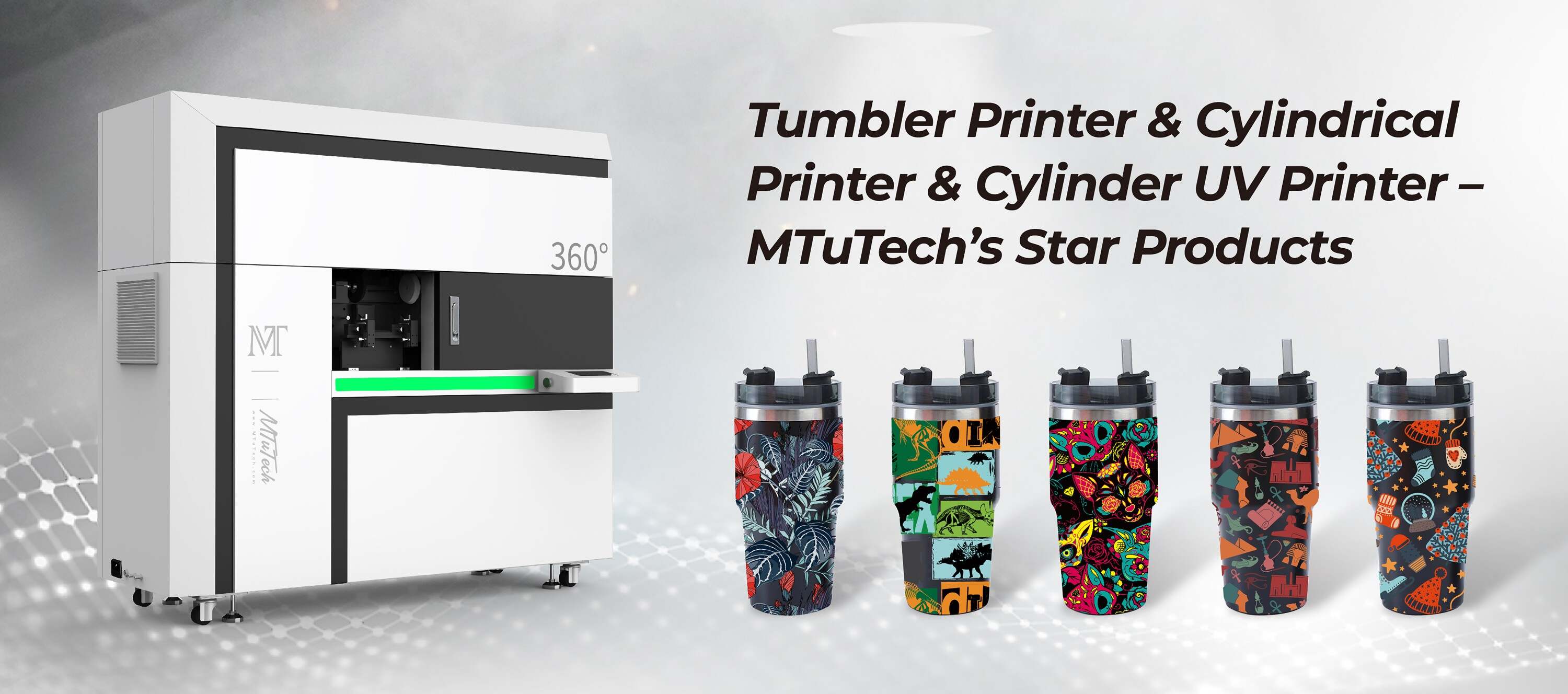
Tumbler Printer Rotation Stutter: Diagnosing Motor and Belt Issues
Introduction
In the world of custom printing, tumbler printers have become increasingly popular for businesses looking to provide personalized drinkware to their customers. However, like any mechanical device, tumbler printers can experience issues that might hinder their performance. One common issue is rotation stutter, which can occur due to problems with the motors or belts. In this blog post, we will explore the causes of rotation stutter in tumbler printers and provide steps to diagnose and rectify motor and belt issues effectively.
Understanding Tumbler Printer Mechanisms
What is a Tumbler Printer?
A tumbler printer is a specialized machine designed to print directly onto cylindrical objects such as tumblers, bottles, and mugs. Equipped with advanced technology, these printers allow businesses to produce high-quality, customizable drinkware efficiently.
How Does a Tumbler Printer Work?
Tumbler printers typically use a rotating mechanism to hold the tumbler in place while the print head moves horizontally to apply the desired design. The rotation of the tumbler is crucial for achieving smooth, even prints. When the rotation stutters, it can lead to misaligned prints, ruining the entire product.
Symptoms of Rotation Stutter
Detecting rotation stutter early is essential to maintaining the quality of your prints and prolonging the lifespan of your tumbler printer. Common symptoms of rotation stutter include:
·
Inconsistent print quality with blurred or misaligned images.
·
·
Unusual grinding or clicking noises during operation.
·
·
The printer failing to maintain a steady speed while printing.
·
·
Visible gaps or overlaps in printed designs.
·
Diagnosing Motor Issues
When troubleshooting a tumbler printer experiencing rotation stutter, one of the primary suspects is the motor. Here are steps to diagnose motor-related issues:
Check Power Supply
Ensure that the motor is receiving adequate power. Inspect the power supply and connections to ensure everything is secure and functioning properly. A faulty power supply can cause the motor to underperform.
Inspect the Motor Itself
Look for any visible damage or wear on the motor. Signs of overheating, abnormal vibrations, or excessive noise can indicate that the motor is malfunctioning. If you notice any such issues, it may be time to replace the motor.
Test Motor Functionality
Connect the motor separately to a power source to determine if it functions as expected. If the motor operates correctly outside of the tumbler printer, the issue may lie elsewhere in the printer's mechanics.
Diagnosing Belt Issues
In addition to motor problems, belt issues are another common cause of rotation stutter. Here’s how you can diagnose belt-related problems:
Inspect the Drive Belt
Check the drive belt for signs of wear, fraying, or stretching. A worn or stretched belt can slip, causing the tumbler to rotate inconsistently. If you find any issues, replace the belt immediately.
Examine Belt Tension
Ensure that the belt has the correct amount of tension. A belt that is too loose can cause slippage, while one that is too tight can strain the motor. Adjust the tension to meet manufacturer specifications.
Check Alignment
Misalignment of the belt can also cause rotation stutter. Make sure that the belt tracks smoothly on the pulleys without any obstructions. Align the belt properly to ensure a seamless operation.
Preventative Maintenance Tips
To avoid future issues with your tumbler printer, it’s important to practice regular maintenance. Here are some tips to keep your machine running smoothly:
·
Regularly clean the printer’s components to prevent dust accumulation.
·
·
Schedule routine inspections of the motor and belts.
·
·
Keep the printer in a stable environment to avoid unnecessary strain.
·
·
Use high-quality inks and materials to prevent clogging and wear.
·
Conclusion
Understanding and diagnosing rotation stutter in tumbler printers is crucial for maintaining print quality and operational efficiency. By investigating the motor and belt issues, you can troubleshoot effectively and implement preventative measures for long-term performance. If you’re considering upgrading or looking for additional customizing capabilities, explore our high-quality Tumbler printers here. With the right knowledge and maintenance, you can ensure your tumbler printer operates smoothly, producing fantastic items that delight your customers.
FAQ
What causes rotation stutter in tumbler printers?
Rotation stutter in tumbler printers is often caused by issues with the motor or drive belt, such as slippage, misalignment, or wear.
How do I know if my motor is failing?
Signs of a failing motor include unusual noises, overheating, and erratic behavior in the printer’s operation. You can test it separately from the printer to confirm its functionality.
How often should I perform maintenance on my tumbler printer?
Regular maintenance should ideally be performed monthly, including inspections of the motor and belts, to ensure optimal performance of your tumbler printer.
Can I fix the motor or belt issues myself?
Yes, many motor and belt issues can be diagnosed and repaired by yourself if you have the necessary tools and knowledge. However, if in doubt, it’s best to consult a professional technician.
What should I do if the rotation stutter persists after repairs?
If you're still experiencing rotation stutter after making repairs, further diagnostic testing may be required to check for other underlying issues or mechanical faults within the printer.