

 HOME
HOME PRODUCT CENTER
 ABOUT US
 DOWNLOAD CENTER
 SUPPORT CENTER
 SUBSCRIBE
 BLOG
BLOGWhat Should Distributors Evaluate When Choosing a Digital Printer Manufacturer?
Choosing the right digital printer manufacturer for distributors is not simply a matter of comparing machine prices or print speeds. For distributors, the real value of a manufacturer lies in its ability to support long-term sales, maintain consistent product quality, provide reliable technical assistance, and help partners respond to changing customer requirements.
A distributor is effectively extending the manufacturer’s brand into a local market. That means every printer sold affects the distributor’s reputation, customer retention, and future revenue. Before signing a partnership agreement, distributors should therefore evaluate the manufacturer’s production capabilities, product portfolio, quality control, technical support, training, spare-parts availability, and international service structure.
MTuTech, for example, has operated since 2007 and identifies itself as a manufacturer and supplier of DTF, UV, digital textile, eco-solvent, solvent, and other digital printing systems, supported by its own research institute, manufacturing operation, marketing team, and international after-sales service team.
1. Assess the Manufacturer’s Production and R&D Capability
The first question distributors should ask is whether the supplier is primarily a reseller or a manufacturer with meaningful control over product development and production.
A manufacturer with in-house R&D and production capabilities can generally respond more effectively to market-specific requirements. It may also have better control over machine configuration, quality standards, product improvements, and technical documentation.
When evaluating a potential partner, examine:
Evaluation Area | What Distributors Should Check | Why It Matters |
R&D capability | Engineering team, product development process | Supports product improvement and customization |
Manufacturing | Factory ownership, assembly and testing process | Improves consistency and production control |
Product engineering | Printer architecture, printhead integration, software compatibility | Reduces technical problems |
OEM/ODM capability | Ability to adapt configurations or branding | Supports market differentiation |
Production capacity | Output capability and delivery planning | Helps prevent stock shortages |
MTuTech states that it maintains an independent R&D department and has manufacturing experience across several digital printing technologies. Its company information also describes an integrated workflow covering R&D, production, sales, transportation, and customer receipt.
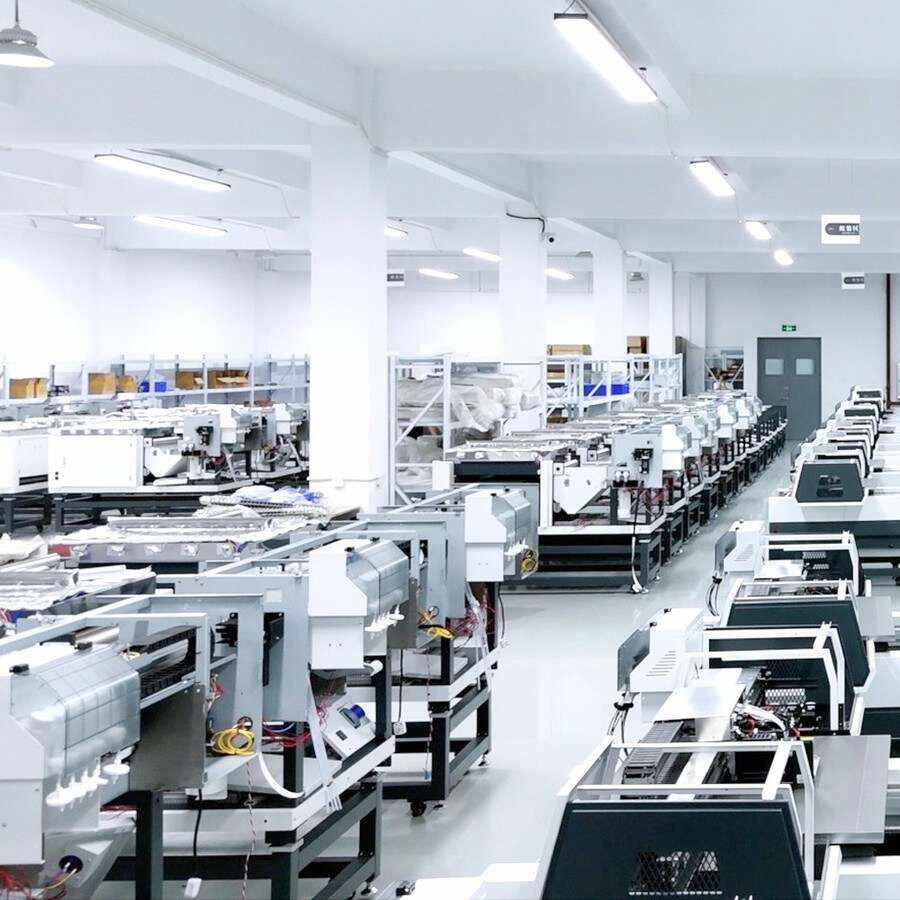
For distributors, this makes it important to look beyond a product catalog and examine the manufacturer’s actual Manufacturing capability.
2. Evaluate Product Range and Market Fit
A strong manufacturer should offer products that match the markets a distributor already serves—or plans to enter.
Different customer groups may require UV printers for rigid materials, DTF printers for apparel decoration, textile printers for continuous production, or specialty systems for packaging and promotional applications. A supplier with a broader but technically coherent portfolio can make it easier for distributors to serve multiple segments without managing too many unrelated vendors.
Match Product Categories to Customer Demand
Start by mapping your local market:
1. Identify your highest-demand applications.
2. Classify customers by production volume and budget.
3. Match each segment with appropriate printer technology.
4. Check whether the manufacturer offers entry-level, commercial, and higher-production configurations.
5. Confirm whether future product upgrades are available from the same supplier.
Consider Application Expansion
Product range should also be evaluated from a growth perspective. A manufacturer that covers apparel, rigid substrates, signage, promotional products, packaging, or textile applications can give distributors more opportunities to cross-sell.
For example, MTuTech’s current portfolio covers DTF, UV, digital textile, eco-solvent, solvent, and single-pass printing applications. Its UV and single-pass systems are presented for materials including wood, glass, acrylic, metal, plastic, packaging, promotional products, and other substrates.
This breadth can help a distributor build a larger customer base around multiple printing workflows rather than relying on a single product category.
3. Compare Quality Control, Certifications, and Reliability
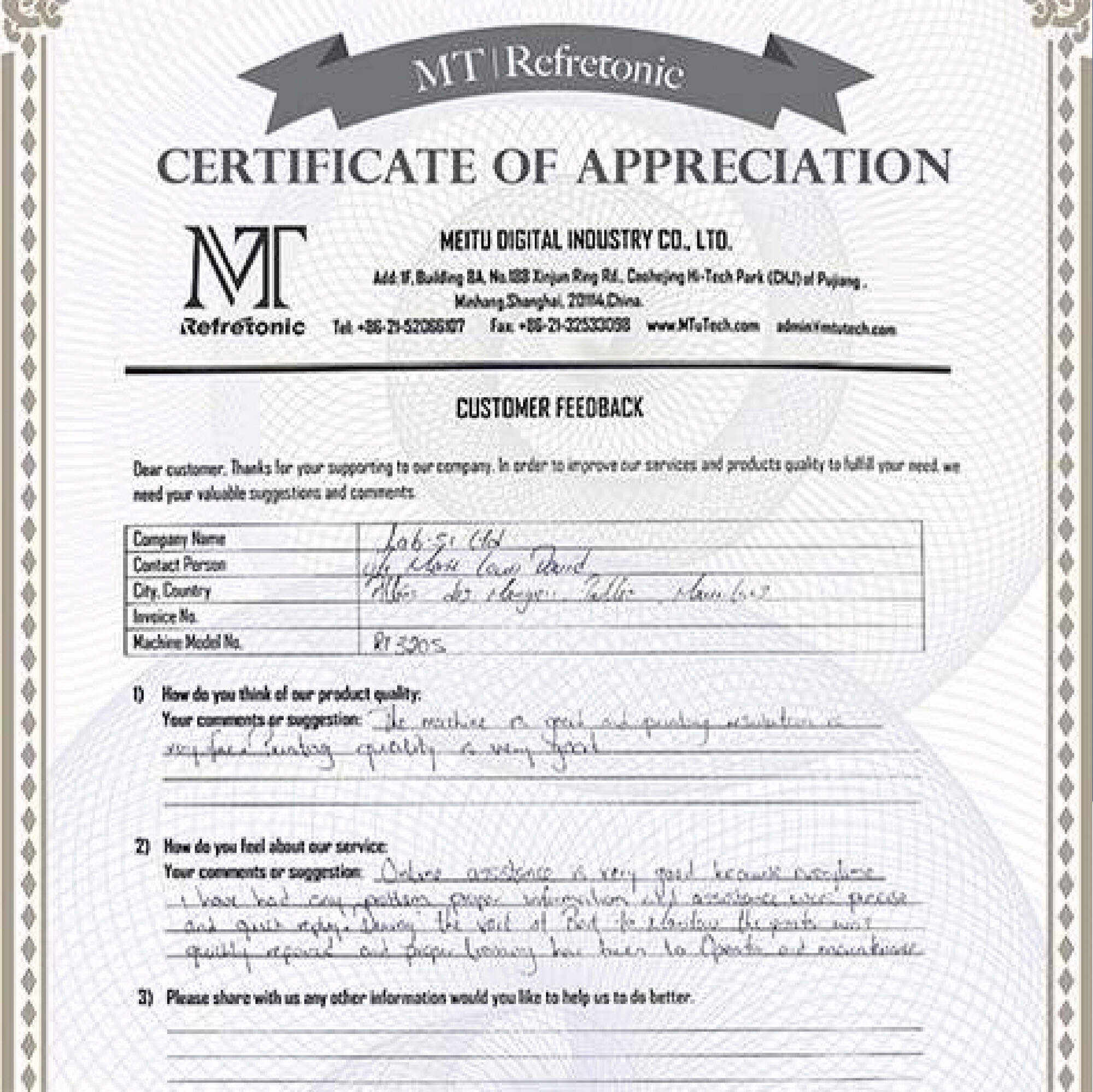
For distributors, product reliability has a direct commercial impact. A machine that appears inexpensive at the purchasing stage can become expensive when frequent service requests, replacement parts, or customer complaints consume sales and support resources.
A manufacturer’s quality system should therefore be evaluated before commercial cooperation begins.
Key Quality Questions
Ask the manufacturer:
· How are incoming components inspected?
· Is each printer assembled and tested before shipment?
· What quality checkpoints are documented?
· Which safety and compliance certifications are available?
· How are product revisions controlled?
· Can the manufacturer provide test prints or demonstration samples?
MTuTech’s current company pages list certifications including CE, RoHS, LVD, EMC, TUV, and SGS, while its product pages describe factory alignment, installation, and testing before delivery for certain models.
Distributors should also request sample output under realistic conditions rather than relying exclusively on specification sheets. Print quality, consistency, media compatibility, maintenance requirements, and actual workflow performance should all be tested.
4. Examine the Manufacturer’s Technical Support and Training
A distributor does not only sell hardware. In many cases, it also becomes the first point of contact when a customer has a technical problem.
That makes technical support one of the most important criteria when choosing a digital printer manufacturer for distributors.
Support Item | Basic Supplier | Strong Manufacturer |
Installation guidance | Limited instructions | Structured installation support |
Operator training | Basic manual | Online or on-site training |
Troubleshooting | Email only | Multi-channel technical support |
Spare parts | Special order | Stocked key components |
Machine upgrades | Limited | Technical optimization and upgrade support |
Customer support | Reactive | Ongoing after-sales relationship |
MTuTech states that its technical team can provide support through email, live chat, telephone, and remote assistance, with field engineers available when issues cannot be resolved remotely. Its support center also describes training at the customer’s site or at its Shanghai training center, as well as availability of key spare parts for urgent requirements.
These capabilities can significantly reduce the burden on local distributors.
5. Analyze Warranty, Spare Parts, and Total Cost of Ownership
The purchase price is only one part of the financial equation.
A distributor should calculate the total cost of supporting a printer throughout its commercial life. Consider not only the machine price, but also ink consumption, replacement printheads, spare parts, maintenance, shipping, warranty handling, technician time, and customer downtime.
A Practical TCO Checklist
Before committing to a manufacturer, evaluate:
1. Printer purchase price.
2. Consumables cost and expected consumption.
3. Common replacement parts and their prices.
4. Warranty duration and coverage.
5. Availability of critical components.
6. Average response time for technical issues.
7. Shipping and logistics expenses.
8. Expected machine lifespan and upgrade options.
MTuTech currently states that it provides a one-year warranty on covered components, paid extended warranty options after the warranty period, and lifetime after-sales service. It also reports that key spare parts are maintained for urgent customer requirements.
For distributors, predictable support costs can be more valuable than a very low initial purchase price.
6. Verify Global Sales and Service Capability
International distribution requires more than the ability to ship machines overseas. A manufacturer needs systems that support communication, documentation, logistics, technical service, and post-sale assistance across different markets.
Look for evidence of:
· International sales experience
· Export documentation capability
· Multilingual communication
· Regional technical support
· Reliable packaging and transportation
· Remote troubleshooting
· Local installation or field-service options
· Stable communication after the order is shipped
MTuTech reports exporting digital inkjet printing equipment to markets including Europe, America, the Middle East, Africa, Australia, and other regions. Its support materials also describe international after-sales assistance and overseas technical service.
Distributors can learn more about the company’s international approach through its Global Sales & Service resources and should confirm exactly how support is handled in their target country before placing an order.
7. Review the Partnership Model, Not Just the Printer
The strongest distributor-manufacturer relationships are built around shared growth.
Before signing an agreement, discuss how the manufacturer will support product launches, demonstrations, marketing materials, technical education, customer leads, spare-parts planning, and market feedback.
A useful distributor evaluation framework is:
Partnership Factor | Questions to Ask |
Territory | Is the sales territory clearly defined? |
Pricing | Is distributor pricing stable and transparent? |
Training | Can sales and technical staff receive training? |
Marketing | Are product images, manuals, videos, and brochures available? |
Lead support | Can qualified inquiries be referred to regional partners? |
Product roadmap | How often are new technologies or models introduced? |
Communication | Who is the distributor’s dedicated contact? |
A supplier should be able to explain not only what it sells but also how it intends to help partners sell, install, and support those products.
For background on MTuTech’s organization, production history, product portfolio, and team structure, distributors can also review the company’s About page. It outlines the company’s manufacturing background, research activities, international sales organization, and after-sales resources.
Step-by-Step Guide: How Distributors Can Qualify a Printer Manufacturer
A structured qualification process can make supplier selection faster and more objective.
Step 1: Define Your Target Market
List the applications, customer types, print volumes, substrate requirements, and price ranges that matter in your territory.
Step 2: Build a Manufacturer Scorecard
Assign a score from 1–5 for product range, manufacturing, quality, pricing, technical support, training, spare parts, warranty, and international service.
Step 3: Request Samples and Technical Documentation
Ask for product specifications, sample prints, manuals, warranty terms, maintenance schedules, and recommended consumables.
Step 4: Test the Support Process
Before signing a partnership agreement, send technical and commercial questions to the supplier. Evaluate how quickly and accurately the team responds.
Step 5: Review Commercial Terms
Compare MOQ, lead times, pricing, payment terms, warranty responsibilities, spare-parts policies, and territory arrangements.
Step 6: Start With a Controlled Order
A pilot order can help the distributor evaluate delivery quality, machine consistency, packaging, installation, training, and customer response before scaling the relationship.
Final Takeaway
The right digital printer manufacturer for distributors should offer more than competitive equipment pricing. The best long-term partner combines reliable manufacturing, product breadth, strong quality control, responsive technical support, training, spare-parts availability, and international service infrastructure.
For distributors, the goal is not simply to find a printer that sells well once. It is to establish a supply relationship that supports repeat sales, satisfied end users, manageable service costs, and sustainable market growth.
MTuTech’s combination of manufacturing, R&D, multiple digital printing technologies, global export experience, technical support, training, and after-sales services provides a foundation worth evaluating for distributor partnerships.
Ready to evaluate your next printing equipment partner? Explore MTuTech’s About information and manufacturing capabilities, then contact the team to discuss product fit, distribution opportunities, and support requirements for your market.