

 HOME
HOME PRODUCT CENTER
 ABOUT US
 DOWNLOAD CENTER
 SUPPORT CENTER
 SUBSCRIBE
 BLOG
BLOGUV Printer Automation Guide
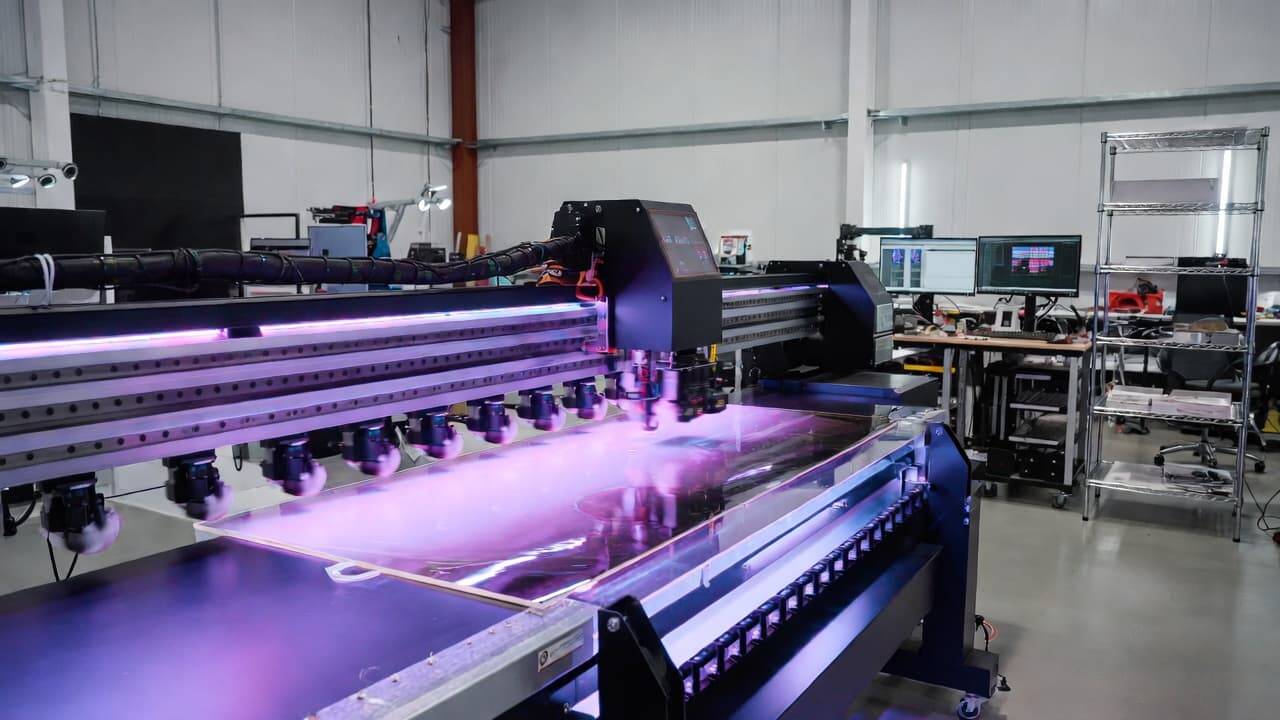
The printing industry has experienced a dramatic transformation over the past decade, and UV printing has emerged as one of the most powerful and versatile technologies available today. Businesses across industries—from signage and packaging to promotional products and industrial manufacturing—are increasingly adopting UV printers to meet the demand for speed, durability, and exceptional print quality.
However, owning a UV printer is only part of the equation. To truly unlock its full potential, businesses must streamline and optimize their operations. This is where automation tools for UV printing become essential. Automation not only accelerates production but also improves accuracy, reduces operational costs, and ensures consistent output across every job.
In this comprehensive guide, we’ll explore how automation simplifies UV printing operations, the key tools available, their benefits, and how to choose the right solutions for your business. Whether you are a small print shop or a large-scale production facility, this article will help you understand how to enhance efficiency and stay competitive in today’s fast-paced market.
What Is UV Printing?
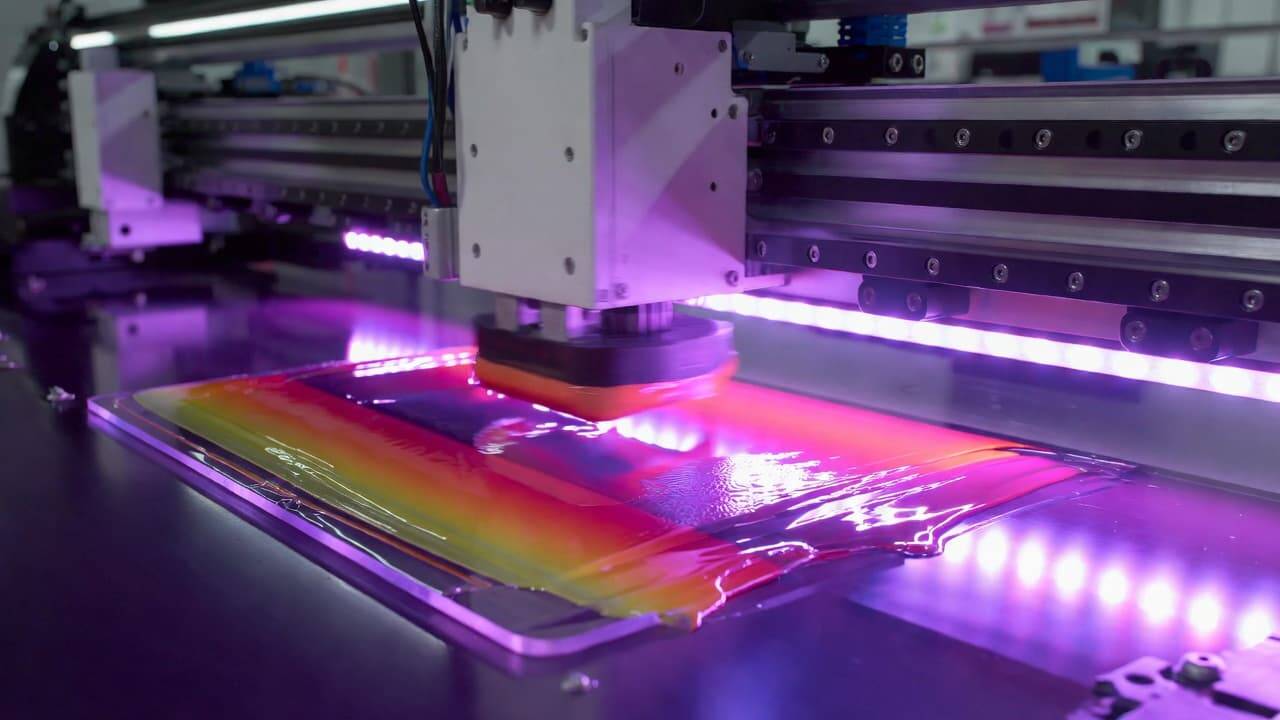
Before diving into automation, it’s important to understand how UV printing works and why it has become so popular.
UV printing uses ultraviolet light to instantly cure or dry specially formulated inks as they are printed. Unlike traditional solvent-based or water-based inks that require time to dry or evaporate, UV inks harden immediately when exposed to UV lamps.
Key Characteristics of UV Printing
Instant curing process
Ability to print on multiple substrates
High-resolution output
Vibrant and durable colors
Scratch-resistant and weather-resistant finishes
UV printers can print on materials such as:
Acrylic
Glass
Wood
Metal
Plastic
PVC boards
Foam boards
Leather
Ceramic
Because of this versatility, UV printers are widely used in advertising, interior decoration, product customization, packaging, and industrial applications.
Why Automation Is Crucial in UV Printing
As order volumes increase and clients demand faster turnaround times, manual processes become bottlenecks. Human error, inconsistent color calibration, mismanaged files, and inefficient workflow coordination can reduce productivity and increase costs.
Automation in UV printing addresses these challenges by:
Standardizing repetitive tasks
Reducing dependency on manual intervention
Enhancing production speed
Improving job tracking
Minimizing material waste
Modern UV printing operations are no longer just about machines—they are about smart systems that communicate with each other and work seamlessly together.
Major Benefits of Automation in UV Printing Operations
1. Increased Production Speed
Automated systems handle repetitive tasks much faster than manual processes. From file preparation to finishing, automation ensures continuous production with minimal downtime.
2. Reduced Labor Costs
By automating prepress setup, job scheduling, and finishing tasks, businesses can operate efficiently with fewer manual interventions. This reduces staffing costs and improves overall profitability.
3. Improved Print Consistency
Automation tools ensure consistent color calibration, ink application, and substrate alignment. This leads to uniform print quality across all batches.
4. Lower Material Waste
Automated ink monitoring and job optimization reduce excess ink usage and substrate wastage. Over time, this significantly cuts operational costs.
5. Better Workflow Transparency
With automated tracking systems, managers can monitor every stage of production in real time. This enhances accountability and simplifies decision-making.
6. Faster Turnaround Times
When workflow processes are automated, jobs move smoothly from design to printing to finishing, allowing businesses to meet tight deadlines.
Essential Automation Tools for UV Printing
To optimize UV printing operations, several automation solutions can be implemented. Let’s explore the most impactful ones.
1. Prepress Automation Software
Prepress is the foundation of a successful print job. Errors in file preparation can result in costly reprints and delays. Prepress automation tools streamline this stage and ensure files are print-ready.
Automated File Processing
Prepress software automatically:
Checks file resolution
Detects missing fonts
Identifies color profile mismatches
Fixes bleed and margin issues
This reduces the risk of print errors and ensures smoother production.
Intelligent Job Ticketing
Automated job ticket systems collect and organize job specifications such as:
Substrate type
Print size
Ink requirements
Quantity
Delivery deadlines
This information flows directly into the production system, eliminating miscommunication.
Automated Color Management
Color accuracy is critical in UV printing. Automation tools:
Calibrate printers regularly
Apply ICC profiles automatically
Maintain consistent color reproduction
This ensures clients receive exactly what they expect.
2. Workflow Management Systems
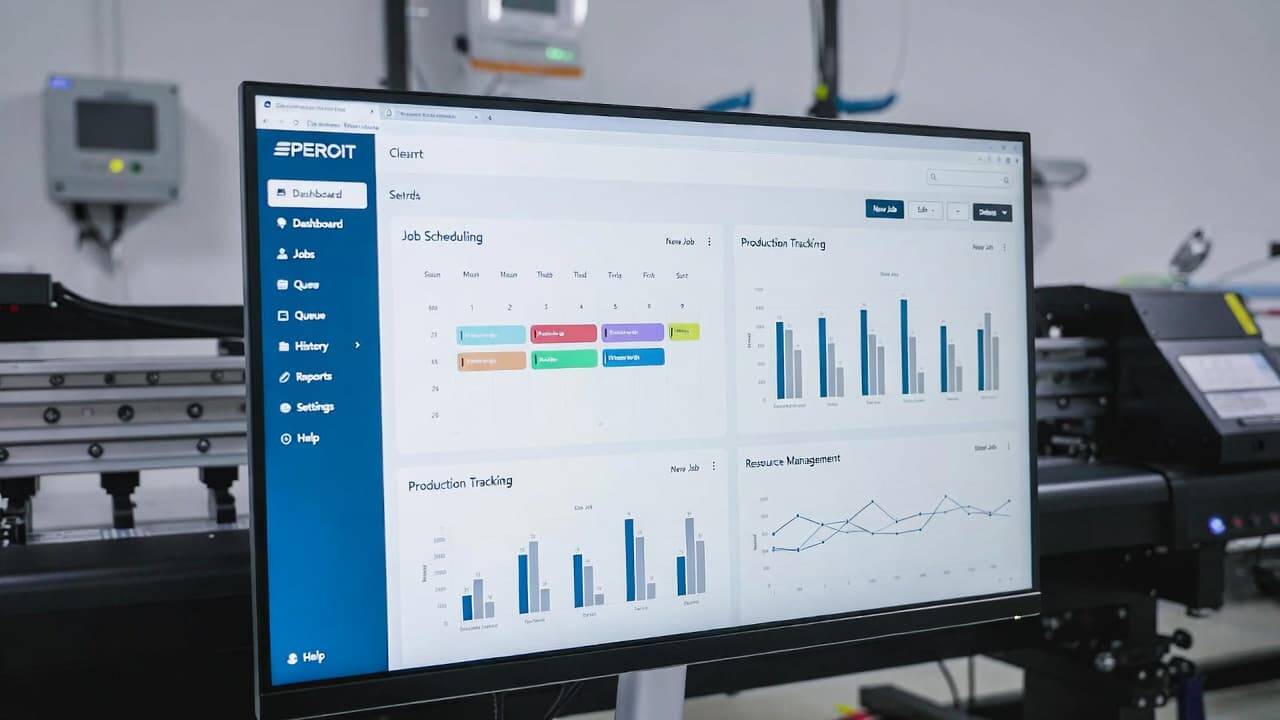
A workflow management system connects different stages of UV printing into one unified process.
Smart Job Scheduling
Automation software prioritizes jobs based on:
Deadline
Machine availability
Production capacity
Material availability
This prevents bottlenecks and maximizes machine utilization.
Real-Time Production Tracking
Managers can monitor:
Job status
Machine performance
Error alerts
Production timelines
This improves visibility and operational control.
Seamless System Integration
Modern workflow systems integrate with:
RIP software
Design tools
ERP systems
Accounting software
Inventory management systems
This creates a fully connected print environment.
3. Print Management Software
Print management solutions focus on maximizing output while minimizing waste.
Ink Usage Optimization
Automated ink monitoring systems:
Track ink levels in real time
Adjust ink distribution automatically
Reduce overuse
This lowers production costs and improves efficiency.
Job Batching and Nesting
Software groups similar print jobs together and optimizes layout placement on substrates. This process:
Maximizes material usage
Reduces cutting waste
Speeds up production
Inventory Control Automation
Automation tools track:
Ink stock
Substrate inventory
Spare parts
Maintenance schedules
This prevents unexpected production delays due to shortages.
4. Automated Material Handling Systems
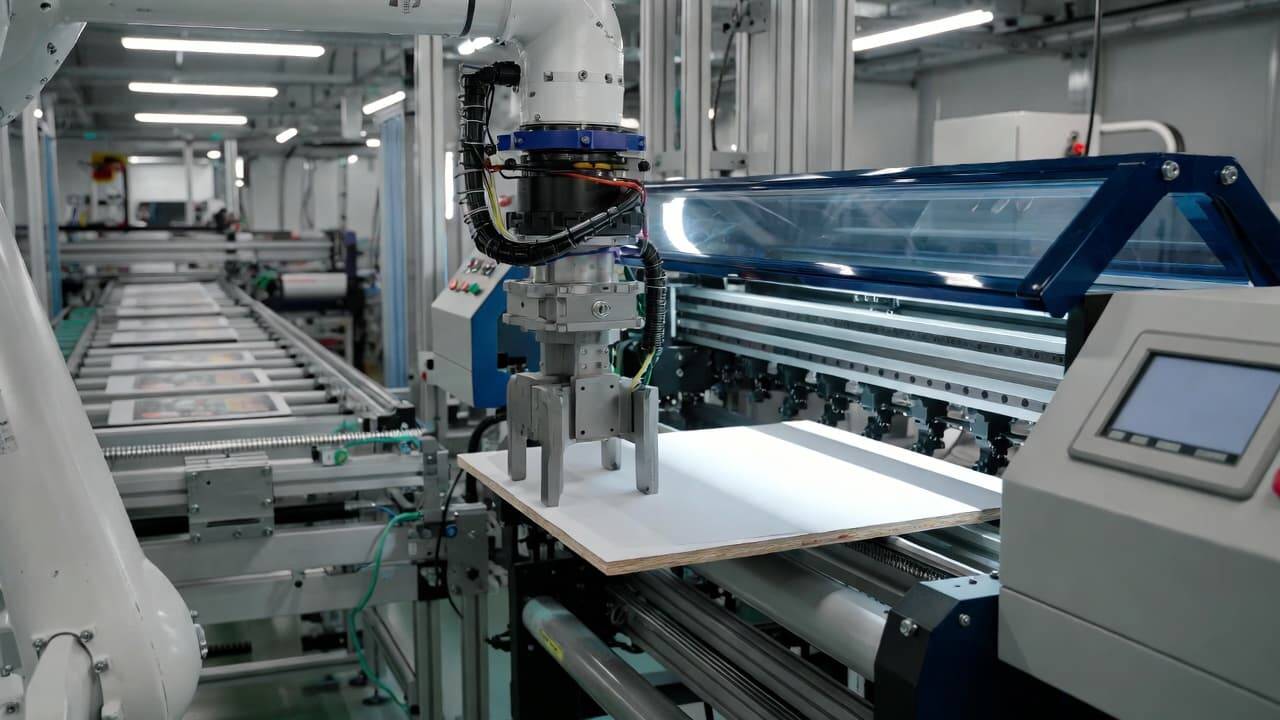
In high-volume production environments, manual loading and unloading can slow down operations.
Automation solutions include:
Robotic arms
Conveyor systems
Auto-feeders
Stackers
These tools:
Reduce labor strain
Improve safety
Maintain alignment accuracy
Speed up large-batch production
For industrial UV printers, automated material handling is a game changer.
5. Finishing Automation Tools
The finishing stage is just as important as printing. Automation ensures the final product meets professional standards.
Automated Cutting Systems
Precision cutters and digital cutting tables:
Follow programmed cutting paths
Reduce manual errors
Increase output consistency
Laminating and Coating Systems
Automated laminators apply protective layers evenly, improving durability and aesthetics.
Binding and Assembly Automation
For printed materials like booklets or presentation kits, automated binding systems ensure uniform finishing quality.
6. Automated Maintenance and Monitoring Systems
Unexpected downtime can disrupt production schedules. Automated maintenance systems help prevent this.
Predictive Maintenance Alerts
Smart monitoring systems:
Track printer performance
Detect unusual vibrations or temperature changes
Alert operators before breakdowns occur
Self-Cleaning Functions
Many modern UV printers include automated head cleaning cycles, reducing manual maintenance efforts.
This extends equipment lifespan and reduces repair costs.
How to Choose the Right UV Printing Automation Tools
Not every business requires the same level of automation. Choosing the right tools depends on several factors.
Assess Your Business Needs
Identify pain points such as:
Frequent file errors
Production delays
High ink consumption
Workflow confusion
Invest in tools that directly address these challenges.
Consider Scalability
Choose automation solutions that can grow with your business. As production volume increases, your system should adapt without requiring complete replacement.
Ensure Compatibility
Check whether new automation software integrates smoothly with your existing UV printer and management systems.
Evaluate User Experience
Complex systems with steep learning curves can slow down adoption. Select tools that are intuitive and offer training support.
Calculate Return on Investment (ROI)
While automation requires upfront investment, the long-term savings in labor, time, and material waste often justify the cost.
Challenges of Automating UV Printing Operations
Although automation offers significant benefits, there are considerations to keep in mind.
Initial Investment
Advanced automation systems can require substantial upfront costs. However, these expenses are often offset by long-term gains.
Training Requirements
Staff may need time to adapt to new systems. Proper onboarding and training are crucial.
System Integration Complexity
Integrating multiple software platforms may require technical expertise.
Despite these challenges, most businesses find automation to be a worthwhile investment.
The Future of UV Printing Automation
The future of UV printing lies in smart manufacturing and Industry 4.0 integration.
Emerging trends include:
AI-driven print optimization
Cloud-based production management
IoT-connected printers
Automated quality inspection systems
Remote machine diagnostics
As technology advances, UV printers will become even more intelligent, enabling businesses to operate faster, smarter, and more efficiently.
Final Thoughts

Automation is no longer a luxury in the UV printing industry—it is a strategic necessity. By implementing the right automation tools, businesses can:
Improve production efficiency
Reduce operational costs
Maintain consistent print quality
Enhance workflow transparency
Increase customer satisfaction
Whether you are upgrading an existing UV printer setup or building a new production line, integrating automation solutions will position your business for sustainable growth.explore our high-quality UV printers here.
Invest wisely, focus on scalability, and embrace technology that simplifies your UV printing operations. The future of printing belongs to businesses that combine powerful UV printing technology with intelligent automation systems.
Frequently Asked Questions (FAQ)
What is UV printing used for?
UV printing is widely used for signage, packaging, promotional items, decorative panels, industrial labeling, and custom product printing. It works on materials like glass, metal, plastic, wood, and acrylic.
How does automation improve UV printing quality?
Automation ensures accurate file preparation, consistent color management, precise substrate alignment, and optimized ink usage, resulting in uniform and high-quality output.
Is automation expensive for small print shops?
While initial costs can be significant, many automation tools are scalable and modular. Small businesses can start with basic workflow automation and expand gradually.
Can automation reduce ink waste in UV printing?
Yes. Automated ink monitoring and optimization systems help control ink usage, reducing waste and lowering production costs.
Do automated systems require technical expertise?
Some systems require training, but most modern automation tools are designed with user-friendly interfaces. Proper onboarding ensures smooth implementation.
By adopting intelligent automation tools and optimizing your UV printing workflow, you can enhance efficiency, reduce costs, and stay ahead in a competitive market.