

 HOME
HOME PRODUCT CENTER
 ABOUT US
 DOWNLOAD CENTER
 SUPPORT CENTER
 SUBSCRIBE
 BLOG
BLOGWhat Is UV Printing? How UV Inkjet Printing Works for Rigid and Flexible Materials
UV printing is a digital printing technology that has transformed how graphics, images, text, and decorative effects are produced on rigid and flexible substrates. Instead of relying on conventional evaporation or extended drying, UV printing uses specially formulated UV-curable ink and ultraviolet light to cure the ink during the printing process.
This combination allows manufacturers and print businesses to produce detailed, durable graphics on a wide range of materials. From acrylic and wood to PVC, leather, glass, promotional products, and flexible media, UV inkjet printing provides a versatile solution for customized and commercial applications.
But how does UV printing work, exactly? Understanding the printing process, ink curing mechanism, printer configurations, and material requirements can help businesses choose the right equipment for their applications.
For more information about digital printing technologies, visit MTU Tech’s Resources & Printing Technology Guides.
What Is UV Printing?
UV printing is a direct digital printing process in which UV-curable ink is deposited onto a substrate through inkjet printheads and then exposed to ultraviolet light. The UV energy initiates a curing reaction that rapidly transforms the liquid ink into a solid printed layer.
Unlike printing systems that require significant drying time, UV printing can cure ink almost immediately after it is deposited. This makes it possible to handle or finish many printed products soon after production.
Depending on the machine configuration, a UV printer can support CMYK color printing as well as white ink, varnish, and other specialty effects. White ink is useful for printing on dark or transparent materials, while varnish can add gloss, matte, texture, or other decorative effects.
UV printing equipment is available in several configurations. MTU Tech’s product range includes flatbed, hybrid, roll-to-roll, UV DTF, and 360 rotary UV printing solutions for different materials and applications.
How Does UV Printing Work?
The basic principle behind how does UV printing work involves four major stages: digital image processing, inkjet deposition, UV curing, and finishing.
Step 1: Prepare the Digital Artwork
The process starts with a digital file. RIP and printer software process the artwork and determine color channels, print resolution, ink volume, print passes, and special ink layers.
For applications requiring white ink or varnish, these layers are separately configured to achieve the desired opacity and visual effect.
Step 2: Load and Position the Substrate
The material is then positioned on the printer. Flatbed systems are commonly used for rigid sheets and objects, while roll-to-roll systems are designed for continuous flexible media.
Correct media positioning is important because substrate movement can affect image registration and print quality.
Step 3: Deposit UV Ink
The printer’s inkjet printheads deposit tiny ink droplets onto the substrate without physical contact.
Depending on the printer and application, the ink may be deposited in multiple passes. Layered printing can improve color density, opacity, and special-effect performance.
Step 4: Cure the Ink with UV Light
As ink is deposited, an integrated UV curing system exposes it to ultraviolet light. This rapidly cures the ink and creates a solid printed film on the substrate.
Because curing occurs during printing, the output can often proceed quickly to inspection or finishing.
Step 5: Inspect and Finish the Product
After curing, the printed surface is checked for color consistency, adhesion, image sharpness, and surface quality. Depending on the application, the product may then be cut, assembled, laminated, or otherwise processed.
UV Printing for Rigid Materials
Rigid materials are a major application area for UV printing because they can be positioned directly on a flatbed printer and printed without first transferring the design to another carrier.
Common rigid substrates include:
Rigid Material | Typical Applications | Important Considerations |
Acrylic | Signs, displays, decorative panels | White ink can enhance opacity and contrast |
Wood | Décor, furniture, promotional products | Surface cleanliness and texture affect adhesion |
Glass | Interior décor, signs, awards | Surface preparation is important |
Metal | Industrial graphics, signs, promotional products | Ink adhesion should be tested |
PVC | Panels, signage, displays | Select settings according to material type |
Plastic | Product decoration and specialty items | Surface compatibility must be verified |
MTU’s flatbed UV printer range is designed for direct printing on rigid substrates and promotional products. Current models include the MT-UV 9060Pro, MT-UV 1314, MT-UV 2513Pro, MT-UV3220GX, and MT-UV6090, covering different print sizes and application requirements.
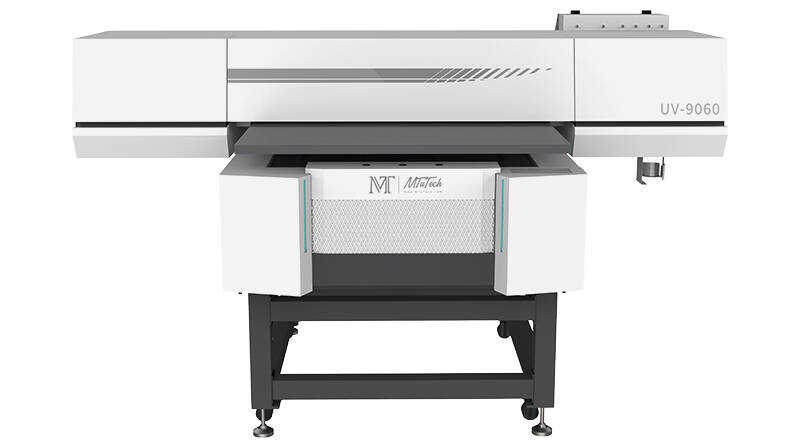
For example, the MT-UV 2513Pro is positioned as a large-format flatbed UV printer for signage, display, promotional products, and a wide range of rigid substrates, while the MT-UV 9060Pro is a smaller-format solution for promotional items and signage.
UV Printing for Flexible Materials
UV printing can also be used for flexible materials when the printer and ink system are properly matched to the application.
Typical flexible media can include PVC, leather, canvas, films, banners, wallpaper, and other roll-fed substrates. For these applications, the printing system must provide consistent media transport while maintaining accurate ink deposition and curing.
MTU Tech’s Roll-to-Roll UV Printer series includes the MT-UV3204G, MT-UV1904G, MT-UVI3200Plus, and MT-UVI3200. These systems are designed for flexible materials and applications such as PVC, leather, canvas, banners, wallpaper, films, and advertising graphics.
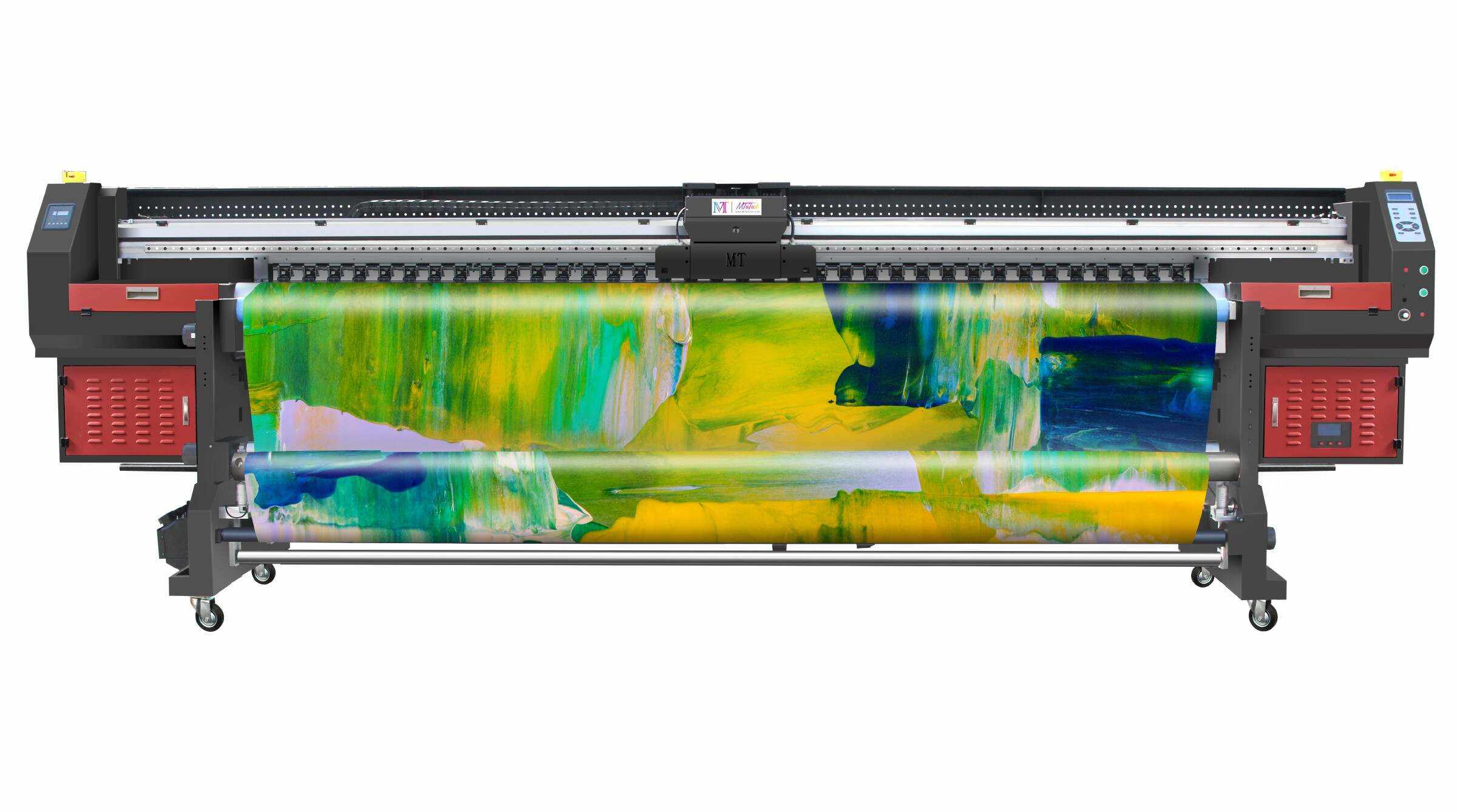
Rigid vs. Flexible UV Printing
Feature | Rigid UV Printing | Flexible UV Printing |
Typical Equipment | Flatbed UV Printer | Roll-to-Roll UV Printer |
Common Materials | Acrylic, wood, glass, metal, PVC | PVC, leather, canvas, films, banners |
Media Handling | Flat bed or fixture | Continuous roll feeding |
Main Applications | Signage, displays, décor, promotional items | Advertising graphics, wall graphics, banners |
Main Selection Factor | Size, thickness, surface and object shape | Media width, transport and flexibility |
This distinction is important because the best UV printer is determined not simply by print quality, but by the physical characteristics of the substrate and production workflow.
Hybrid UV Printing: One Printer for Multiple Materials
A hybrid UV printer can provide a practical solution for businesses working with both rigid and flexible materials. The system combines the capabilities required for flat substrates with a media-handling system for flexible materials.
MTU Tech currently offers the MT-UV 2000HK, MT-UV 2000HR, and MT-UV 600 in its Hybrid UV Printer range. These systems are positioned for rigid and flexible materials as well as promotional-product applications.
The MT-UV 2000HR, for example, is a 2-meter hybrid UV printer designed for multifunctional production, while the MT-UV 600 provides a smaller-format option for rigid, flexible, and promotional products.
For companies with varied production needs, hybrid systems can reduce the need to operate separate equipment for different substrate categories.
UV Printing vs. Other Printing Methods
UV printing has become popular because of its combination of digital workflow flexibility, direct-to-substrate printing, and rapid curing.
Printing Characteristic | UV Printing | Solvent-Based Digital Printing | Screen Printing |
Printing Method | Digital inkjet | Digital inkjet | Screen-based |
UV Curing | Yes | No | Depends on ink system |
Plate/Screen Preparation | Not normally required | Not normally required | Normally required |
Short-Run Customization | Excellent | Good | Less efficient |
Direct Printing on Rigid Materials | Excellent with suitable equipment | More limited | Possible |
Variable Graphics | Excellent | Good | Limited |
White Ink | Widely available | Depends on system | Available |
Special Effects | White, varnish, layered effects | More limited | Available |
UV printing is especially useful when orders involve frequent artwork changes, product customization, small batches, or multiple substrate types.
Step-by-Step Guide to Getting Better UV Printing Results
Selecting the correct printer is only the first part of producing consistent output. A controlled production workflow is equally important.
1. Identify the Material
Determine whether the substrate is rigid, flexible, flat, cylindrical, transparent, textured, or coated. The physical characteristics of the material influence printer selection and ink performance.
2. Select the Appropriate MTU UV Printer
For rigid boards and flat products, consider a flatbed UV printer. For both rigid and flexible media, a hybrid UV printer may be more suitable. For continuous flexible media, a roll-to-roll UV printer can provide more efficient media handling.
3. Prepare the Surface
Remove dust, grease, moisture, and other contaminants that may interfere with ink adhesion. Some specialized substrates may require additional surface preparation.
4. Set Print Height and Media Position
Correct printhead height and substrate positioning help maintain accurate dot placement and reduce the possibility of printhead contact with uneven materials.
5. Configure Color and Special Ink Layers
Use CMYK for standard color reproduction and add white ink when opacity or underprinting is required. Varnish can be used when a specialized surface effect is desired.
6. Perform a Test Print
Before starting a full production run, print a sample to evaluate color, adhesion, curing, image alignment, and surface appearance.
7. Inspect the Finished Output
Check the final product under normal operating conditions. For demanding applications, evaluate scratch resistance, adhesion, bending behavior, and long-term surface performance.
What Are the Main Benefits of UV Printing?
The growing use of UV printing comes from several practical advantages.
Rapid curing: UV light cures the ink during the print process, minimizing traditional drying time.
Wide material compatibility: With the right equipment and settings, UV printers can process rigid and flexible materials including acrylic, wood, glass, PVC, leather, films, and banners.
Direct-to-substrate printing: UV technology allows graphics to be printed directly onto many products and materials.
High image quality: Controlled inkjet deposition can reproduce detailed graphics, fine text, gradients, and vibrant colors.
Special effects: White ink, varnish, and layered printing can create distinctive visual and tactile finishes.
Production flexibility: Digital printing allows businesses to efficiently handle customized products, short runs, and frequently changing designs.
How to Choose the Right UV Printer
The right UV printing system depends on four primary factors: the material, product dimensions, production volume, and application.
For flat rigid materials, a flatbed system such as the MT-UV 9060Pro, MT-UV 1314, or MT-UV 2513Pro may be appropriate. For businesses processing both rigid and flexible media, the MT-UV 2000HR or MT-UV 600 can provide hybrid capabilities. For high-volume continuous flexible media, MTU’s roll-to-roll range provides wider-format production options.
For cylindrical and conical products such as customized bottles, MTU also offers dedicated 360 Rotary UV Printers, including the MT-Cylinder Elf series.
Explore MTU Tech’s UV Printers to compare different printer configurations and identify the system that matches your material and production requirements.
Conclusion
So, how does UV printing work? In simple terms, UV inkjet printing deposits UV-curable ink onto a substrate and uses ultraviolet light to cure that ink rapidly during the printing process. This allows digital graphics to be produced directly on many rigid and flexible materials with high detail and fast turnaround.
The most suitable system depends on the application. Flatbed UV printers are well suited to rigid substrates and direct-to-object printing, hybrid UV printers can handle both rigid and flexible materials, and roll-to-roll UV printers are designed for continuous flexible media. Specialized 360 rotary systems extend UV printing to cylindrical and conical products.
For businesses evaluating UV printing technology, understanding the material, production workflow, printer configuration, ink requirements, and finishing process is the key to achieving consistent results. Explore MTU Tech’s Resources & Printing Technology Guides and UV Printers for additional technical information and product options.