

 HOME
HOME PRODUCT CENTER
 ABOUT US
 DOWNLOAD CENTER
 SUPPORT CENTER
 SUBSCRIBE
 BLOG
BLOG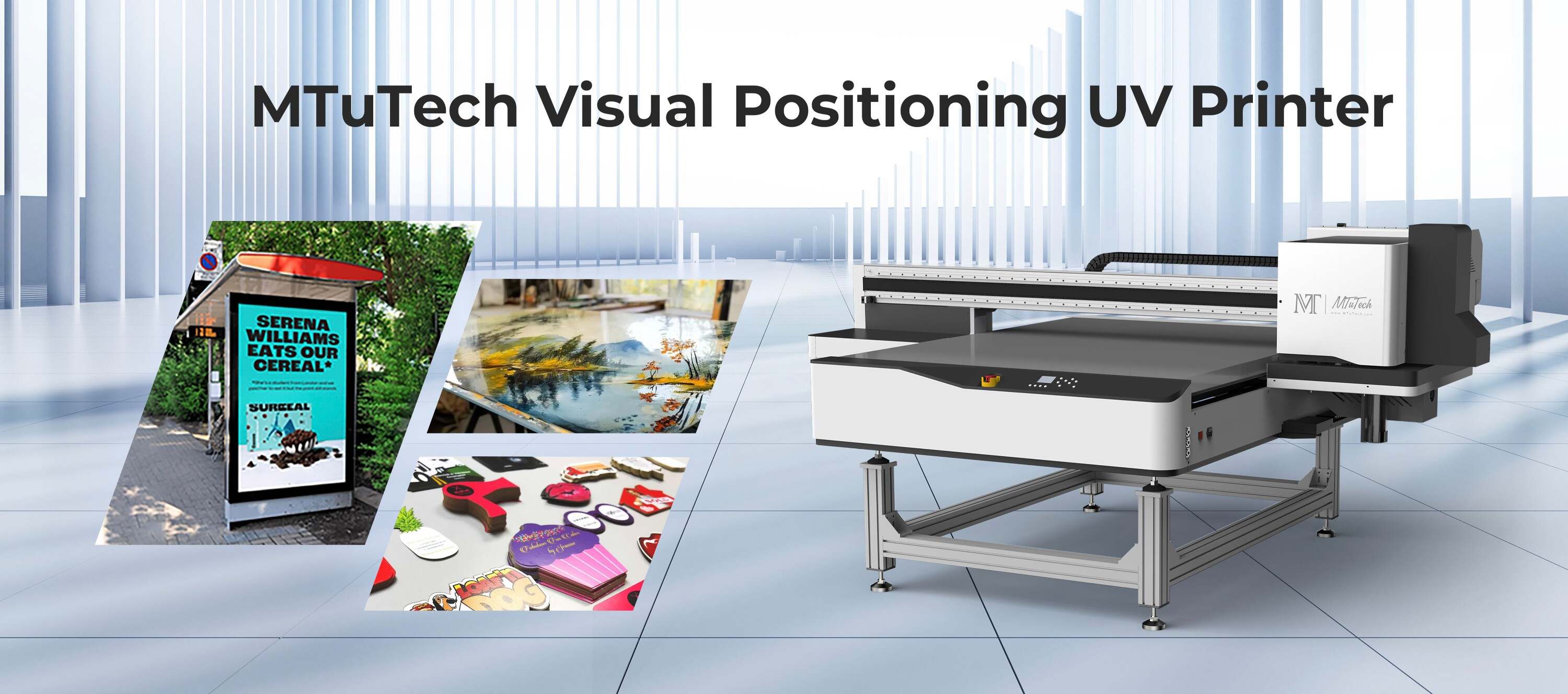
Introduction
In the realm of printing technology, UV printers have carved out a niche for their versatility and quality. Whether you're looking to print on various materials such as wood, glass, or metal, UV printers are designed to deliver stunning results. However, with a myriad of options available in the market, making an informed decision can be challenging. This guide serves as a comprehensive checklist of vital questions to consider before investing in a UV printer, ensuring you choose the perfect one for your needs.
Understanding UV Printing Technology
Ultraviolet (UV) printing utilizes UV light to cure or dry the ink as it is printed. This innovative technology offers various advantages, including:
Fast printing speeds
High-quality images with vibrant colors
Ability to print on various substrates
Eco-friendliness due to reduced VOC emissions
Before you purchase a UV printer, consider the following 15 questions to guide your decision.
15 Key Questions to Ask When Buying a UV Printer
1. What is my primary purpose for the UV printer?
Understanding the primary reason for buying a UV printer is crucial. Are you printing promotional materials, packaging, or customized items? Each application may require different specifications.
2. What types of substrates will I be printing on?
Different printers support different substrates. Make sure to choose a UV printer that can handle the materials you plan to work with, whether they are rigid or flexible.
3. What is the maximum print size I need?
Consider the largest items you intend to print. UV printers come in various sizes, so ensure the model you choose accommodates your largest print requirements.
4. What is the resolution capability?
Printing resolution significantly impacts the quality of the final product. Look for printers that offer high resolution (measured in DPI) to ensure clarity and detail in your prints.
5. What are the dimensions and weight of the printer?
Space constraints in your workspace can limit your printer choices. Be sure to consider the physical dimensions and weight of the printer, as well as any necessary support furniture.
6. What are the ink types used in the printer?
UV printers typically use either UV-curable inks or hybrid inks. Each has its own advantages, so researching the benefits and compatibility of the ink type with your materials is essential.
7. What is the printer's speed?
Printing speed can directly impact productivity. Check the manufacturer's specifications for the printer’s speed, usually measured in square feet per hour, and decide if it meets your requirements.
8. How user-friendly is the printer?
The ease of use can vary significantly between different models. Ensure the printer comes with user-friendly software and clear controls to minimize training time.
9. What are the maintenance requirements?
Regular maintenance is essential for optimal performance. Investigate the necessary maintenance tasks and how easy they are to carry out to avoid unexpected downtime.
10. Is there technical support available?
Having access to reliable technical support can be crucial, especially when facing issues. Check if the manufacturer offers comprehensive support and user resources.
11. What is the warranty period?
A solid warranty indicates the manufacturer’s confidence in their product. Look for a generous warranty that covers parts, labor, and on-site service.
12. What are the total operating costs?
Consider the long-term costs of running the printer, including ink, maintenance, and energy consumption. It’s essential to understand how these costs will impact your budget over time.
13. Are there any additional features or upgrades available?
Some UV printers come equipped with special features like white ink printing, layer effects, or online connectivity options. Assess which additional features might be beneficial for your applications.
14. Can I see samples of the printer's work?
Before making a purchase, request samples of work from the printer. This will give you a firsthand look at the print quality and help ensure it meets your standards.
15. What are customer reviews saying?
Researching customer reviews and testimonials can reveal valuable insights into the printer's performance and reliability. Consider seeking opinions from other users in your industry to find a model that aligns with your needs.
Benefits of Investing in a Quality UV Printer
Investing in a quality UV printer can yield significant advantages for your business:
Versatility: Print on a variety of materials, expanding your service offerings and market reach.
Durability: UV prints are known for their resistance to fading and scratching, ensuring long-lasting products.
Speed: High productivity levels can lead to faster turnaround times for clients.
Eco-Friendly: Reduced waste and emissions contribute to sustainable business practices.
Conclusion
Choosing the right UV printer can significantly impact the success of your printing business. By asking the above questions, you can make a well-informed decision that aligns with your operational needs and goals. Remember to explore various models and gather as much information as possible to ensure the best fit for your unique requirements. Explore our high-quality UV printers here and take the first step towards enhancing your printing capabilities today.
FAQ
What is a UV printer?
A UV printer uses ultraviolet light to cure or dry the ink as it is printed, allowing for high-quality prints on various substrates.
How does UV printing work?
In UV printing, ink is applied to the substrate and immediately cured using UV light, resulting in vibrant colors and a durable finish.
What materials can I print on with a UV printer?
UV printers can print on a wide range of materials including wood, glass, metal, plastic, and more, depending on the printer's capabilities.
Is UV printing eco-friendly?
Yes, UV printing is considered more environmentally friendly than traditional printing methods as it emits fewer volatile organic compounds (VOCs) and reduces waste.
What maintenance is required for a UV printer?
Maintenance typically includes regular cleaning, checking ink levels, and ensuring the printer's components are functioning correctly to prevent downtime.
By considering these questions and gathering essential information, you can confidently choose a UV printer that will meet your needs and contribute positively to your business growth.