

 HOME
HOME PRODUCT CENTER
 ABOUT US
 DOWNLOAD CENTER
 SUPPORT CENTER
 SUBSCRIBE
 BLOG
BLOGUV Printer Calibration for Accurate and Consistent Color Output
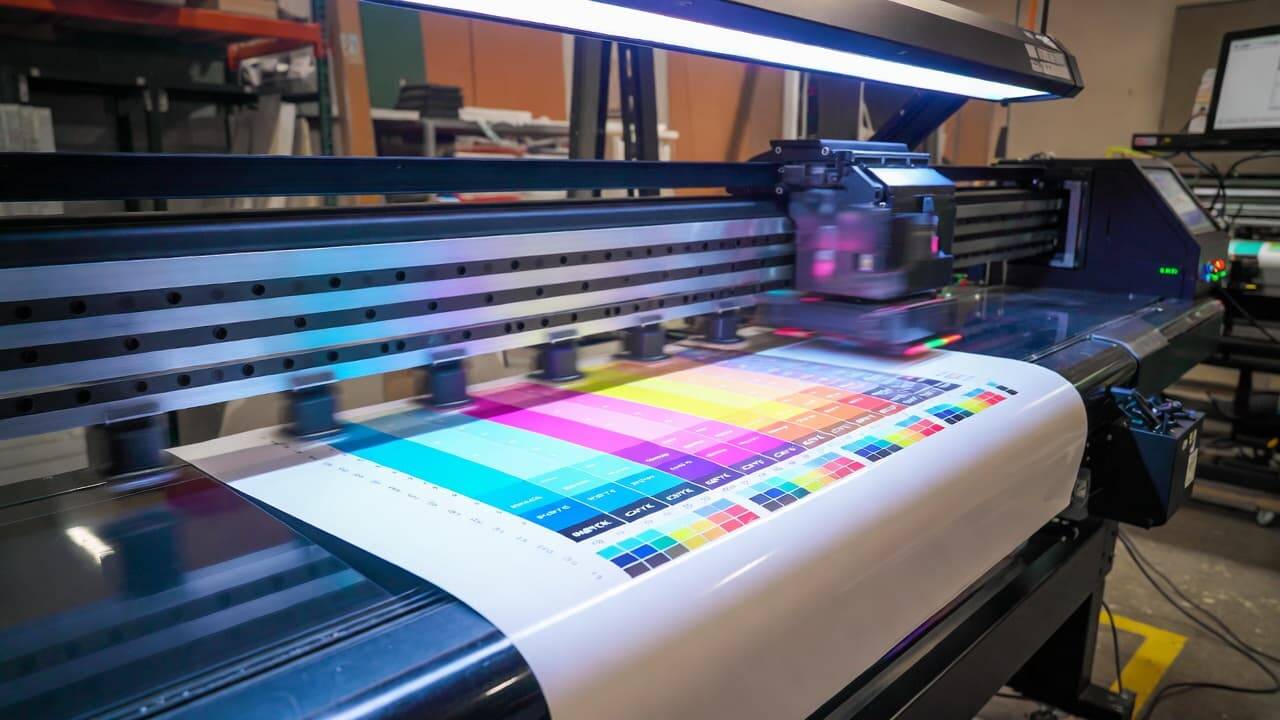
In today’s highly competitive printing industry, color accuracy is not just a technical requirement—it is a business necessity. Whether you are printing signage, packaging, promotional items, industrial labels, or customized décor, clients expect colors to match their brand guidelines and original designs perfectly. Even slight color variations can impact brand identity and customer satisfaction.
UV printers have become a preferred choice across multiple industries because of their versatility and ability to print on a wide range of substrates, including acrylic, glass, metal, wood, plastic, leather, and more. However, owning a high-quality UV printer alone is not enough. To achieve consistent and precise color reproduction, proper calibration is essential.
This comprehensive guide explains everything you need to know about UV printer calibration—from understanding color models to step-by-step calibration procedures and long-term maintenance strategies. By implementing these practices, you can reduce waste, improve output quality, and build trust with your customers.
What Is UV Printer Calibration?
UV printer calibration is the process of adjusting printer settings to ensure that printed colors match predefined standards or digital design values. It involves measuring printed colors, comparing them to target values, and making corrections to achieve accurate color reproduction.
Calibration ensures:
Reliable color matching
Uniform output across different print runs
Consistent results on various substrates
Reduced production errors
Without proper calibration, even the best UV printer can produce inaccurate tones, dull shades, or inconsistent gradients.
Why Color Accuracy Matters in UV Printing
Color plays a powerful role in marketing, branding, and visual communication. Businesses invest heavily in brand colors, and any deviation can reduce credibility. Here’s why UV printer color calibration is crucial:
1. Brand Consistency
Companies rely on specific color codes for logos, packaging, and promotional materials. Accurate color output ensures brand integrity across all printed materials.
2. Reduced Material Waste
Incorrect colors often result in rejected prints and reprints. Calibration minimizes trial-and-error printing, saving ink, substrates, and labor costs.
3. Professional Output Quality
Accurate color gradients, deep blacks, and vibrant tones enhance the overall print appearance and customer perception.
4. Improved Customer Satisfaction
When prints match digital proofs and design expectations, clients are more likely to return and recommend your services.
Understanding Color Models in UV Printing
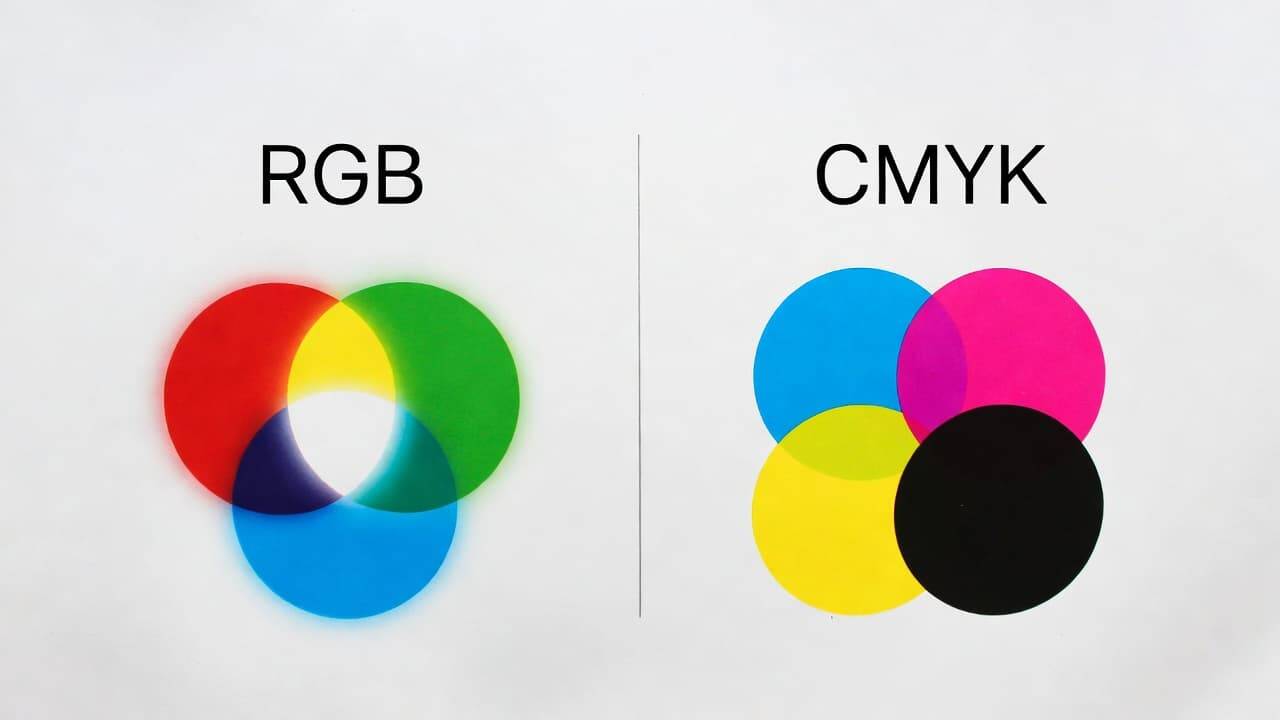
Before calibrating your UV printer, it’s important to understand how colors work in digital design and print production.
RGB Color Model (Red, Green, Blue)
RGB is an additive color model used primarily for digital screens such as monitors, smartphones, and tablets. Colors are created by combining red, green, and blue light.
Designers typically create artwork in RGB mode. However, UV printers do not print using light—they print using ink. Therefore, RGB colors must be converted into a print-compatible format.
CMYK Color Model (Cyan, Magenta, Yellow, Black)
CMYK is a subtractive color model used in printing. UV printers typically operate using CMYK inks (and sometimes additional inks like white or varnish).
In CMYK:
Cyan absorbs red light
Magenta absorbs green light
Yellow absorbs blue light
Black enhances depth and contrast
Proper calibration ensures that your UV printer accurately reproduces CMYK color values and converts RGB designs correctly during the printing process.
Factors That Affect UV Printer Color Accuracy
Several variables influence color output in UV printing:
Ink quality and formulation
Printhead condition
RIP software settings
Substrate type and surface texture
Environmental temperature and humidity
ICC color profiles
Ink curing settings
Understanding these factors helps you diagnose and resolve color inconsistencies effectively.
Essential Tools for UV Printer Calibration
To calibrate your UV printer accurately, you will need the following tools:
1. Color Calibration Software
Specialized software helps generate test charts and manage color profiles.
2. Spectrophotometer or Colorimeter
These devices measure printed color values and compare them to reference standards.
3. ICC Profiles
ICC profiles define how colors should appear on specific printers and substrates.
4. Printer Maintenance Kit
Includes cleaning solutions, wipes, and tools for maintaining printheads.
5. Calibration Test Charts
Standardized color swatches and gradient charts for measurement.
Using professional tools ensures reliable and repeatable calibration results.
Step-by-Step Guide to Calibrating Your UV Printer
Although calibration may seem technical, following a structured approach simplifies the process.
Step 1: Perform Printer Maintenance
Before adjusting color settings:
Clean the printheads
Check for clogged nozzles
Ensure ink levels are adequate
Inspect UV lamps for proper curing
Run a nozzle test
A poorly maintained printer cannot produce accurate calibration results.
Step 2: Standardize the Printing Environment
Environmental conditions directly affect ink performance.
Maintain:
Stable room temperature
Controlled humidity levels
Proper ventilation
Dust-free workspace
Consistency in environment ensures stable color output.
Step 3: Select the Correct Substrate
Different materials absorb and reflect ink differently. Calibration must be performed on the same substrate you plan to use for production.
For example:
Acrylic behaves differently than metal
Matte surfaces differ from glossy surfaces
Dark materials require white ink base adjustments
Always calibrate per substrate type.
Step 4: Print a Calibration Test Chart
Use your RIP software to print a standardized color test chart. This chart includes:
Primary CMYK colors
Secondary color mixes
Neutral grays
Gradients
Skin tone samples
Ensure printer settings match your intended production configuration.
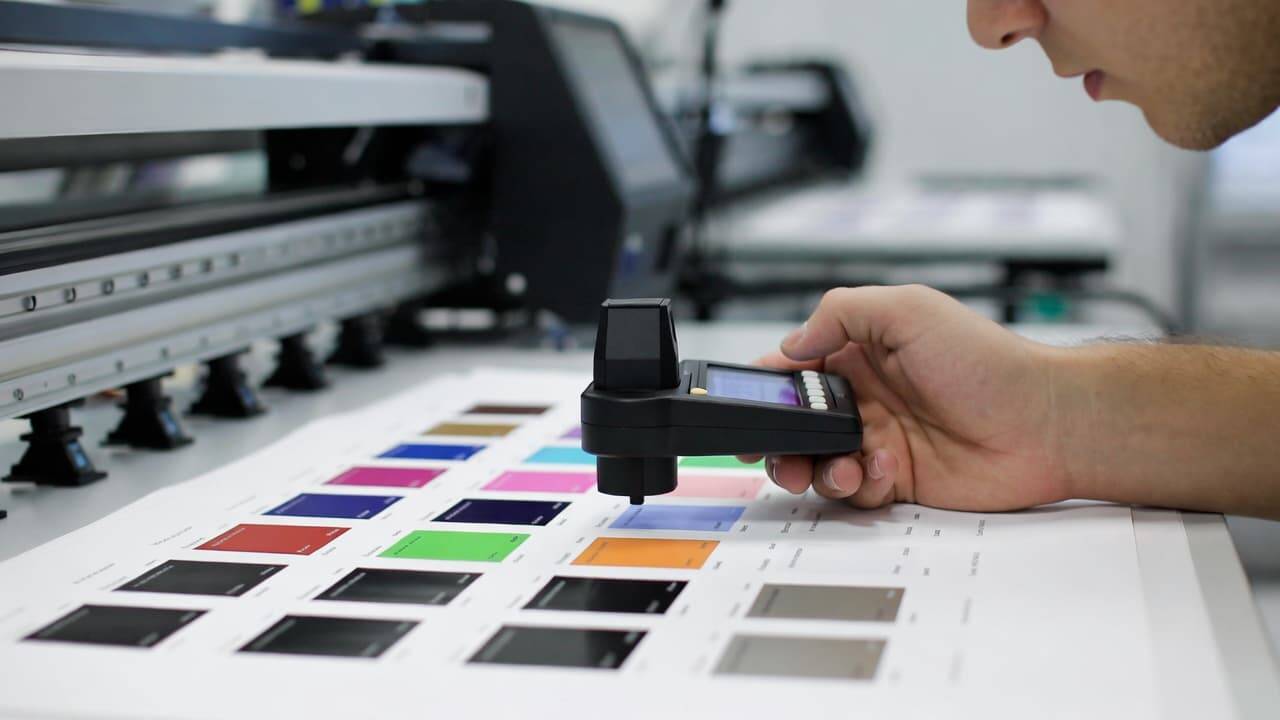
Step 5: Measure Printed Colors
After printing and curing:
Use a spectrophotometer to measure color patches
Record color differences (Delta E values)
Compare results to target values
A lower Delta E indicates closer color accuracy.
Step 6: Adjust Color Profiles
Based on measurement data:
Modify ink density levels
Adjust color balance curves
Fine-tune linearization settings
Update ICC profiles
Your RIP software will typically allow you to generate a new custom color profile based on measured data.
Step 7: Reprint and Verify
Calibration is an iterative process. After making adjustments:
Reprint the test chart
Measure colors again
Compare improvements
Repeat until color deviation is minimized.
Advanced UV Printer Calibration Techniques
For professional print shops handling high-volume or brand-sensitive projects, advanced calibration methods are recommended.
Linearization
Linearization ensures that ink output increases proportionally with input values. It prevents issues like oversaturation or dull colors.
Ink Limiting
Ink limiting determines the maximum amount of ink a substrate can handle without bleeding or curing problems.
Gray Balance Adjustment
Correct gray balance ensures neutral grays without color casts. This improves overall color harmony.
G7 Calibration Method
G7 is a professional calibration standard focusing on grayscale balance. It is widely used in commercial printing.
Best Practices for Maintaining Color Accuracy
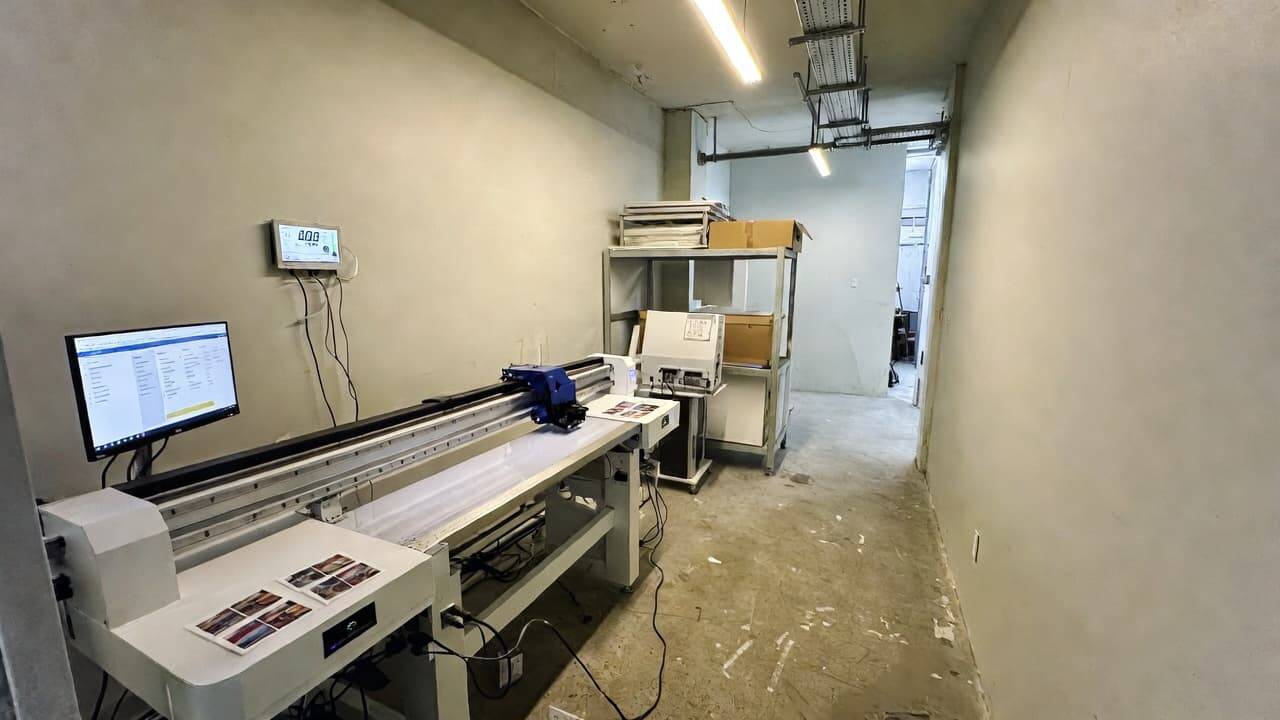
Calibration is not a one-time task. Ongoing maintenance ensures consistent output.
1. Schedule Regular Calibration
Depending on production volume:
High-volume shops: Weekly calibration
Medium usage: Bi-weekly
Low usage: Monthly
Recalibrate if you change inks, substrates, or printheads.
2. Monitor Environmental Conditions
Install temperature and humidity monitoring systems. Even minor fluctuations can affect ink viscosity and curing performance.
3. Use High-Quality Inks and Materials
Low-quality inks can produce unpredictable color results. Always use manufacturer-approved UV inks and recommended substrates.
4. Update RIP Software
Keep firmware and RIP software updated to access improved color management features.
5. Train Your Staff
Ensure operators understand color theory, profile management, and printer maintenance. Human error is a common cause of color inconsistency.
Common UV Printer Color Problems and Solutions
Problem 1: Colors Appear Dull
Possible Causes:
Incorrect ink density
Poor curing
Low-quality substrate
Solution:
Adjust ink limits
Check UV lamp intensity
Test alternative materials
Problem 2: Color Shifts Between Print Runs
Possible Causes:
Environmental fluctuations
Profile mismatch
Ink batch variation
Solution:
Recalibrate
Standardize environment
Verify ICC profiles
Problem 3: Banding or Uneven Colors
Possible Causes:
Clogged nozzles
Printhead misalignment
Solution:
Perform nozzle cleaning
Align printheads
The Role of ICC Profiles in UV Printing
ICC profiles are essential for color accuracy. They act as translation tools between devices such as monitors, printers, and design software.
Custom ICC profiles:
Improve color consistency
Optimize ink usage
Reduce trial prints
Ensure predictable output
For best results, create separate ICC profiles for each substrate type.
Benefits of Proper UV Printer Calibration
When calibration becomes part of your workflow, you gain:
Professional-grade print quality
Reduced operational costs
Faster job approval
Higher production efficiency
Stronger brand reputation
In competitive markets, these advantages can significantly improve profitability.
How Often Should You Calibrate a UV Printer?
There is no universal answer, but you should recalibrate when:
Installing new printheads
Switching ink brands
Changing substrates
Noticing visible color shifts
Updating RIP software
As a general rule, regular calibration prevents major corrections later.
Can You Calibrate a UV Printer Yourself?
Yes. With the proper tools, software, and knowledge, many print operators successfully perform calibration in-house.
However, for large commercial operations, professional color management services may provide advanced precision and certification.
Final Thoughts
UV printer calibration is a critical step in achieving consistent, high-quality, and color-accurate prints. While it may require time and technical understanding, the long-term benefits far outweigh the effort. Proper calibration reduces waste, enhances brand consistency, and builds customer trust.
By understanding color models, using professional measurement tools, maintaining your equipment, and following a structured calibration process, you can significantly improve your UV printing performance.
If you are looking to enhance your print quality and maximize production efficiency, prioritizing regular UV printer calibration is one of the smartest investments you can make.explore our high-quality UV printers here.
Frequently Asked Questions (FAQ)
What is the difference between RGB and CMYK?
RGB is used for digital screens and creates colors using light. CMYK is used in printing and creates colors using ink. UV printers primarily operate in CMYK mode.
How often should I calibrate my UV printer?
It depends on usage, but weekly or bi-weekly calibration is recommended for consistent results.
What tools are required for UV printer calibration?
You need calibration software, a spectrophotometer or colorimeter, ICC profiles, and maintenance supplies.
Does substrate type affect color accuracy?
Yes. Different materials absorb and reflect ink differently, so calibration should be done per substrate.
Can poor calibration damage my business?
Yes. Inconsistent color output can lead to rejected jobs, increased costs, and reduced customer trust.